# Welcome
Butlr’s privacy-first people-sensing platform seamlessly integrates with your needs—whether you’re optimizing space utilization, improving energy efficiency, or generating actionable insights across workplaces, senior living, and retail environments. With intuitive APIs, event-driven webhooks, and dedicated support, we enable you to unlock new possibilities.
Together, let’s create a smarter, more responsive built environment.
**Helpful Resources to Get Started**
We’ve curated essential resources to ensure a smooth and successful integration with the Butlr platform. Whether you’re exploring our APIs for the first time or diving into advanced use cases, these guides will help you hit the ground running:
Learn how Butlr’s privacy-first people-sensing platform transforms spaces with real-time occupancy data and actionable insights.
# What is Butlr
Butlr is a privacy-first people-sensing platform that combines advanced hardware and software to deliver anonymous occupancy data, helping organizations understand how people interact within a space. At its core is the [**Heatic™ sensor**](#heatic-tm-sensor), which uses thermal technology to capture occupancy data while ensuring privacy. This data can be seamlessly integrated into various applications through Butlr's [**APIs**](#apis-and-webhooks-beta), enabling organizations across industries like workplace, healthcare, and retail to optimize space utilization, improve operational efficiency, and create tailored solutions.
## Heatic™ Sensor
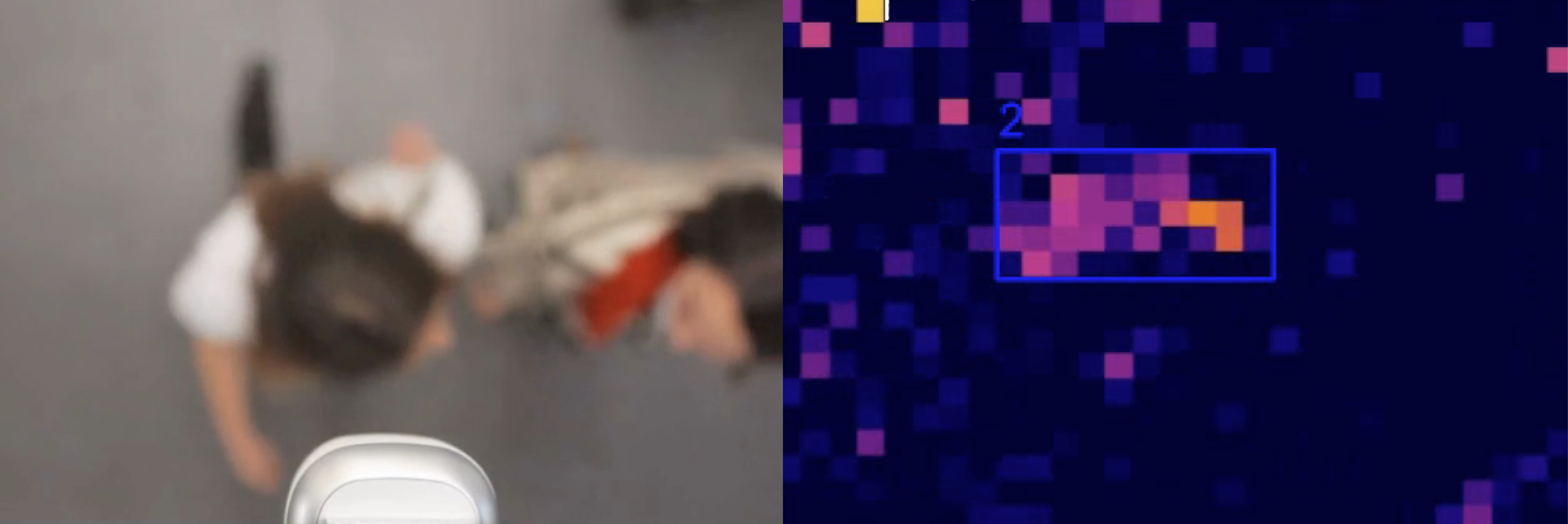
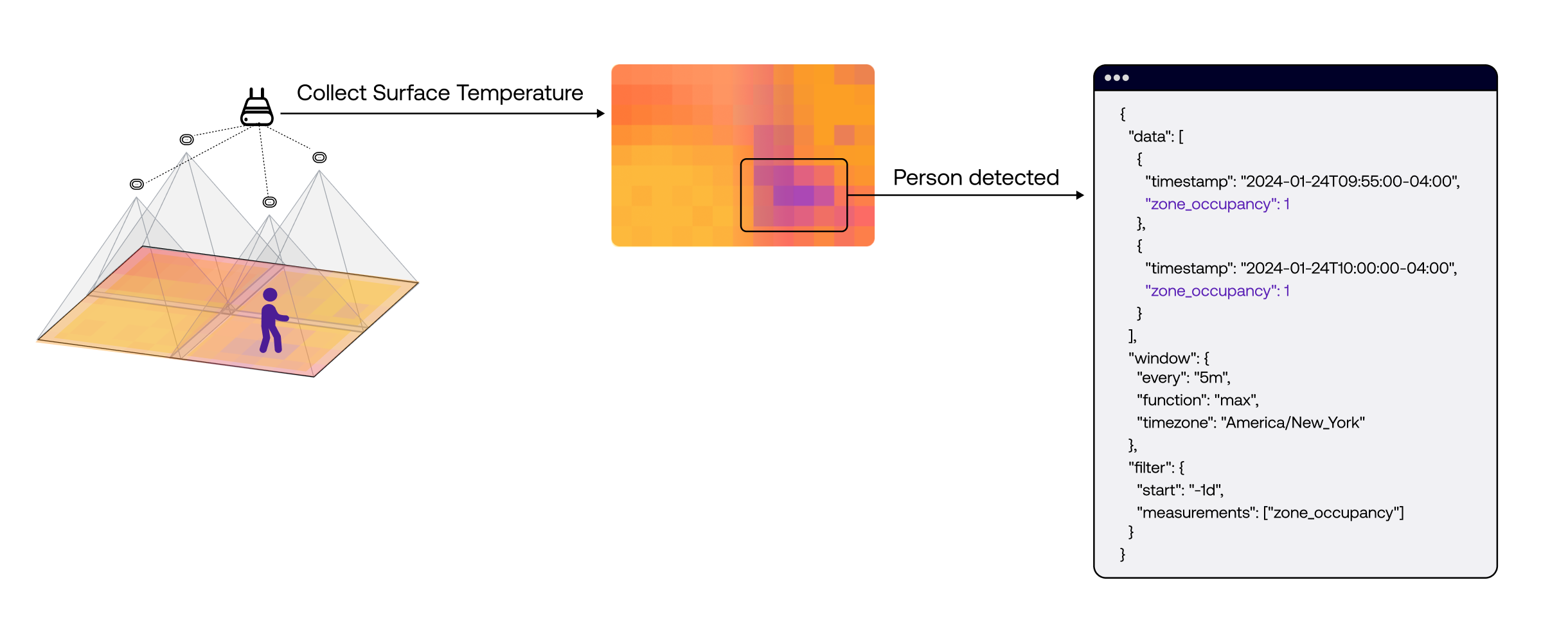
The Butlr Heatic™ sensor is a first-of-its-kind wireless device that uses thermal sensing technology to detect occupancy and human presence indoors. Unlike cameras, the Heatic™ sensor is built with a privacy-first approach, detecting body temperature and determining presence without capturing any visual images. By gathering surface temperature data and leveraging advanced machine learning models, it accurately infers human activity without ever collecting Personal Identifiable Information (PII).
The sensors form a mesh network with constant data relays to the Hive. The Hive is the central node, sending thermal data to the cloud through Wi-Fi, cellular, or Ethernet. Once in the cloud, our algorithms process the raw data into occupancy detections. These detections are accessible through Butlr's APIs for integration into your systems, or you can monitor and analyze them directly through the Butlr web application.
Cloud Network Architecture
***
## Butlr Developer Tools
Butlr's public APIs are the same ones we use internally to develop our applications. We currently offer a GraphQL API for querying asset data and a REST API for reporting time-series occupancy data. These APIs provide powerful tools for accessing and integrating detailed spatial and occupancy data into your own systems, ensuring consistency and reliability across all applications built on the Butlr platform.
### GraphQL API
The Butlr [GraphQL API](https://docs.butlr.io/asset-management/graphql-api-overview) is designed for **asset data management**, enabling querying and mutating specific details about assets such as buildings, floors, rooms, sensors, and hives. It’s beneficial for developers who need customized queries and mutations to build tailored applications or integrate data into existing systems. The API provides fine-grained control over the data you request, making it ideal for scenarios where you need specific information and the ability to manipulate data efficiently.
{% tabs %}
{% tab title="Sensors" %}
```graphql
query SampleQuerySensors {
sensors {
data {
client_id
floor_id
room_id
hive_id
hive_serial
sensor_id
name
mac_address
mode
model
sensitivity
center
height
orientation
field_of_view
}
}
}
```
{% endtab %}
{% tab title="Hives" %}
```graphql
query SampleQueryHives {
hives {
data {
client_id
floor_id
room_id
hive_id
serial_number
name
}
}
}
```
{% endtab %}
{% tab title="Zones" %}
```graphql
query SampleQueryZones {
zones {
data {
client_id
floor_id
room_id
zone_id
coordinates
name
}
}
}
```
{% endtab %}
{% tab title="Rooms" %}
```graphql
query SampleQueryRooms {
rooms {
data {
client_id
floor_id
room_id
coordinates
name
}
}
}
```
{% endtab %}
{% tab title="Floors" %}
```graphql
query SampleQueryFloors {
floors {
data {
client_id
building_id
floor_id
name
}
}
}
```
{% endtab %}
{% tab title="Buildings" %}
```graphql
query SampleQueryBuildings {
buildings {
data {
id
name
}
}
}
```
{% endtab %}
{% tab title="Sites" %}
```graphql
query SampleQuerySites {
sites {
data {
id
name
timezone
}
}
}
```
{% endtab %}
{% endtabs %}
### Reporting API
The [Butlr Reporting API](https://docs.butlr.io/historical-occupancy/reporting-api-overview) is a REST API focused on delivering **time-series occupancy data**, making it suitable for analyzing trends in space utilization. This API is best used for standardized reporting, where aggregated data is needed to manage and optimize physical spaces. Use this API to **track occupancy patterns over time** or **analyze historical trends**, enabling data-driven decisions that enhance space management strategies.
{% tabs %}
{% tab title="Presence (Floor Occupancy)" %}
```json
{
"window": {
"every": "1h",
"function": "max",
"timezone": "America/New_York" //replace with your timezone
},
"filter": {
"start": "2024-01-01T04:00:00Z",//start of the day in timezone
"stop": "2024-01-02T04:00:00Z",//current time
"measurements": ["floor_occupancy"],
"spaces": {
"eq": ["space_XXXX"] //floor(s) you are interested in
}
}
}
```
{% endtab %}
{% tab title="Presence (Room Occupancy)" %}
```json
{
"window": {
"every": "1h",
"function": "max",
"timezone": "America/New_York" //replace with your timezone
},
"filter": {
"start": "2024-01-01T04:00:00Z",//start of the day in timezone
"stop": "2024-01-02T04:00:00Z",//current time
"measurements": ["room_occupancy"],
"rooms": {
"eq": ["room_XXXX"] //rooms(s) you are interested in
}
}
}
```
{% endtab %}
{% tab title="Traffic (Floor Occupancy)" %}
```json
{
"window": {
"every": "1h",
"function": "max",
"timezone": "America/New_York" //replace with your timezone
},
"filter": {
"start": "2024-01-01T04:00:00Z",//start of the day in timezone
"stop": "2024-01-02T04:00:00Z",//current time
"measurements": ["traffic_floor_occupancy"],
"spaces": {
"eq": ["space_XXXX"] //floor(s) you are interested in
}
}
}
```
{% endtab %}
{% tab title="Traffic (Room Occupancy)" %}
```json
{
"window": {
"every": "1h",
"function": "max",
"timezone": "America/New_York" //replace with your timezone
},
"filter": {
"start": "2024-01-01T04:00:00Z",//start of the day in timezone
"stop": "2024-01-02T04:00:00Z",//current time
"measurements": ["traffic_room_occupancy"],
"rooms": {
"eq": ["room_XXXX"] //room(s) you are interested in
}
}
}
```
{% endtab %}
{% endtabs %}
### Webhook
The [Butlr Webhooks](#webhook) are **event-triggered mechanisms** that enable **real-time data delivery** to external systems. When specific events occur—such as changes in occupancy or sensor activity—webhooks automatically send relevant data to pre-configured endpoints. This allows seamless integration and instant updates, ensuring your systems stay synchronized without manual polling.
{% tabs %}
{% tab title="Detections" %}
```json
{
"id": "event_2oUBiSXgx48RtbZKXHm5ekpAzFe",
"type": "DETECTIONS",
"timestamp": 1727735832000,
"version": "v1.0.0",
"metadata": {
"org_id": "org_2oUBiRES2AmpczNM5yLu7pChz8o",
"site_id": "site_2oUBkdxF0lLJZxyWVix09ZTsMNV",
"building_id": "building_2oUBkaFkcYwDzo7HLXpPh8bP4cD",
"floor_id": "space_2oUBnI7YL51GNemTvKIxEgSZ8gx",
"room_id": "room_2oUDDps5iKHHo6RwlMgGVihmTlq", // (optional)
"hive_id": "hive_2oULLOWeATbeC4Ebfe849hNlFWk",
"sensor_id": "2oULMisdkRfEp6mBag2gLpJ0d7Z",
"org_name": "Murphy Group",
"site_name": "Los Angeles",
"building_name": "Bergnaum Building",
"floor_name": "1st Floor",
"room_name": "Cherry Falls", // (optional)
"hive_serial": "21312f639defabc0",
"mac_address": "00-17-0d-00-00-cc-bb-aa",
"sensor_mode": "presence",
"sensor_model": "Heatic 2+",
"hive_model": "2.0",
"hive_version": "2.4.4"
},
"data": {
"local": [ [0.5625, 0.125], [0.75, 0.5625] ], // 2 detections
"world": [ [85.694195, 27.829299], [87.439295, 28.577199]] // 2 detections
}
}
```
{% endtab %}
{% tab title="Traffic" %}
```json
{
"id": "event_2oUBiSXgx48RtbZKXHm5ekpAzFe",
"type": "TRAFFIC",
"timestamp": 1727735832000,
"version": "v1.0.0",
"metadata": {
"org_id": "org_2oUBiRES2AmpczNM5yLu7pChz8o",
"site_id": "site_2oUBkdxF0lLJZxyWVix09ZTsMNV",
"building_id": "building_2oUBkaFkcYwDzo7HLXpPh8bP4cD",
"floor_id": "space_2oUBnI7YL51GNemTvKIxEgSZ8gx",
"room_id": "room_2oUDDps5iKHHo6RwlMgGVihmTlq", // (optional)
"hive_id": "hive_2oULLOWeATbeC4Ebfe849hNlFWk",
"sensor_id": "2oULMisdkRfEp6mBag2gLpJ0d7Z",
"org_name": "Murphy Group",
"site_name": "Los Angeles",
"building_name": "Bergnaum Building",
"floor_name": "1st Floor",
"room_name": "Cherry Falls", // (optional)
"hive_serial": "21312f639defabc0",
"mac_address": "00-17-0d-00-00-cc-bb-aa",
"sensor_mode": "traffic",
"sensor_model": "Heatic 2+",
"hive_model": "2.0",
"hive_version": "2.4.4"
},
"data": {
"in": 0,
"out": 1
}
}
```
{% endtab %}
{% tab title="Floor Occupancy" %}
```json
{
"id": "event_2oUBiSXgx48RtbZKXHm5ekpAzFe",
"type": "FLOOR_OCCUPANCY",
"timestamp": 1727735832000,
"version": "v1.0.0",
"metadata": {
"org_id": "org_2oUBiRES2AmpczNM5yLu7pChz8o",
"site_id": "site_2oUBkdxF0lLJZxyWVix09ZTsMNV",
"building_id": "building_2oUBkaFkcYwDzo7HLXpPh8bP4cD",
"floor_id": "space_2oUBnI7YL51GNemTvKIxEgSZ8gx",
"org_name": "Murphy Group",
"site_name": "Los Angeles",
"building_name": "Bergnaum Building",
"floor_name": "1st Floor"
},
"data": 25
}
```
{% endtab %}
{% tab title="Room Occupancy" %}
```json
{
"id": "event_2oUBiSXgx48RtbZKXHm5ekpAzFe",
"type": "ROOM_OCCUPANCY",
"timestamp": 1727735832000,
"version": "v1.0.0",
"metadata": {
"org_id": "org_2oUBiRES2AmpczNM5yLu7pChz8o",
"site_id": "site_2oUBkdxF0lLJZxyWVix09ZTsMNV",
"building_id": "building_2oUBkaFkcYwDzo7HLXpPh8bP4cD",
"floor_id": "space_2oUBnI7YL51GNemTvKIxEgSZ8gx",
"room_id": "room_2oUDDps5iKHHo6RwlMgGVihmTlq",
"org_name": "Murphy Group",
"site_name": "Los Angeles",
"building_name": "Bergnaum Building",
"floor_name": "1st Floor",
"room_name": "Cherry Falls"
},
"data": 4
}
```
{% endtab %}
{% tab title="Zone Occupancy" %}
```json
{
"id": "event_2oUBiSXgx48RtbZKXHm5ekpAzFe",
"type": "ZONE_OCCUPANCY",
"timestamp": 1727735832000,
"version": "v1.0.0",
"metadata": {
"org_id": "org_2oUBiRES2AmpczNM5yLu7pChz8o",
"site_id": "site_2oUBkdxF0lLJZxyWVix09ZTsMNV",
"building_id": "building_2oUBkaFkcYwDzo7HLXpPh8bP4cD",
"floor_id": "space_2oUBnI7YL51GNemTvKIxEgSZ8gx",
"room_id": "room_2oUDDps5iKHHo6RwlMgGVihmTlq", // (optional)
"zone_id": "zone_2oUJLGKGlqPjwnUCwXNXpX3HB28",
"org_name": "Murphy Group",
"site_name": "Los Angeles",
"building_name": "Bergnaum Building",
"floor_name": "1st Floor",
"room_name": "Cherry Falls", // (optional)
"zone_name": "Desk 01"
},
"data": 4
}
```
{% endtab %}
{% endtabs %}
# Spatial Metrics
**Spatial metrics** provide insights into how people interact with and move through physical spaces. This includes occupancy, movement trends, and potentially human behavior-related metrics. These metrics can be aggregated over various periods and filtered by [floors](https://docs.butlr.io/asset-management/graphql-api-overview/floors), [rooms](https://docs.butlr.io/asset-management/graphql-api-overview/rooms), or [zones](https://docs.butlr.io/asset-management/graphql-api-overview/zones) to offer actionable insights. The availability of metrics for a given space depends on the sensor mode deployed in that area.
## **1. Traffic Mode**
Traffic Mode provides aggregated totals of ‘in’ and ‘out’ movements based on a sensor’s orientation, a user-defined door line, and the direction of entry. For optimal performance, sensors should be mounted above entrances using either a Wall Mount or Ceiling Mount. Occupancy is calculated based on the flow of people in and out.
### **How It Works**
* Tracks the number of people entering (Ins) and exiting (Outs) a space.
* Data can be aggregated or filtered by floors, rooms, or zones for tailored insights.
* Resets occupancy counts to zero daily at midnight, based on the site’s time zone, to prevent drift caused by missed entries or exits.
### **Use Cases**
* **Workplace:** Track entries and exits in lobbies, cafeterias, floors, or large spaces like conference rooms and auditoriums.
* **Senior Living:** Monitor overall site activity at main entrances.
* **Retail:** Measure customer flow at store or mall entrances and across floors.
### **Limitations**
* Does not capture real-time activity across all areas of a space.
* Missing entries or exits can lead to inaccuracies (drift) over time.
### **Available Metrics for Traffic Mode**
**Traffic Count (Ins/Outs):** Tracks the number of people entering and exiting at the floor or individual room level.
{% hint style="info" %}
Ways to access the traffic data:
* Query the [Reporting API](https://docs.butlr.io/historical-occupancy/reporting-api-overview)'s [`traffic`](https://docs.butlr.io/historical-occupancy/reporting-api-overview/traffic) measurement for traffic data.
* Subscribe to the [traffic webhook](https://docs.butlr.io/real-time-occupancy/webhooks-overview/human-traffic) for real-time entry and exit count updates.
{% endhint %}
**Traffic-Based Occupancy:** Estimates occupancy at the floor, room, or zone level by aggregating entry and exit data. This provides a high-level occupancy estimate but may not capture detailed floor usage.
{% hint style="info" %}
Ways to access the traffic-based occupancy data:
* Query the [Reporting API](https://docs.butlr.io/historical-occupancy/reporting-api-overview)'s [`traffic_floor_occupancy`](https://docs.butlr.io/historical-occupancy/reporting-api-overview/floor-occupancy#traffic-based-floor-occupancy) or [`traffic_room_occupancy`](https://docs.butlr.io/historical-occupancy/reporting-api-overview/room-occupancy#traffic-based-room-occupancy) measurement for traffic-based occupancy data.
* *Real-time updates are not yet available via webhook subscription.*
{% endhint %}
***
## **2. Presence Mode**
Presence Mode provides the number and coordinates of individuals within its coverage area. For best results, sensors should be mounted in open areas and meeting rooms using a Ceiling Mount. Occupancy is determined based on real-time detections.
### **How It Works**
* Detects activity within a defined coverage area, providing granular insights into movement patterns and usage.
* Offers precise occupancy data for specific zones.
### **Use Cases**
* **Workplace:** Monitor occupancy in meeting rooms, offices, workstations, or hot desking zones in open work areas.
* **Senior Living:** Track activity in resident apartments to detect risks such as falls or prolonged inactivity.
* **Retail:** Analyze customer engagement at product displays or checkout counters.
### **Limitations**
* Only detects individuals within the sensor’s defined coverage area, potentially undercounting those outside this range.
* Counts may fluctuate slightly when individuals move between sensors in quick succession.
### Available Metrics for Presence Mode
**Presence-Based Occupancy:** Occupancy counts at floor, room, or zone levels based on presence sensor detections.
{% hint style="info" %}
Ways to access the presence-based occupancy data:
* Query the [Reporting API](https://docs.butlr.io/historical-occupancy/reporting-api-overview)'s [`floor_occupancy`](https://docs.butlr.io/historical-occupancy/reporting-api-overview/floor-occupancy#presence-based-floor-occupancy) , [`room_occupancy`](https://docs.butlr.io/historical-occupancy/reporting-api-overview/room-occupancy#presence-based-room-occupancy) , or [`zone_occupancy`](https://docs.butlr.io/historical-occupancy/reporting-api-overview/zone-occupancy#presence-based-zone-occupancy)measurement for presence-based occupancy data.
* Subscribe to the [floor occupancy](https://docs.butlr.io/real-time-occupancy/webhooks-overview/floor-occupancy), [room occupancy](https://docs.butlr.io/real-time-occupancy/webhooks-overview/room-occupancy), or [zone occupancy webhooks](https://docs.butlr.io/real-time-occupancy/webhooks-overview/zone-occupancy) for real-time occupancy count updates.
{% endhint %}
**Detection Coordinates:** the coordinates of person detected within the sensor’s coverage area.
{% hint style="info" %}
Ways to access the detection coordinates data:
* Subscribe to the [detections webhook](https://docs.butlr.io/real-time-occupancy/webhooks-overview/human-detections) for real-time coordinates updates.
{% endhint %}
***
**Why do Traffic and Presence Counts Differ on the Same Floor?**
1. **Limited Coverage by Presence Sensors:**\
When presence sensors cover only a small portion of the floor (e.g., 20%), they count only individuals within their coverage area. In contrast, traffic sensors track all entries and exits at the floor's main entrances, resulting in higher traffic counts compared to presence-based occupancy.
2. **High Coverage Floors:**\
On floors with 90% or greater area coverage by presence sensors, the counts from traffic and presence metrics tend to align more closely. However, discrepancies can still occur due to:
* **Movement Between Coverage Areas**: Minor fluctuations caused by people moving between areas covered by presence sensors
* **Missed Traffic Events:** Inaccuracies caused by traffic sensors occasionally failing to detect entries or exits.
3. **Drift in Traffic Counts:**\
Traffic-based counts can drift over time due to missed entries or exits, leading to compounding inaccuracies. To address this, traffic counts are reset to zero daily at midnight, ensuring consistency for the next day.
# Getting Started
Our API accepts [JWT access tokens](https://oauth.net/2/jwt-access-tokens/) that comply with the [OAuth 2.0 protocol](https://oauth.net/2/) to authenticate requests.
You have two options that comply with the [OAuth 2.0 protocol](https://oauth.net/2/) to obtain an `access_token` and we recommend choosing one based on your use case.
* [OAuth 2.0 Password Grant Type](https://oauth.net/2/grant-types/password/)
* The password grant type is preferred when a trusted client application needs to obtain an access token on behalf of a specific user by directly using their username and password. This approach is suitable for first-party applications where users trust the client with their credentials, enabling access to user-specific resources with full user context.
* [OAuth 2.0 Client Credentials Grant Type](https://oauth.net/2/grant-types/client-credentials/).
* The client credentials grant type is ideal when an application needs to authenticate itself to access its own resources or perform operations that are not user-specific. Commonly used in server-to-server interactions, this method allows the application to act autonomously by obtaining an access token using only its client ID and secret, without involving any end-user.
{% hint style="info" %}
Notes:
1. **Refresh Tokens and Expiry Patterns:** Access tokens are typically short-lived to minimize security risks if compromised, while refresh tokens are long-lived and allow clients to obtain new access tokens without re-authenticating the user. In the password grant type, refresh tokens are often issued to maintain user sessions seamlessly. In contrast, refresh tokens are usually not issued with the client credentials grant type because the client can obtain new access tokens using its credentials whenever needed. Additionally, access tokens obtained via the client credentials grant type may sometimes have longer expiration times since the client is a trusted application acting on its own behalf without user interaction; however, this can vary based on the authorization server's policies and security considerations.
2. Butlr Dashboard Authentication: For the Butlr Dashboard we use [OAuth 2.0 Authorization Code Grant](https://oauth.net/2/grant-types/authorization-code/) via Auth0 hosted redirect to remove Butlr from the password exchange flow. [We will eventually support this through the developer API as well.](#user-content-fn-1)[^1]
{% endhint %}
[^1]: :eyes:
# Authentication
### [OAuth 2.0 Password Grant](https://oauth.net/2/grant-types/password/)
Request
{% tabs %}
{% tab title="cURL" %}
```bash
curl --location --request POST 'https://api.butlr.io/api/v2/login' \
--header 'Content-Type: application/json' \
--data-raw '{
"username": "your@email.com",
"password": "your_password"
}'
```
{% endtab %}
{% tab title="Go" %}
```go
package main
import (
"fmt"
"strings"
"net/http"
"io/ioutil"
)
func main() {
url := "https://api.butlr.io/api/v2/login"
method := "POST"
payload := strings.NewReader(`{
"username": "your@email.com",
"password": "your_password"
}`)
client := &http.Client {
}
req, err := http.NewRequest(method, url, payload)
if err != nil {
fmt.Println(err)
return
}
req.Header.Add("Content-Type", "application/json")
res, err := client.Do(req)
if err != nil {
fmt.Println(err)
return
}
defer res.Body.Close()
body, err := ioutil.ReadAll(res.Body)
if err != nil {
fmt.Println(err)
return
}
fmt.Println(string(body))
}
```
{% endtab %}
{% tab title="Python" %}
```python
import requests
import json
url = "https://api.butlr.io/api/v2/login"
payload = json.dumps({
"username": "your@email.com",
"password": "your_password"
})
headers = {
'Content-Type': 'application/json'
}
response = requests.request("POST", url, headers=headers, data=payload)
print(response.text)
```
{% endtab %}
{% endtabs %}
Response
```json
{
"access_token": "your_access_token",
"refresh_token": "your_refresh_token",
"id_token": "your_id_token",
"scope": "your_scopes",
"expires_in": 1000,
"token_type": "Bearer"
}
```
### [OAuth 2.0 Client Credentials Grant](https://oauth.net/2/grant-types/client-credentials/)
#### How to create your client credentials
1. Go to the [Butlr Web App](https://app.butlr.io).
2. Sign in using your username and password.
3. Click the expandable menu (v) in the top navigation bar (upper right corner) and select **Account Settings**.
4. Navigate to the **API tokens** tab.
5. Click the **Create token** button.
6. Enter a **Name** and a **Description**, then click **Create**.
7. A dialog box will display your **Client ID** and **Client Secret**.
* ⚠️ Important: Be sure to copy and securely store these credentials. For security reasons, they will not be shown again after you close the dialog.
Request
{% tabs %}
{% tab title="cURL" %}
```bash
curl --location --request POST 'https://api.butlr.io/api/v2/clients/login' \
--header 'Content-Type: application/json' \
--data '{
"client_id": "your_client_id",
"client_secret": "your_client_secret",
"audience": "https://butlrauth/",
"grant_type": "client_credentials"
}'
```
{% endtab %}
{% tab title="Go" %}
```go
package main
import (
"fmt"
"strings"
"net/http"
"io/ioutil"
)
func main() {
url := "https://api.butlr.io/api/v2/clients/login"
method := "POST"
payload := strings.NewReader(`{
"client_id": "your_client_id",
"client_secret": "your_client_secret",
"audience": "https://butlrauth/",
"grant_type": "client_credentials"
}`)
client := &http.Client {
}
req, err := http.NewRequest(method, url, payload)
if err != nil {
fmt.Println(err)
return
}
req.Header.Add("Content-Type", "application/json")
res, err := client.Do(req)
if err != nil {
fmt.Println(err)
return
}
defer res.Body.Close()
body, err := ioutil.ReadAll(res.Body)
if err != nil {
fmt.Println(err)
return
}
fmt.Println(string(body))
}
```
{% endtab %}
{% tab title="Python" %}
```python
import requests
import json
url = "https://api.butlr.io/api/v2/clients/login"
payload = json.dumps({
"client_id": "your_client_id",
"client_secret": "your_client_secret",
"audience": "https://butlrauth/",
"grant_type": "client_credentials"
})
headers = {
'Content-Type': 'application/json'
}
response = requests.request("POST", url, headers=headers, data=payload)
print(response.text)
```
{% endtab %}
{% endtabs %}
**Response**
```json
{
"access_token": "your_access_token",
"scope": "your_scopes",
"expires_in": 1000,
"token_type": "Bearer"
}
```
# Making your first query
Now that you have obtained an `access_token` from the [Authentication](https://docs.butlr.io/getting-started/authentication) step, we are ready to make our first request. Here is an example of a request with authorization to our GraphQL API to obtain `sensors` data.
### Authorization in Header
```
{"Authorization": "Bearer [access_token]"}
```
### GraphQL Query
```graphql
query MyFirstQuery {
sensors {
data {
client_id
floor_id
room_id
hive_id
hive_serial
sensor_id
name
mac_address
mode
model
sensitivity
center
height
orientation
field_of_view
}
}
}
```
### Code Examples
{% tabs %}
{% tab title="cURL" %}
```javascript
curl --location 'https://api.butlr.io/api/v3/graphql' \
--request POST \
--header 'Content-Type: application/json' \
--header 'Authorization: Bearer [insert access_token here]' \
--data '{"query":"query MyFirstQuery {\n sensors {\n data {\n client_id\n floor_id\n room_id\n hive_id\n hive_serial\n\n sensor_id\n name\n mac_address\n mode\n model\n sensitivity\n center\n height\n orientation\n field_of_view\n }\n }\n}","variables":{}}'
```
{% endtab %}
{% tab title="Go" %}
```go
package main
import (
"fmt"
"strings"
"net/http"
"io/ioutil"
)
func main() {
url := "https://api.butlr.io/api/v3/graphql"
method := "POST"
payload := strings.NewReader("{\"query\":\"query GetSensors {\\n sensors {\\n data {\\n room_id\\n room {\\n name\\n }\\n floor_id\\n client_id\\n name\\n sensor_id\\n mac_address\\n is_online\\n is_streaming\\n center\\n }\\n }\\n hives {\\n data {\\n floor_id\\n }\\n }\\n}\",\"variables\":{}}")
client := &http.Client {
}
req, err := http.NewRequest(method, url, payload)
if err != nil {
fmt.Println(err)
return
}
req.Header.Add("Content-Type", "application/json")
req.Header.Add("Authorization", "Bearer [insert access_token here]")
res, err := client.Do(req)
if err != nil {
fmt.Println(err)
return
}
defer res.Body.Close()
body, err := ioutil.ReadAll(res.Body)
if err != nil {
fmt.Println(err)
return
}
fmt.Println(string(body))
}
```
{% endtab %}
{% tab title="Python" %}
```python
import requests
import json
url = "https://api.butlr.io/api/v3/graphql"
payload = "{\"query\":\"query GetSensors {\\n sensors {\\n data {\\n room_id\\n room {\\n name\\n }\\n floor_id\\n client_id\\n name\\n sensor_id\\n mac_address\\n is_online\\n is_streaming\\n center\\n }\\n }\\n hives {\\n data {\\n floor_id\\n }\\n }\\n}\",\"variables\":{}}"
headers = {
'Content-Type': 'application/json',
'Authorization': 'Bearer [insert access_token here]'
}
response = requests.request("POST", url, headers=headers, data=payload)
print(response.text)
```
{% endtab %}
{% endtabs %}
# Mint Client Credentials
Client Credential Credential Grant via Butlr API
[OAuth 2.0 Client Credentials Grant Type](https://oauth.net/2/grant-types/client-credentials/).
* The client credentials grant type is ideal when an application needs to authenticate itself to access its own resources or perform operations that are not user-specific. Commonly used in server-to-server interactions, this method allows the application to act autonomously by obtaining an access token using only its client ID and secret, without involving any end-user.
***
## Auth0 M2M Client Service
### Overview
The **Auth0 M2M Client Service** manages Machine-to-Machine (M2M) clients. All endpoints require a valid JWT token with a `client_id`.
### Authentication
All requests must include a valid JWT token in the `Authorization` header:
```http
Authorization: Bearer your-jwt-token
```
***
### Endpoints
#### Create M2M Client
Creates a new Machine-to-Machine client in Auth0.
**Request:**
```http
POST /api/v1/client
Content-Type: application/json
Authorization: Bearer your-jwt-token
```
**Request Body:**
```json
{
"name": "My API Client",
"description": "Client for accessing internal APIs"
}
```
**Behavior:**
* The client is automatically associated with the `client_id` from your JWT token.
* It is authorized for the Butlr API (`https://butlrauth/`) with the following scopes:
* `read:spaces`, `write:spaces`, `delete:spaces`
* `read:rooms`, `write:rooms`, `delete:rooms`
* `read:sensors`, `write:sensors`, `delete:sensors`
* `read:hives`, `write:hives`, `delete:hives`
**Response (201 Created):**
```json
{
"name": "My API Client",
"description": "Client for accessing internal APIs",
"client_id": "client_{ksuid}",
"client_secret": "your-client-secret-here"
}
```
**Example cURL Command:**
```bash
curl -X POST http://localhost:4010/api/v1/client \
-H "Authorization: Bearer your-jwt-token" \
-H "Content-Type: application/json" \
-d '{
"name": "My API Client",
"description": "Client for accessing internal APIs"
}'
```
***
#### List M2M Clients
Retrieves all M2M clients.
**Request:**
```http
GET /api/v1/client
Authorization: Bearer your-jwt-token
```
**Response (200 OK):**
```json
[
{
"id": "abc123def456",
"name": "My API Client",
"description": "Client for accessing internal APIs",
"client_id": "abc123def456"
},
{
"id": "xyz789",
"name": "Another Client",
"description": "Secondary API client",
"client_id": "xyz789"
}
]
```
**Example cURL Command:**
```bash
curl http://localhost:4010/api/v1/client \
-H "Authorization: Bearer your-jwt-token"
```
***
#### Get M2M Client
Retrieves a specific M2M client by ID.
**Request:**
```http
GET /api/v1/client/{id}
Authorization: Bearer your-jwt-token
```
**Response (200 OK):**
```json
{
"id": "abc123def456",
"name": "My API Client",
"description": "Client for accessing internal APIs",
"client_id": "abc123def456"
}
```
**Example cURL Command:**
```bash
curl http://localhost:4010/api/v1/client/abc123def456 \
-H "Authorization: Bearer your-jwt-token"
```
***
#### Delete M2M Client
Deletes a specific M2M client.
**Request:**
```http
DELETE /api/v1/client/{id}
Authorization: Bearer your-jwt-token
```
**Response (204 No Content)**
**Example cURL Command:**
```bash
curl -X DELETE http://localhost:4010/api/v1/client/abc123def456 \
-H "Authorization: Bearer your-jwt-token"
```
***
### Error Responses
#### `400 Bad Request`
Occurs when the request is invalid.
**Example Response:**
```json
{
"code": "INVALID_REQUEST",
"message": "client name is required"
}
```
***
#### `401 Unauthorized`
Occurs when the JWT token is missing, invalid, or missing a `client_id`.
**Example Responses:**
```json
{
"message": "missing or malformed jwt"
}
```
OR
```json
{
"message": "token is valid but missing client_id"
}
```
***
#### `404 Not Found`
Occurs when the requested client is not found.
**Example Response:**
```json
{
"code": "CLIENT_NOT_FOUND",
"message": "client not found"
}
```
***
#### `500 Internal Server Error`
Occurs when an unexpected error happens.
**Example Response:**
```json
{
"message": "Internal server error"
}
```
***
### Error Codes
| Code | Description |
| ---------------------------- | --------------------------------------------------------------- |
| `INVALID_REQUEST` | The request is missing required fields or contains invalid data |
| `CLIENT_NOT_FOUND` | The requested client does not exist |
| `CLIENT_CREATE_FAILED` | Failed to create the client |
| `CLIENT_GRANT_CREATE_FAILED` | Failed to authorize client for API access |
| `CLIENT_UPDATE_FAILED` | Failed to update the client |
| `CLIENT_DELETE_FAILED` | Failed to delete the client |
# Changelog
### November **21, 2025**
**New Release:**
* Introduce `filters` in webhook property to filter webhook events containing certain ids
* Introduce `send_on_value_change` boolean in webhook property that the event is sent only when the value changes
**Impact**
* No breaking changes.
* The new properties will help reduce the unneeded events.
### **October 10, 2025**
**New Release:**\
Introduce `floor_custom_id` / `room_custom_id` / `zone_custom_id` in our [reporting](https://docs.butlr.io/historical-occupancy/reporting-api-overview) API.
**Impact**
* No breaking changes.
* These fields are only returned when there's a value.
### **August 13, 2025**
**New Release:**\
We have introduced new **1-minute rollup event types** for Floor Occupancy, Room Occupancy, and Zone Occupancy. These events provide smoothed, minute-aligned occupancy counts and are recomputed with a short look-back period to account for potential delays. This approach may result in updated counts for previous minutes within a rolling 5-minute window.
**New Event Types:**
* `FLOOR_OCCUPANCY_1M`
* `ROOM_OCCUPANCY_1M`
* `ZONE_OCCUPANCY_1M`
**Impact**
* No breaking changes.
* Clients can subscribe to these new event types via webhooks to receive more stable, aggregated occupancy data per minute, improving the accuracy of time-series analysis and reducing noise from second-by-second fluctuations.
### April 30, 2025
**New Release:**
We are introducing the `stats` API under reporting. The `stats` API will give an aggregate view of occupancy data over the specified time range.
**How to Use It**
[API specifications](https://docs.butlr.io/historical-occupancy/reporting-api-overview/statistic-overview).
**Impact**
* No breaking changes
* Clients can use this API to query for aggregate occupancy statistics over a period of time
### April 2, 2025
#### **New Release:**
We’ve introduced a **Calibrated Occupancy** option that enhances the accuracy of traffic-based occupancy data across your spaces.
**How to Use It**
Developers can now enable `calibrated:true` by adding in as filter in [Reporting API](https://docs.butlr.io/historical-occupancy/reporting-api-overview/floor-occupancy) calls to relevant traffic-based endpoints.
**What It Does**
Over time, miscounts from entry and exit sensors can build up, especially in busy areas with multiple entrances. This can lead to:
* Occupancy appears to drop to zero too early
* Spaces showing as occupied even after everyone has left
This new **calibrated model** helps correct for these discrepancies, delivering occupancy counts that more closely reflect real-world usage patterns.
**Key Benefits**
* More accurate traffic-based occupancy trends
* Improved reliability in areas with complex traffic flows
* Better alignment with actual space usage throughout the day
### March 1, 2025
**New Release:**
We’ve introduced new metadata fields to our webhook messages to provide additional customer-specific context. These fields allow for better mapping of data to customer-defined locations.
**Added Fields:**
* `floor_custom_id` → Customer’s unique floor identifier
* `room_custom_id` → Customer’s unique room identifier
* `zone_custom_id` → Customer’s unique zone identifier
**Impact:**
* No breaking changes.
* Existing webhook message structure remains unchanged, ensuring backward compatibility.
* Clients can now utilize these additional fields to enhance data integration.
***
### December 12, 2024
**New Features Released:**
* [**Real-Time Occupancy Webhook:**](https://docs.butlr.io/real-time-occupancy/webhooks-overview) Receive instant updates on occupancy changes for seamless integration and automation.
* [**Tag Management**](https://docs.butlr.io/asset-management/graphql-api-overview/asset-tags)**:** Assign one or more tags to floor, room, and zone assets, enabling better organization and categorization of spaces.
* [**Tag-Based Occupancy Queries:**](https://docs.butlr.io/historical-occupancy/reporting-api-overview/query-occupancy-by-tag) Query presence-based occupancy data for floors, rooms, and zones by tag, providing powerful insights tailored to specific categories or use cases.
***
### **October 11th, 2024**
**Legacy v2 APIs Deprecation**\
The following endpoints will reach their end-of-life on **Friday, October 11th, 2024**:
* `v2/spaces`
* `v2/hives`
* `v2/sensors`
* All sub-resources of the above endpoints.
{% hint style="danger" %}
**Important Note:** All **Login**, **Reporting**, and **Detections** endpoints will remain functional and supported. Please update your integrations accordingly.
{% endhint %}
***
### **September 20th, 2024**
**Fixtures Endpoint Deprecation**\
The **fixtures endpoint**, including objects and sub-resources associated with floors (formerly known as spaces), reached its end-of-life on **Friday, September 20th, 2024**.
**Context:** This feature was part of our previous installation tool, which was deprecated earlier in 2024. There is no replacement functionality for fixtures.
Please review your implementation to ensure compatibility with the latest APIs. For questions or assistance, contact our support team at
# GraphQL API Overview
The Butlr GraphQL API is designed for efficient resource data management. It enables querying and mutating specific details about assets such as buildings, floors, rooms, sensors, and hives. This is particularly useful for developers who need customized queries and mutations to build tailored applications or integrate data into existing systems. It provides fine-grained control over the data you request, making it ideal for scenarios where you need specific information and the ability to manipulate data efficiently.
```
https://api.butlr.io/api/v3/graphql
```
## Data Model Hierarchy
At the core of the Butlr data model is a spatial hierarchical framework that mirrors the management of physical assets —starting with individual sensors in specific zones or rooms and scaling up to encompass entire floors, buildings, and even larger campuses or regional portfolios. This model allows for granular data collection and analysis at every level, from detailed room-level occupancy to aggregated insights across buildings or campuses.
Butlr Data Model
### Organization
An organization is at the highest level in the data model hierarchy, representing the entity that owns and manages the Butlr hardware.
### User
An organization can have one or multiple users, all of whom have administrative privileges by default within their assigned organization. We plan to introduce more granular user role controls in 2025.
### [Site](https://docs.butlr.io/asset-management/graphql-api-overview/sites)
An organization can have one or many sites. A site is defined as a group of buildings located within a contiguous area, such as a campus or city blocks, all situated within the same time zone.
### [Building](https://docs.butlr.io/asset-management/graphql-api-overview/buildings)
A site can have one or many buildings. A building is an individual structure within a site, consisting of one or multiple floors.
### [Floor](https://docs.butlr.io/asset-management/graphql-api-overview/floors)
A building can have one or multiple floors. A floor is an individual level within a building containing one or more rooms and zones.
### [Room](https://docs.butlr.io/asset-management/graphql-api-overview/rooms)
A floor can have one or many enclosed rooms. A room is typically enclosed by walls that serve a specific purpose, such as an office, conference room, or bedroom.
### [Zone](https://docs.butlr.io/asset-management/graphql-api-overview/zones)
A zone is a designated subsection within a room or floor, it is used to segment larger areas for more granular monitoring. Zones may represent specific areas like seating sections, workstations, or entry points.
### [Hive](https://docs.butlr.io/asset-management/graphql-api-overview/hives)
A Hive is associated with a specific floor within a building. It is the central hub for managing and transmitting data from sensors to the cloud, ensuring efficient communication and data processing.
### [Sensor](https://docs.butlr.io/asset-management/graphql-api-overview/sensors)
A sensor can be associated with a floor, room, or zone. This flexibility allows for effective monitoring across different areas, from general traffic at floor entrances to pinpointing specific occupancy locations within a zone.
{% hint style="info" %}
For a comprehensive list of all endpoints, visit
{% endhint %}
# Sites
You can use Butlr's GraphQL API to create, update, and retrieve information about sites.
A **site** represents a group of buildings located within a contiguous area, such as a campus or city blocks, all within the same time zone. Organizations can manage one or multiple sites depending on their needs.
This page provides guidance on how to [**retrieve**](#get-all-sites), [**create**](#create-site-s), and [**update site information** ](#update-site-s)within an organization, enabling efficient management of site-related data and ensuring seamless operations across locations.
{% hint style="success" %}
First, obtain an access token to get started [here](https://docs.butlr.io/getting-started/authentication).
{% endhint %}
***
### Get all site(s)
```graphql
query allSites {
sites {
data {
id
name
buildings {
id
name
...BuildingFragment
}
siteNumber
customID
timezone
}
}
}
```
#### Code Examples
{% tabs %}
{% tab title="cURL" %}
```bash
curl --location 'https://api.butlr.io/api/v3/graphql' \
--header 'Content-Type: application/json' \
--header 'Authorization: Bearer [insert access_token here]' \
--data '{"query":"query allSites {\n sites {\n data {\n id\n name\n buildings {\n id\n name\n }\n siteNumber\n customID\n timezone\n }\n }\n}","variables":{}}'
```
{% endtab %}
{% tab title="Go" %}
```go
package main
import (
"fmt"
"strings"
"net/http"
"io/ioutil"
)
func main() {
url := "https://api.butlr.io/api/v3/graphql"
method := "POST"
payload := strings.NewReader("{\"query\":\"query allSites {\\n sites {\\n data {\\n id\\n name\\n buildings {\\n id\\n name\\n }\\n siteNumber\\n customID\\n timezone\\n }\\n }\\n}\",\"variables\":{}}")
client := &http.Client {
}
req, err := http.NewRequest(method, url, payload)
if err != nil {
fmt.Println(err)
return
}
req.Header.Add("Content-Type", "application/json")
req.Header.Add("Authorization", "Bearer [insert access_token here]")
res, err := client.Do(req)
if err != nil {
fmt.Println(err)
return
}
defer res.Body.Close()
body, err := ioutil.ReadAll(res.Body)
if err != nil {
fmt.Println(err)
return
}
fmt.Println(string(body))
}
```
{% endtab %}
{% tab title="Python" %}
```python
import requests
import json
url = "https://api.butlr.io/api/v3/graphql"
payload = "{\"query\":\"query allSites {\\n sites {\\n data {\\n id\\n name\\n buildings {\\n id\\n name\\n }\\n siteNumber\\n customID\\n timezone\\n }\\n }\\n}\",\"variables\":{}}"
headers = {
'Content-Type': 'application/json',
'Authorization': 'Bearer [insert access_token here]'
}
response = requests.request("POST", url, headers=headers, data=payload)
print(response.text)
```
{% endtab %}
{% endtabs %}
***
### Update site(s)
```graphql
mutation updateSiteInfo($input: UpdateSiteInfoInput!) {
updateSiteInfo(input: $input) {
site {
id
name
siteNumber
timezone
}
}
}
# Variables
{
"input" :{
"name": "example_site_updated_name",
"id": "site_2mA7CiVpUluJ4rz5MxhfxNAH3PT"
}
}
```
#### Code Examples
{% tabs %}
{% tab title="cURL" %}
```bash
curl --location 'https://api.butlr.io/api/v3/graphql' \
--header 'Content-Type: application/json' \
--header 'Authorization: Bearer [insert access_token here]' \
--data '{"query":"mutation updateSiteInfo($input: UpdateSiteInfoInput!) {\n updateSiteInfo(input: $input) {\n site {\n id\n name\n siteNumber\n timezone\n }\n }\n}","variables":{"input":{"name":"example_site_updated_name","id":"site_2mA7CiVpUluJ4rz5MxhfxNAH3PT"}}}'
```
{% endtab %}
{% tab title="Go" %}
```go
package main
import (
"fmt"
"strings"
"net/http"
"io/ioutil"
)
func main() {
url := "https://api.butlr.io/api/v3/graphql"
method := "POST"
payload := strings.NewReader("{\"query\":\"mutation updateSiteInfo($input: UpdateSiteInfoInput!) {\\n updateSiteInfo(input: $input) {\\n site {\\n id\\n name\\n siteNumber\\n timezone\\n }\\n }\\n}\",\"variables\":{\"input\":{\"name\":\"example_site_updated_name\",\"id\":\"site_2mA7CiVpUluJ4rz5MxhfxNAH3PT\"}}}")
client := &http.Client {
}
req, err := http.NewRequest(method, url, payload)
if err != nil {
fmt.Println(err)
return
}
req.Header.Add("Content-Type", "application/json")
req.Header.Add("Authorization", "Bearer [insert access_token here]")
res, err := client.Do(req)
if err != nil {
fmt.Println(err)
return
}
defer res.Body.Close()
body, err := ioutil.ReadAll(res.Body)
if err != nil {
fmt.Println(err)
return
}
fmt.Println(string(body))
}
```
{% endtab %}
{% tab title="Python" %}
```python
import requests
import json
url = "https://api.butlr.io/api/v3/graphql"
payload = "{\"query\":\"mutation updateSiteInfo($input: UpdateSiteInfoInput!) {\\n updateSiteInfo(input: $input) {\\n site {\\n id\\n name\\n siteNumber\\n timezone\\n }\\n }\\n}\",\"variables\":{\"input\":{\"name\":\"example_site_updated_name\",\"id\":\"site_2mA7CiVpUluJ4rz5MxhfxNAH3PT\"}}}"
headers = {
'Content-Type': 'application/json',
'Authorization': 'Bearer [insert access_token here]'
}
response = requests.request("POST", url, headers=headers, data=payload)
print(response.text)
```
{% endtab %}
{% endtabs %}
# Buildings
You can use Butlr's GraphQL API to create, update, and retrieve information about buildings.
A **building** is an individual structure within a [site](https://docs.butlr.io/asset-management/graphql-api-overview/sites), comprising one or more floors. A site can have one or multiple buildings.
This page provides guidance on how to [**retrieve**](#get-all-buildings), [**create**](#create-building-s), and [**update building information**](#update-building-s), enabling streamlined management of building data and ensuring operational efficiency.
{% hint style="success" %}
First, obtain an access token to get started [here](https://docs.butlr.io/getting-started/authentication).
{% endhint %}
***
### Get all buildings
```graphql
query allBuildings {
buildings {
data {
id
name
capacity {
max
mid
}
floors {
id
name
...FloorFragment
}
buildingNumber
address {
lines
}
customID
site {
id
name
...SiteFragment
}
}
}
}
```
#### Code Examples
{% tabs %}
{% tab title="cURL" %}
```bash
curl --location 'https://api.butlr.io/api/v3/graphql' \
--header 'Content-Type: application/json' \
--header 'Authorization: Bearer [insert access_token here]' \
--data '{"query":"query allBuildings {\n buildings {\n data {\n id\n name\n capacity {\n max\n mid\n }\n floors {\n id\n name\n }\n buildingNumber\n address {\n lines\n }\n customID\n site {\n id\n name\n }\n }\n }\n}","variables":{}}'
```
{% endtab %}
{% tab title="Go" %}
```go
package main
import (
"fmt"
"strings"
"net/http"
"io/ioutil"
)
func main() {
url := "https://api.butlr.io/api/v3/graphql"
method := "POST"
payload := strings.NewReader("{\"query\":\"query allBuildings {\\n buildings {\\n data {\\n id\\n name\\n capacity {\\n max\\n mid\\n }\\n floors {\\n id\\n name\\n }\\n buildingNumber\\n address {\\n lines\\n }\\n customID\\n site {\\n id\\n name\\n }\\n }\\n }\\n}\",\"variables\":{}}")
client := &http.Client {
}
req, err := http.NewRequest(method, url, payload)
if err != nil {
fmt.Println(err)
return
}
req.Header.Add("Content-Type", "application/json")
req.Header.Add("Authorization", "Bearer [insert access_token here]")
res, err := client.Do(req)
if err != nil {
fmt.Println(err)
return
}
defer res.Body.Close()
body, err := ioutil.ReadAll(res.Body)
if err != nil {
fmt.Println(err)
return
}
fmt.Println(string(body))
}
```
{% endtab %}
{% tab title="Python" %}
```python
import requests
import json
url = "https://api.butlr.io/api/v3/graphql"
payload = "{\"query\":\"query allBuildings {\\n buildings {\\n data {\\n id\\n name\\n capacity {\\n max\\n mid\\n }\\n floors {\\n id\\n name\\n }\\n buildingNumber\\n address {\\n lines\\n }\\n customID\\n site {\\n id\\n name\\n }\\n }\\n }\\n}\",\"variables\":{}}"
headers = {
'Content-Type': 'application/json',
'Authorization': 'Bearer [insert access_token here]'
}
response = requests.request("POST", url, headers=headers, data=payload)
print(response.text)
```
{% endtab %}
{% endtabs %}
***
### Update building(s)
```graphql
mutation updateBuildingInfo($input: UpdateBuildingInfoInput!) {
updateBuildingInfo(input: $input) {
building {
id
name
capacity {
max
mid
}
floors {
id
name
}
buildingNumber
address {
lines
}
customID
site {
id
name
}
}
}
}
# Variables
{
"input" : {
"name": "example_building_updated_name",
"id" : "building_2mAArGz8LmitbjThTYHYoRVciLY"
}
}
```
#### Code Examples
{% tabs %}
{% tab title="cURL" %}
```bash
curl --location 'https://api.butlr.io/api/v3/graphql' \
--header 'Content-Type: application/json' \
--header 'Authorization: Bearer [insert access_token here]' \
--data '{"query":"mutation updateBuildingInfo($input: UpdateBuildingInfoInput!) {\n updateBuildingInfo(input: $input) {\n building {\n id\n name\n capacity {\n max\n mid\n }\n floors {\n id\n name\n }\n buildingNumber\n address {\n lines\n }\n customID\n site {\n id\n name\n }\n }\n }\n}","variables":{"input":{"name":"example_building_updated_name","id":"building_2mAArGz8LmitbjThTYHYoRVciLY"}}}'
```
{% endtab %}
{% tab title="Go" %}
```go
package main
import (
"fmt"
"strings"
"net/http"
"io/ioutil"
)
func main() {
url := "https://api.butlr.io/api/v3/graphql"
method := "POST"
payload := strings.NewReader("{\"query\":\"mutation updateBuildingInfo($input: UpdateBuildingInfoInput!) {\\n updateBuildingInfo(input: $input) {\\n building {\\n id\\n name\\n capacity {\\n max\\n mid\\n }\\n floors {\\n id\\n name\\n }\\n buildingNumber\\n address {\\n lines\\n }\\n customID\\n site {\\n id\\n name\\n }\\n }\\n }\\n}\",\"variables\":{\"input\":{\"name\":\"example_building_updated_name\",\"id\":\"building_2mAArGz8LmitbjThTYHYoRVciLY\"}}}")
client := &http.Client {
}
req, err := http.NewRequest(method, url, payload)
if err != nil {
fmt.Println(err)
return
}
req.Header.Add("Content-Type", "application/json")
req.Header.Add("Authorization", "Bearer [insert access_token here]")
res, err := client.Do(req)
if err != nil {
fmt.Println(err)
return
}
defer res.Body.Close()
body, err := ioutil.ReadAll(res.Body)
if err != nil {
fmt.Println(err)
return
}
fmt.Println(string(body))
}
```
{% endtab %}
{% tab title="Python" %}
```python
import requests
import json
url = "https://api.butlr.io/api/v3/graphql"
payload = "{\"query\":\"mutation updateBuildingInfo($input: UpdateBuildingInfoInput!) {\\n updateBuildingInfo(input: $input) {\\n building {\\n id\\n name\\n capacity {\\n max\\n mid\\n }\\n floors {\\n id\\n name\\n }\\n buildingNumber\\n address {\\n lines\\n }\\n customID\\n site {\\n id\\n name\\n }\\n }\\n }\\n}\",\"variables\":{\"input\":{\"name\":\"example_building_updated_name\",\"id\":\"building_2mAArGz8LmitbjThTYHYoRVciLY\"}}}"
headers = {
'Content-Type': 'application/json',
'Authorization': 'Bearer [insert access_token here]'
}
response = requests.request("POST", url, headers=headers, data=payload)
print(response.text)
```
{% endtab %}
{% endtabs %}
# Floors
You can use Butlr's GraphQL API to create, update, and retrieve information about floors.
A **floor** represents an individual level within a [building](https://docs.butlr.io/asset-management/graphql-api-overview/buildings) and may contain one or more rooms and zones. Buildings can have one or multiple floors, depending on their structure and user requirements.
This page provides guidance on how to [**retrieve**](#get-all-floors), [**create**](#create-floor-s), and [**update floor information**](#update-floor-s) within a building, enabling precise management of floor-specific data.
{% hint style="success" %}
First, obtain an access token to get started [here](https://docs.butlr.io/getting-started/authentication).
{% endhint %}
***
### Get all floors
```graphql
query allFloors {
floors {
data {
id
building {
id
name
}
metadata {
...MetaDataFragment
}
name
timezone
area {
...AreaFragment
}
capacity {
...CapacityFragment
}
sensors {
id
name
...SensorFragment
}
hives {
id
name
...HiveFragment
}
rooms {
id
name
...RoomFragment
}
zones {
id
name
...ZoneFragment
}
installation_date
installation_status
tags {
id
name
...TagFragment
}
last_battery_change_date
next_battery_change_date
floor_plans {
...FloorPlanFragment
}
floorNumber
client_id
}
}
}
```
#### Code Examples
{% tabs %}
{% tab title="cURL" %}
```bash
curl --location 'https://api.butlr.io/api/v3/graphql' \
--header 'Content-Type: application/json' \
--header 'Authorization: Bearer [insert access_token here]' \
--data '{"query":"query allFloors{\n floors{\n data {\n id\n building {\n id\n name\n }\n name\n timezone\n sensors {\n sensor_id\n name\n }\n hives {\n id\n name\n }\n rooms {\n id\n name\n }\n zones {\n id\n name\n }\n }\n }\n}","variables":{}}'
```
{% endtab %}
{% tab title="Go" %}
```go
package main
import (
"fmt"
"strings"
"net/http"
"io/ioutil"
)
func main() {
url := "https://api.butlr.io/api/v3/graphql"
method := "POST"
payload := strings.NewReader("{\"query\":\"query allFloors{\\n floors{\\n data {\\n id\\n building {\\n id\\n name\\n }\\n name\\n timezone\\n sensors {\\n sensor_id\\n name\\n }\\n hives {\\n id\\n name\\n }\\n rooms {\\n id\\n name\\n }\\n zones {\\n id\\n name\\n }\\n }\\n }\\n}\",\"variables\":{}}")
client := &http.Client {
}
req, err := http.NewRequest(method, url, payload)
if err != nil {
fmt.Println(err)
return
}
req.Header.Add("Content-Type", "application/json")
req.Header.Add("Authorization", "Bearer [insert access_token here]")
res, err := client.Do(req)
if err != nil {
fmt.Println(err)
return
}
defer res.Body.Close()
body, err := ioutil.ReadAll(res.Body)
if err != nil {
fmt.Println(err)
return
}
fmt.Println(string(body))
}
```
{% endtab %}
{% tab title="Python" %}
```python
import requests
import json
url = "https://api.butlr.io/api/v3/graphql"
payload = "{\"query\":\"query allFloors{\\n floors{\\n data {\\n id\\n building {\\n id\\n name\\n }\\n name\\n timezone\\n sensors {\\n sensor_id\\n name\\n }\\n hives {\\n id\\n name\\n }\\n rooms {\\n id\\n name\\n }\\n zones {\\n id\\n name\\n }\\n }\\n }\\n}\",\"variables\":{}}"
headers = {
'Content-Type': 'application/json',
'Authorization': 'Bearer [insert access_token here]'
}
response = requests.request("POST", url, headers=headers, data=payload)
print(response.text)
```
{% endtab %}
{% endtabs %}
***
### Update floor(s)
```graphql
mutation updateFloorInfo($input: UpdateFloorInfoInput!) {
updateFloorInfo(input: $input) {
floor {
id
name
}
}
}
# Variables
{
"input" : {
"name": "example_floor_updated_name",
"id": "space_2mAEeEfqHvPPoWMYoLuEUl6ncWn"
}
}
```
#### Code Examples
{% tabs %}
{% tab title="cURL" %}
```bash
curl --location 'https://api.butlr.io/api/v3/graphql' \
--header 'Content-Type: application/json' \
--header 'Authorization: Bearer eyJhbGciOiJSUzI1NiIsInR5cCI6IkpXVCIsImtpZCI6IjJwTC04ZGRDNlhMaDNEblVHa2ptWiJ9.eyJodHRwOi8vYnV0bHIuaW8vY2xpZW50X2lkIjoiY2xpZW50XzJDbFlBYVY1Z0FISlJjUDdsd3JoTUU5ejR1WSIsImh0dHA6Ly9idXRsci5pby9lbWFpbCI6ImV2YWxfMjUxMzMzQGJ1dGxyLnRlY2giLCJodHRwOi8vYnV0bHIuaW8vcm9sZXMiOltdLCJpc3MiOiJodHRwczovL2J1dGxydGVjaC51cy5hdXRoMC5jb20vIiwic3ViIjoiYXV0aDB8dXNlcl8yQ2xZQVpTZjZlMzJVUFRrVVBSUUplTWhLbkciLCJhdWQiOlsiaHR0cHM6Ly91c2Vycy5idXRsci5pby8iLCJodHRwczovL2J1dGxydGVjaC51cy5hdXRoMC5jb20vdXNlcmluZm8iXSwiaWF0IjoxNzI2NTExNTA4LCJleHAiOjE3MjY1MTI1MDgsInNjb3BlIjoib3BlbmlkIGVtYWlsIHByb2ZpbGUgb2ZmbGluZV9hY2Nlc3MiLCJndHkiOiJwYXNzd29yZCIsImF6cCI6Imw0bHh3MUsySjlQdUJ2UEZlNXlidkoyejhUNjBNc0pJIiwicGVybWlzc2lvbnMiOltdfQ.k15h6wL5qz6zZrLLLdJ7_dsBrDvtO1J0veqUPzQjzKQ73fHDfidKf3MFNBq694z-NWQA-5Usf-Ck62EJ0POyE4PcZ7ptN42NgyeGD0EB40aDMEmYW_kxXvf8iewpbtBMVjqsIwHOR5YG8pE4VMXDrhPmRdSaurg0ic8kLRhqXGSHAzVqVtGXkVMmy9TXsVsDw-e3GymiJzLgm8S0zhzfBNLbffTgL4h3v4-nQC8hmUraNi3aQLQa4sYBvREV9IKECwNWfAXFWlckn3YC3s_90UOlWL4aFAc-tGTrUJyPDtytrunlegulFEeVDANe71nXnh1yBqLiHuiBNDryD2BqWQ' \
--data '{"query":"mutation updateFloorInfo($input: UpdateFloorInfoInput!) {\n updateFloorInfo(input: $input) {\n floor {\n id\n name\n }\n }\n}","variables":{"input":{"name":"example_floor_updated_name","id":"space_2mAEeEfqHvPPoWMYoLuEUl6ncWn"}}}'
```
{% endtab %}
{% tab title="Go" %}
```go
package main
import (
"fmt"
"strings"
"net/http"
"io/ioutil"
)
func main() {
url := "https://api.butlr.io/api/v3/graphql"
method := "POST"
payload := strings.NewReader("{\"query\":\"mutation updateFloorInfo($input: UpdateFloorInfoInput!) {\\n updateFloorInfo(input: $input) {\\n floor {\\n id\\n name\\n }\\n }\\n}\",\"variables\":{\"input\":{\"name\":\"example_floor_updated_name\",\"id\":\"space_2mAEeEfqHvPPoWMYoLuEUl6ncWn\"}}}")
client := &http.Client {
}
req, err := http.NewRequest(method, url, payload)
if err != nil {
fmt.Println(err)
return
}
req.Header.Add("Content-Type", "application/json")
req.Header.Add("Authorization", "Bearer eyJhbGciOiJSUzI1NiIsInR5cCI6IkpXVCIsImtpZCI6IjJwTC04ZGRDNlhMaDNEblVHa2ptWiJ9.eyJodHRwOi8vYnV0bHIuaW8vY2xpZW50X2lkIjoiY2xpZW50XzJDbFlBYVY1Z0FISlJjUDdsd3JoTUU5ejR1WSIsImh0dHA6Ly9idXRsci5pby9lbWFpbCI6ImV2YWxfMjUxMzMzQGJ1dGxyLnRlY2giLCJodHRwOi8vYnV0bHIuaW8vcm9sZXMiOltdLCJpc3MiOiJodHRwczovL2J1dGxydGVjaC51cy5hdXRoMC5jb20vIiwic3ViIjoiYXV0aDB8dXNlcl8yQ2xZQVpTZjZlMzJVUFRrVVBSUUplTWhLbkciLCJhdWQiOlsiaHR0cHM6Ly91c2Vycy5idXRsci5pby8iLCJodHRwczovL2J1dGxydGVjaC51cy5hdXRoMC5jb20vdXNlcmluZm8iXSwiaWF0IjoxNzI2NTExNTA4LCJleHAiOjE3MjY1MTI1MDgsInNjb3BlIjoib3BlbmlkIGVtYWlsIHByb2ZpbGUgb2ZmbGluZV9hY2Nlc3MiLCJndHkiOiJwYXNzd29yZCIsImF6cCI6Imw0bHh3MUsySjlQdUJ2UEZlNXlidkoyejhUNjBNc0pJIiwicGVybWlzc2lvbnMiOltdfQ.k15h6wL5qz6zZrLLLdJ7_dsBrDvtO1J0veqUPzQjzKQ73fHDfidKf3MFNBq694z-NWQA-5Usf-Ck62EJ0POyE4PcZ7ptN42NgyeGD0EB40aDMEmYW_kxXvf8iewpbtBMVjqsIwHOR5YG8pE4VMXDrhPmRdSaurg0ic8kLRhqXGSHAzVqVtGXkVMmy9TXsVsDw-e3GymiJzLgm8S0zhzfBNLbffTgL4h3v4-nQC8hmUraNi3aQLQa4sYBvREV9IKECwNWfAXFWlckn3YC3s_90UOlWL4aFAc-tGTrUJyPDtytrunlegulFEeVDANe71nXnh1yBqLiHuiBNDryD2BqWQ")
res, err := client.Do(req)
if err != nil {
fmt.Println(err)
return
}
defer res.Body.Close()
body, err := ioutil.ReadAll(res.Body)
if err != nil {
fmt.Println(err)
return
}
fmt.Println(string(body))
}
```
{% endtab %}
{% tab title="Python" %}
```python
import requests
import json
url = "https://api.butlr.io/api/v3/graphql"
payload = "{\"query\":\"mutation updateFloorInfo($input: UpdateFloorInfoInput!) {\\n updateFloorInfo(input: $input) {\\n floor {\\n id\\n name\\n }\\n }\\n}\",\"variables\":{\"input\":{\"name\":\"example_floor_updated_name\",\"id\":\"space_2mAEeEfqHvPPoWMYoLuEUl6ncWn\"}}}"
headers = {
'Content-Type': 'application/json',
'Authorization': 'Bearer eyJhbGciOiJSUzI1NiIsInR5cCI6IkpXVCIsImtpZCI6IjJwTC04ZGRDNlhMaDNEblVHa2ptWiJ9.eyJodHRwOi8vYnV0bHIuaW8vY2xpZW50X2lkIjoiY2xpZW50XzJDbFlBYVY1Z0FISlJjUDdsd3JoTUU5ejR1WSIsImh0dHA6Ly9idXRsci5pby9lbWFpbCI6ImV2YWxfMjUxMzMzQGJ1dGxyLnRlY2giLCJodHRwOi8vYnV0bHIuaW8vcm9sZXMiOltdLCJpc3MiOiJodHRwczovL2J1dGxydGVjaC51cy5hdXRoMC5jb20vIiwic3ViIjoiYXV0aDB8dXNlcl8yQ2xZQVpTZjZlMzJVUFRrVVBSUUplTWhLbkciLCJhdWQiOlsiaHR0cHM6Ly91c2Vycy5idXRsci5pby8iLCJodHRwczovL2J1dGxydGVjaC51cy5hdXRoMC5jb20vdXNlcmluZm8iXSwiaWF0IjoxNzI2NTExNTA4LCJleHAiOjE3MjY1MTI1MDgsInNjb3BlIjoib3BlbmlkIGVtYWlsIHByb2ZpbGUgb2ZmbGluZV9hY2Nlc3MiLCJndHkiOiJwYXNzd29yZCIsImF6cCI6Imw0bHh3MUsySjlQdUJ2UEZlNXlidkoyejhUNjBNc0pJIiwicGVybWlzc2lvbnMiOltdfQ.k15h6wL5qz6zZrLLLdJ7_dsBrDvtO1J0veqUPzQjzKQ73fHDfidKf3MFNBq694z-NWQA-5Usf-Ck62EJ0POyE4PcZ7ptN42NgyeGD0EB40aDMEmYW_kxXvf8iewpbtBMVjqsIwHOR5YG8pE4VMXDrhPmRdSaurg0ic8kLRhqXGSHAzVqVtGXkVMmy9TXsVsDw-e3GymiJzLgm8S0zhzfBNLbffTgL4h3v4-nQC8hmUraNi3aQLQa4sYBvREV9IKECwNWfAXFWlckn3YC3s_90UOlWL4aFAc-tGTrUJyPDtytrunlegulFEeVDANe71nXnh1yBqLiHuiBNDryD2BqWQ'
}
response = requests.request("POST", url, headers=headers, data=payload)
print(response.text)
```
{% endtab %}
{% endtabs %}
# Rooms
You can use Butlr's GraphQL API to create, update, and retrieve information about rooms.
A room is typically enclosed by walls that serve a specific purpose, such as an office, conference room, or bedroom. A [floor](https://docs.butlr.io/asset-management/graphql-api-overview/floors) can have one or many enclosed rooms.
This page provides guidance on how to [**retrieve**](#get-all-rooms), [**create**](#create-room-s), and [**update room information** ](#update-room-s)within a floor, enabling precise management of room-specific data.
{% hint style="success" %}
First, obtain an access token to get started [here](https://docs.butlr.io/getting-started/authentication).
{% endhint %}
***
### Get all rooms
```graphql
query allRooms {
rooms {
data {
id
floor {
id
name
...FloorFragment
}
metadata {
...MetaDataFragment
}
name
area {
...AreaFragment
}
coordinates
capacity {
max
mid
...CapacityFragment
}
rotation
tags {
id
name
...TagFragment
}
sensors {
id
name
...SensorFragment
}
note
room_id
client_id
floor_id
}
}
}
```
#### Code Examples
{% tabs %}
{% tab title="cURL" %}
```bash
curl --location 'https://api.butlr.io/api/v3/graphql' \
--header 'Content-Type: application/json' \
--header 'Authorization: Bearer eyJhbGciOiJSUzI1NiIsInR5cCI6IkpXVCIsImtpZCI6IjJwTC04ZGRDNlhMaDNEblVHa2ptWiJ9.eyJodHRwOi8vYnV0bHIuaW8vY2xpZW50X2lkIjoiY2xpZW50XzJDbFlBYVY1Z0FISlJjUDdsd3JoTUU5ejR1WSIsImh0dHA6Ly9idXRsci5pby9lbWFpbCI6ImV2YWxfMjUxMzMzQGJ1dGxyLnRlY2giLCJodHRwOi8vYnV0bHIuaW8vcm9sZXMiOltdLCJpc3MiOiJodHRwczovL2J1dGxydGVjaC51cy5hdXRoMC5jb20vIiwic3ViIjoiYXV0aDB8dXNlcl8yQ2xZQVpTZjZlMzJVUFRrVVBSUUplTWhLbkciLCJhdWQiOlsiaHR0cHM6Ly91c2Vycy5idXRsci5pby8iLCJodHRwczovL2J1dGxydGVjaC51cy5hdXRoMC5jb20vdXNlcmluZm8iXSwiaWF0IjoxNzI2NTExNTA4LCJleHAiOjE3MjY1MTI1MDgsInNjb3BlIjoib3BlbmlkIGVtYWlsIHByb2ZpbGUgb2ZmbGluZV9hY2Nlc3MiLCJndHkiOiJwYXNzd29yZCIsImF6cCI6Imw0bHh3MUsySjlQdUJ2UEZlNXlidkoyejhUNjBNc0pJIiwicGVybWlzc2lvbnMiOltdfQ.k15h6wL5qz6zZrLLLdJ7_dsBrDvtO1J0veqUPzQjzKQ73fHDfidKf3MFNBq694z-NWQA-5Usf-Ck62EJ0POyE4PcZ7ptN42NgyeGD0EB40aDMEmYW_kxXvf8iewpbtBMVjqsIwHOR5YG8pE4VMXDrhPmRdSaurg0ic8kLRhqXGSHAzVqVtGXkVMmy9TXsVsDw-e3GymiJzLgm8S0zhzfBNLbffTgL4h3v4-nQC8hmUraNi3aQLQa4sYBvREV9IKECwNWfAXFWlckn3YC3s_90UOlWL4aFAc-tGTrUJyPDtytrunlegulFEeVDANe71nXnh1yBqLiHuiBNDryD2BqWQ' \
--data '{"query":"query allRooms{\n rooms {\n data {\n id\n name\n floor {\n id\n name\n }\n capacity {\n max\n mid\n }\n rotation\n roomType\n sensors {\n sensor_id\n name\n }\n }\n }\n}","variables":{}}'
```
{% endtab %}
{% tab title="Go" %}
```go
package main
import (
"fmt"
"strings"
"net/http"
"io/ioutil"
)
func main() {
url := "https://api.butlr.io/api/v3/graphql"
method := "POST"
payload := strings.NewReader("{\"query\":\"query allRooms{\\n rooms {\\n data {\\n id\\n name\\n floor {\\n id\\n name\\n }\\n capacity {\\n max\\n mid\\n }\\n rotation\\n roomType\\n sensors {\\n sensor_id\\n name\\n }\\n }\\n }\\n}\",\"variables\":{}}")
client := &http.Client {
}
req, err := http.NewRequest(method, url, payload)
if err != nil {
fmt.Println(err)
return
}
req.Header.Add("Content-Type", "application/json")
req.Header.Add("Authorization", "Bearer eyJhbGciOiJSUzI1NiIsInR5cCI6IkpXVCIsImtpZCI6IjJwTC04ZGRDNlhMaDNEblVHa2ptWiJ9.eyJodHRwOi8vYnV0bHIuaW8vY2xpZW50X2lkIjoiY2xpZW50XzJDbFlBYVY1Z0FISlJjUDdsd3JoTUU5ejR1WSIsImh0dHA6Ly9idXRsci5pby9lbWFpbCI6ImV2YWxfMjUxMzMzQGJ1dGxyLnRlY2giLCJodHRwOi8vYnV0bHIuaW8vcm9sZXMiOltdLCJpc3MiOiJodHRwczovL2J1dGxydGVjaC51cy5hdXRoMC5jb20vIiwic3ViIjoiYXV0aDB8dXNlcl8yQ2xZQVpTZjZlMzJVUFRrVVBSUUplTWhLbkciLCJhdWQiOlsiaHR0cHM6Ly91c2Vycy5idXRsci5pby8iLCJodHRwczovL2J1dGxydGVjaC51cy5hdXRoMC5jb20vdXNlcmluZm8iXSwiaWF0IjoxNzI2NTExNTA4LCJleHAiOjE3MjY1MTI1MDgsInNjb3BlIjoib3BlbmlkIGVtYWlsIHByb2ZpbGUgb2ZmbGluZV9hY2Nlc3MiLCJndHkiOiJwYXNzd29yZCIsImF6cCI6Imw0bHh3MUsySjlQdUJ2UEZlNXlidkoyejhUNjBNc0pJIiwicGVybWlzc2lvbnMiOltdfQ.k15h6wL5qz6zZrLLLdJ7_dsBrDvtO1J0veqUPzQjzKQ73fHDfidKf3MFNBq694z-NWQA-5Usf-Ck62EJ0POyE4PcZ7ptN42NgyeGD0EB40aDMEmYW_kxXvf8iewpbtBMVjqsIwHOR5YG8pE4VMXDrhPmRdSaurg0ic8kLRhqXGSHAzVqVtGXkVMmy9TXsVsDw-e3GymiJzLgm8S0zhzfBNLbffTgL4h3v4-nQC8hmUraNi3aQLQa4sYBvREV9IKECwNWfAXFWlckn3YC3s_90UOlWL4aFAc-tGTrUJyPDtytrunlegulFEeVDANe71nXnh1yBqLiHuiBNDryD2BqWQ")
res, err := client.Do(req)
if err != nil {
fmt.Println(err)
return
}
defer res.Body.Close()
body, err := ioutil.ReadAll(res.Body)
if err != nil {
fmt.Println(err)
return
}
fmt.Println(string(body))
}
```
{% endtab %}
{% tab title="Python" %}
```python
import requests
import json
url = "https://api.butlr.io/api/v3/graphql"
payload = "{\"query\":\"query allRooms{\\n rooms {\\n data {\\n id\\n name\\n floor {\\n id\\n name\\n }\\n capacity {\\n max\\n mid\\n }\\n rotation\\n roomType\\n sensors {\\n sensor_id\\n name\\n }\\n }\\n }\\n}\",\"variables\":{}}"
headers = {
'Content-Type': 'application/json',
'Authorization': 'Bearer eyJhbGciOiJSUzI1NiIsInR5cCI6IkpXVCIsImtpZCI6IjJwTC04ZGRDNlhMaDNEblVHa2ptWiJ9.eyJodHRwOi8vYnV0bHIuaW8vY2xpZW50X2lkIjoiY2xpZW50XzJDbFlBYVY1Z0FISlJjUDdsd3JoTUU5ejR1WSIsImh0dHA6Ly9idXRsci5pby9lbWFpbCI6ImV2YWxfMjUxMzMzQGJ1dGxyLnRlY2giLCJodHRwOi8vYnV0bHIuaW8vcm9sZXMiOltdLCJpc3MiOiJodHRwczovL2J1dGxydGVjaC51cy5hdXRoMC5jb20vIiwic3ViIjoiYXV0aDB8dXNlcl8yQ2xZQVpTZjZlMzJVUFRrVVBSUUplTWhLbkciLCJhdWQiOlsiaHR0cHM6Ly91c2Vycy5idXRsci5pby8iLCJodHRwczovL2J1dGxydGVjaC51cy5hdXRoMC5jb20vdXNlcmluZm8iXSwiaWF0IjoxNzI2NTExNTA4LCJleHAiOjE3MjY1MTI1MDgsInNjb3BlIjoib3BlbmlkIGVtYWlsIHByb2ZpbGUgb2ZmbGluZV9hY2Nlc3MiLCJndHkiOiJwYXNzd29yZCIsImF6cCI6Imw0bHh3MUsySjlQdUJ2UEZlNXlidkoyejhUNjBNc0pJIiwicGVybWlzc2lvbnMiOltdfQ.k15h6wL5qz6zZrLLLdJ7_dsBrDvtO1J0veqUPzQjzKQ73fHDfidKf3MFNBq694z-NWQA-5Usf-Ck62EJ0POyE4PcZ7ptN42NgyeGD0EB40aDMEmYW_kxXvf8iewpbtBMVjqsIwHOR5YG8pE4VMXDrhPmRdSaurg0ic8kLRhqXGSHAzVqVtGXkVMmy9TXsVsDw-e3GymiJzLgm8S0zhzfBNLbffTgL4h3v4-nQC8hmUraNi3aQLQa4sYBvREV9IKECwNWfAXFWlckn3YC3s_90UOlWL4aFAc-tGTrUJyPDtytrunlegulFEeVDANe71nXnh1yBqLiHuiBNDryD2BqWQ'
}
response = requests.request("POST", url, headers=headers, data=payload)
print(response.text)
```
{% endtab %}
{% endtabs %}
***
### Update room(s)
```graphql
mutation updateRooms($rooms: [UpdateRoomInput!]!) {
updateRooms(rooms: $rooms) {
id
name
}
}
# Variables
{
"rooms" : {
"name": "example_room_updated_name",
"room_id": "room_2mAHXfuKNfloAEUJdZa4n0NBPCv"
}
}
```
#### Code Examples
{% tabs %}
{% tab title="cURL" %}
```bash
curl --location 'https://api.butlr.io/api/v3/graphql' \
--header 'Content-Type: application/json' \
--header 'Authorization: Bearer eyJhbGciOiJSUzI1NiIsInR5cCI6IkpXVCIsImtpZCI6IjJwTC04ZGRDNlhMaDNEblVHa2ptWiJ9.eyJodHRwOi8vYnV0bHIuaW8vY2xpZW50X2lkIjoiY2xpZW50XzJDbFlBYVY1Z0FISlJjUDdsd3JoTUU5ejR1WSIsImh0dHA6Ly9idXRsci5pby9lbWFpbCI6ImV2YWxfMjUxMzMzQGJ1dGxyLnRlY2giLCJodHRwOi8vYnV0bHIuaW8vcm9sZXMiOltdLCJpc3MiOiJodHRwczovL2J1dGxydGVjaC51cy5hdXRoMC5jb20vIiwic3ViIjoiYXV0aDB8dXNlcl8yQ2xZQVpTZjZlMzJVUFRrVVBSUUplTWhLbkciLCJhdWQiOlsiaHR0cHM6Ly91c2Vycy5idXRsci5pby8iLCJodHRwczovL2J1dGxydGVjaC51cy5hdXRoMC5jb20vdXNlcmluZm8iXSwiaWF0IjoxNzI2NTEyNjM0LCJleHAiOjE3MjY1MTM2MzQsInNjb3BlIjoib3BlbmlkIGVtYWlsIHByb2ZpbGUgb2ZmbGluZV9hY2Nlc3MiLCJndHkiOiJwYXNzd29yZCIsImF6cCI6Imw0bHh3MUsySjlQdUJ2UEZlNXlidkoyejhUNjBNc0pJIiwicGVybWlzc2lvbnMiOltdfQ.gPk9VXEar8FwM9zy1LcAqPv-lShB6wG3SuAIWwiwbW2d1I6_S7nhyrnvd_ZKn0umwju370dPqdO-qZPPVpYjrvclVNJnEPWjJfywCtPIbu4Rg9uwY1ip5YLpLg_eBWDkF0luMkOjUHi27gO4w030Y5oVbuzBh5ZnSGP5FVxcV6YyG9XWZ48U-oqzuGR3aGwTQV75TmF45WwqYFmff3Rr0MQB5SyZyZc-QuBGat6-jk2-R8QJihtbDvIXGmB7tWGdWLVFAIdRVk6EUKvL6IE0V56kCo7NDv-2NVjq56WJrOIUUH6YvXQLEEUk2oBkFgQuLANdsK23kbVCpV9qA_0_Kw' \
--data '{"query":"mutation updateRooms($rooms: [UpdateRoomInput!]!) {\n updateRooms(rooms: $rooms) {\n id\n name \n }\n}","variables":{"rooms":{"name":"example_room_updated_name","room_id":"room_2mAHXfuKNfloAEUJdZa4n0NBPCv"}}}'
```
{% endtab %}
{% tab title="Go" %}
```go
package main
import (
"fmt"
"strings"
"net/http"
"io/ioutil"
)
func main() {
url := "https://api.butlr.io/api/v3/graphql"
method := "POST"
payload := strings.NewReader("{\"query\":\"mutation updateRooms($rooms: [UpdateRoomInput!]!) {\\n updateRooms(rooms: $rooms) {\\n id\\n name \\n }\\n}\",\"variables\":{\"rooms\":{\"name\":\"example_room_updated_name\",\"room_id\":\"room_2mAHXfuKNfloAEUJdZa4n0NBPCv\"}}}")
client := &http.Client {
}
req, err := http.NewRequest(method, url, payload)
if err != nil {
fmt.Println(err)
return
}
req.Header.Add("Content-Type", "application/json")
req.Header.Add("Authorization", "Bearer eyJhbGciOiJSUzI1NiIsInR5cCI6IkpXVCIsImtpZCI6IjJwTC04ZGRDNlhMaDNEblVHa2ptWiJ9.eyJodHRwOi8vYnV0bHIuaW8vY2xpZW50X2lkIjoiY2xpZW50XzJDbFlBYVY1Z0FISlJjUDdsd3JoTUU5ejR1WSIsImh0dHA6Ly9idXRsci5pby9lbWFpbCI6ImV2YWxfMjUxMzMzQGJ1dGxyLnRlY2giLCJodHRwOi8vYnV0bHIuaW8vcm9sZXMiOltdLCJpc3MiOiJodHRwczovL2J1dGxydGVjaC51cy5hdXRoMC5jb20vIiwic3ViIjoiYXV0aDB8dXNlcl8yQ2xZQVpTZjZlMzJVUFRrVVBSUUplTWhLbkciLCJhdWQiOlsiaHR0cHM6Ly91c2Vycy5idXRsci5pby8iLCJodHRwczovL2J1dGxydGVjaC51cy5hdXRoMC5jb20vdXNlcmluZm8iXSwiaWF0IjoxNzI2NTEyNjM0LCJleHAiOjE3MjY1MTM2MzQsInNjb3BlIjoib3BlbmlkIGVtYWlsIHByb2ZpbGUgb2ZmbGluZV9hY2Nlc3MiLCJndHkiOiJwYXNzd29yZCIsImF6cCI6Imw0bHh3MUsySjlQdUJ2UEZlNXlidkoyejhUNjBNc0pJIiwicGVybWlzc2lvbnMiOltdfQ.gPk9VXEar8FwM9zy1LcAqPv-lShB6wG3SuAIWwiwbW2d1I6_S7nhyrnvd_ZKn0umwju370dPqdO-qZPPVpYjrvclVNJnEPWjJfywCtPIbu4Rg9uwY1ip5YLpLg_eBWDkF0luMkOjUHi27gO4w030Y5oVbuzBh5ZnSGP5FVxcV6YyG9XWZ48U-oqzuGR3aGwTQV75TmF45WwqYFmff3Rr0MQB5SyZyZc-QuBGat6-jk2-R8QJihtbDvIXGmB7tWGdWLVFAIdRVk6EUKvL6IE0V56kCo7NDv-2NVjq56WJrOIUUH6YvXQLEEUk2oBkFgQuLANdsK23kbVCpV9qA_0_Kw")
res, err := client.Do(req)
if err != nil {
fmt.Println(err)
return
}
defer res.Body.Close()
body, err := ioutil.ReadAll(res.Body)
if err != nil {
fmt.Println(err)
return
}
fmt.Println(string(body))
}
```
{% endtab %}
{% tab title="Python" %}
```python
import requests
import json
url = "https://api.butlr.io/api/v3/graphql"
payload = "{\"query\":\"mutation updateRooms($rooms: [UpdateRoomInput!]!) {\\n updateRooms(rooms: $rooms) {\\n id\\n name \\n }\\n}\",\"variables\":{\"rooms\":{\"name\":\"example_room_updated_name\",\"room_id\":\"room_2mAHXfuKNfloAEUJdZa4n0NBPCv\"}}}"
headers = {
'Content-Type': 'application/json',
'Authorization': 'Bearer eyJhbGciOiJSUzI1NiIsInR5cCI6IkpXVCIsImtpZCI6IjJwTC04ZGRDNlhMaDNEblVHa2ptWiJ9.eyJodHRwOi8vYnV0bHIuaW8vY2xpZW50X2lkIjoiY2xpZW50XzJDbFlBYVY1Z0FISlJjUDdsd3JoTUU5ejR1WSIsImh0dHA6Ly9idXRsci5pby9lbWFpbCI6ImV2YWxfMjUxMzMzQGJ1dGxyLnRlY2giLCJodHRwOi8vYnV0bHIuaW8vcm9sZXMiOltdLCJpc3MiOiJodHRwczovL2J1dGxydGVjaC51cy5hdXRoMC5jb20vIiwic3ViIjoiYXV0aDB8dXNlcl8yQ2xZQVpTZjZlMzJVUFRrVVBSUUplTWhLbkciLCJhdWQiOlsiaHR0cHM6Ly91c2Vycy5idXRsci5pby8iLCJodHRwczovL2J1dGxydGVjaC51cy5hdXRoMC5jb20vdXNlcmluZm8iXSwiaWF0IjoxNzI2NTEyNjM0LCJleHAiOjE3MjY1MTM2MzQsInNjb3BlIjoib3BlbmlkIGVtYWlsIHByb2ZpbGUgb2ZmbGluZV9hY2Nlc3MiLCJndHkiOiJwYXNzd29yZCIsImF6cCI6Imw0bHh3MUsySjlQdUJ2UEZlNXlidkoyejhUNjBNc0pJIiwicGVybWlzc2lvbnMiOltdfQ.gPk9VXEar8FwM9zy1LcAqPv-lShB6wG3SuAIWwiwbW2d1I6_S7nhyrnvd_ZKn0umwju370dPqdO-qZPPVpYjrvclVNJnEPWjJfywCtPIbu4Rg9uwY1ip5YLpLg_eBWDkF0luMkOjUHi27gO4w030Y5oVbuzBh5ZnSGP5FVxcV6YyG9XWZ48U-oqzuGR3aGwTQV75TmF45WwqYFmff3Rr0MQB5SyZyZc-QuBGat6-jk2-R8QJihtbDvIXGmB7tWGdWLVFAIdRVk6EUKvL6IE0V56kCo7NDv-2NVjq56WJrOIUUH6YvXQLEEUk2oBkFgQuLANdsK23kbVCpV9qA_0_Kw'
}
response = requests.request("POST", url, headers=headers, data=payload)
print(response.text)
```
{% endtab %}
{% endtabs %}
# Zones
You can use Butlr's GraphQL API to create, update, and retrieve information about zones.
A zone is a designated subsection within a [room](https://docs.butlr.io/asset-management/graphql-api-overview/rooms) or [floor](https://docs.butlr.io/asset-management/graphql-api-overview/floors), it is used to segment larger areas for more granular monitoring. Zones may represent specific areas like seating sections, workstations, or entry points.
This page provides guidance on how to [**retrieve**](#get-all-zones), [**create**](#create-zone-s), and [**update zone information** ](#update-zone-s)within a floor, enabling precise management of zone-specific data.
{% hint style="success" %}
First, obtain an access token to get started [here](https://docs.butlr.io/getting-started/authentication).
{% endhint %}
***
### Get all zones
```graphql
query allZones {
zones {
data {
id
metadata {
...MetaDataFragment
}
name
area {
...AreaFragment
}
coordinates
rotation
capacity {
...CapacityFragment
}
sensors {
id
name
...SensorFragment
}
note
customID
tags {
id
name
...TagFragment
}
client_id
floor_id
room_id
zone_id
}
}
}
```
{% tabs %}
{% tab title="cURL" %}
```bash
curl --location 'https://api.butlr.io/api/v3/graphql' \
--header 'Content-Type: application/json' \
--header 'Authorization: Bearer eyJhbGciOiJSUzI1NiIsInR5cCI6IkpXVCIsImtpZCI6IjJwTC04ZGRDNlhMaDNEblVHa2ptWiJ9.eyJodHRwOi8vYnV0bHIuaW8vY2xpZW50X2lkIjoiY2xpZW50XzJDbFlBYVY1Z0FISlJjUDdsd3JoTUU5ejR1WSIsImh0dHA6Ly9idXRsci5pby9lbWFpbCI6ImV2YWxfMjUxMzMzQGJ1dGxyLnRlY2giLCJodHRwOi8vYnV0bHIuaW8vcm9sZXMiOltdLCJpc3MiOiJodHRwczovL2J1dGxydGVjaC51cy5hdXRoMC5jb20vIiwic3ViIjoiYXV0aDB8dXNlcl8yQ2xZQVpTZjZlMzJVUFRrVVBSUUplTWhLbkciLCJhdWQiOlsiaHR0cHM6Ly91c2Vycy5idXRsci5pby8iLCJodHRwczovL2J1dGxydGVjaC51cy5hdXRoMC5jb20vdXNlcmluZm8iXSwiaWF0IjoxNzI2NTI1MDAwLCJleHAiOjE3MjY1MjYwMDAsInNjb3BlIjoib3BlbmlkIGVtYWlsIHByb2ZpbGUgb2ZmbGluZV9hY2Nlc3MiLCJndHkiOiJwYXNzd29yZCIsImF6cCI6Imw0bHh3MUsySjlQdUJ2UEZlNXlidkoyejhUNjBNc0pJIiwicGVybWlzc2lvbnMiOltdfQ.kp9BDRkay9YhoKngkokY44bXynD3Gcrh0IwPQVtVZIbX76yDTZpNCuj1kRhK7tdQ7Kfkakk60sjpOJ4bmbjxKPBPiFUSKvySUGWuAKCx3-l2zvfy49wB0KC9xHKT2x_HXfaDxgxL7v8DwO0zGF0TXsV9vf45lAkYzMsf-YXQeK4SId5gF09g1xHnS_WNZaliUzZhrGQQxzdyJL1ns5NH9NBk1SumEUzo1YpRxeEvxBL0zDCU2NslgKpNlkEPwcGNNIWfitfa5y871wLoYCNgjyesEW-Pin76L4BBLw4LK8TnulFUZM5GLbDnk3h-02qa4jElDIQ4Gl6MbWx5piIq5w' \
--data '{"query":"query allZones {\n zones {\n data {\n id\n name\n sensors {\n sensor_id\n name\n }\n floor_id\n room_id\n zone_id\n zone_type\n }\n }\n}","variables":{}}'
```
{% endtab %}
{% tab title="Go" %}
```go
package main
import (
"fmt"
"strings"
"net/http"
"io/ioutil"
)
func main() {
url := "https://api.butlr.io/api/v3/graphql"
method := "POST"
payload := strings.NewReader("{\"query\":\"query allZones {\\n zones {\\n data {\\n id\\n name\\n sensors {\\n sensor_id\\n name\\n }\\n floor_id\\n room_id\\n zone_id\\n zone_type\\n }\\n }\\n}\",\"variables\":{}}")
client := &http.Client {
}
req, err := http.NewRequest(method, url, payload)
if err != nil {
fmt.Println(err)
return
}
req.Header.Add("Content-Type", "application/json")
req.Header.Add("Authorization", "Bearer eyJhbGciOiJSUzI1NiIsInR5cCI6IkpXVCIsImtpZCI6IjJwTC04ZGRDNlhMaDNEblVHa2ptWiJ9.eyJodHRwOi8vYnV0bHIuaW8vY2xpZW50X2lkIjoiY2xpZW50XzJDbFlBYVY1Z0FISlJjUDdsd3JoTUU5ejR1WSIsImh0dHA6Ly9idXRsci5pby9lbWFpbCI6ImV2YWxfMjUxMzMzQGJ1dGxyLnRlY2giLCJodHRwOi8vYnV0bHIuaW8vcm9sZXMiOltdLCJpc3MiOiJodHRwczovL2J1dGxydGVjaC51cy5hdXRoMC5jb20vIiwic3ViIjoiYXV0aDB8dXNlcl8yQ2xZQVpTZjZlMzJVUFRrVVBSUUplTWhLbkciLCJhdWQiOlsiaHR0cHM6Ly91c2Vycy5idXRsci5pby8iLCJodHRwczovL2J1dGxydGVjaC51cy5hdXRoMC5jb20vdXNlcmluZm8iXSwiaWF0IjoxNzI2NTI1MDAwLCJleHAiOjE3MjY1MjYwMDAsInNjb3BlIjoib3BlbmlkIGVtYWlsIHByb2ZpbGUgb2ZmbGluZV9hY2Nlc3MiLCJndHkiOiJwYXNzd29yZCIsImF6cCI6Imw0bHh3MUsySjlQdUJ2UEZlNXlidkoyejhUNjBNc0pJIiwicGVybWlzc2lvbnMiOltdfQ.kp9BDRkay9YhoKngkokY44bXynD3Gcrh0IwPQVtVZIbX76yDTZpNCuj1kRhK7tdQ7Kfkakk60sjpOJ4bmbjxKPBPiFUSKvySUGWuAKCx3-l2zvfy49wB0KC9xHKT2x_HXfaDxgxL7v8DwO0zGF0TXsV9vf45lAkYzMsf-YXQeK4SId5gF09g1xHnS_WNZaliUzZhrGQQxzdyJL1ns5NH9NBk1SumEUzo1YpRxeEvxBL0zDCU2NslgKpNlkEPwcGNNIWfitfa5y871wLoYCNgjyesEW-Pin76L4BBLw4LK8TnulFUZM5GLbDnk3h-02qa4jElDIQ4Gl6MbWx5piIq5w")
res, err := client.Do(req)
if err != nil {
fmt.Println(err)
return
}
defer res.Body.Close()
body, err := ioutil.ReadAll(res.Body)
if err != nil {
fmt.Println(err)
return
}
fmt.Println(string(body))
}
```
{% endtab %}
{% tab title="Python" %}
```python
import requests
import json
url = "https://api.butlr.io/api/v3/graphql"
payload = "{\"query\":\"query allZones {\\n zones {\\n data {\\n id\\n name\\n sensors {\\n sensor_id\\n name\\n }\\n floor_id\\n room_id\\n zone_id\\n zone_type\\n }\\n }\\n}\",\"variables\":{}}"
headers = {
'Content-Type': 'application/json',
'Authorization': 'Bearer eyJhbGciOiJSUzI1NiIsInR5cCI6IkpXVCIsImtpZCI6IjJwTC04ZGRDNlhMaDNEblVHa2ptWiJ9.eyJodHRwOi8vYnV0bHIuaW8vY2xpZW50X2lkIjoiY2xpZW50XzJDbFlBYVY1Z0FISlJjUDdsd3JoTUU5ejR1WSIsImh0dHA6Ly9idXRsci5pby9lbWFpbCI6ImV2YWxfMjUxMzMzQGJ1dGxyLnRlY2giLCJodHRwOi8vYnV0bHIuaW8vcm9sZXMiOltdLCJpc3MiOiJodHRwczovL2J1dGxydGVjaC51cy5hdXRoMC5jb20vIiwic3ViIjoiYXV0aDB8dXNlcl8yQ2xZQVpTZjZlMzJVUFRrVVBSUUplTWhLbkciLCJhdWQiOlsiaHR0cHM6Ly91c2Vycy5idXRsci5pby8iLCJodHRwczovL2J1dGxydGVjaC51cy5hdXRoMC5jb20vdXNlcmluZm8iXSwiaWF0IjoxNzI2NTI1MDAwLCJleHAiOjE3MjY1MjYwMDAsInNjb3BlIjoib3BlbmlkIGVtYWlsIHByb2ZpbGUgb2ZmbGluZV9hY2Nlc3MiLCJndHkiOiJwYXNzd29yZCIsImF6cCI6Imw0bHh3MUsySjlQdUJ2UEZlNXlidkoyejhUNjBNc0pJIiwicGVybWlzc2lvbnMiOltdfQ.kp9BDRkay9YhoKngkokY44bXynD3Gcrh0IwPQVtVZIbX76yDTZpNCuj1kRhK7tdQ7Kfkakk60sjpOJ4bmbjxKPBPiFUSKvySUGWuAKCx3-l2zvfy49wB0KC9xHKT2x_HXfaDxgxL7v8DwO0zGF0TXsV9vf45lAkYzMsf-YXQeK4SId5gF09g1xHnS_WNZaliUzZhrGQQxzdyJL1ns5NH9NBk1SumEUzo1YpRxeEvxBL0zDCU2NslgKpNlkEPwcGNNIWfitfa5y871wLoYCNgjyesEW-Pin76L4BBLw4LK8TnulFUZM5GLbDnk3h-02qa4jElDIQ4Gl6MbWx5piIq5w'
}
response = requests.request("POST", url, headers=headers, data=payload)
print(response.text)
```
{% endtab %}
{% endtabs %}
***
### Update zone(s)
```graphql
mutation updateZones($zones: [UpdateZoneInput!]!) {
updateZones(zones: $zones) {
id
name
}
}
# Variables
{
"zones" : {
"name": "example_zone_updated_name",
"zone_id": "zone_2mAHXfuKNfloAEUJdZa4n0NBPCv"
}
}
```
#### Code Examples
{% tabs %}
{% tab title="cURL" %}
```bash
curl --location 'https://api.butlr.io/api/v3/graphql' \
--header 'Content-Type: application/json' \
--header 'Authorization: Bearer eyJhbGciOiJSUzI1NiIsInR5cCI6IkpXVCIsImtpZCI6IjJwTC04ZGRDNlhMaDNEblVHa2ptWiJ9.eyJodHRwOi8vYnV0bHIuaW8vY2xpZW50X2lkIjoiY2xpZW50XzJDbFlBYVY1Z0FISlJjUDdsd3JoTUU5ejR1WSIsImh0dHA6Ly9idXRsci5pby9lbWFpbCI6ImV2YWxfMjUxMzMzQGJ1dGxyLnRlY2giLCJodHRwOi8vYnV0bHIuaW8vcm9sZXMiOltdLCJpc3MiOiJodHRwczovL2J1dGxydGVjaC51cy5hdXRoMC5jb20vIiwic3ViIjoiYXV0aDB8dXNlcl8yQ2xZQVpTZjZlMzJVUFRrVVBSUUplTWhLbkciLCJhdWQiOlsiaHR0cHM6Ly91c2Vycy5idXRsci5pby8iLCJodHRwczovL2J1dGxydGVjaC51cy5hdXRoMC5jb20vdXNlcmluZm8iXSwiaWF0IjoxNzI2NTI3MjEwLCJleHAiOjE3MjY1MjgyMTAsInNjb3BlIjoib3BlbmlkIGVtYWlsIHByb2ZpbGUgb2ZmbGluZV9hY2Nlc3MiLCJndHkiOiJwYXNzd29yZCIsImF6cCI6Imw0bHh3MUsySjlQdUJ2UEZlNXlidkoyejhUNjBNc0pJIiwicGVybWlzc2lvbnMiOltdfQ.aEoSZgZtdwURgqRUZxjDNIOzAQ4X01b0PnCcoDV-Ix31Zah5VOvAJo3HcCXKhz_SpkKB--I8n3zn8gwcgLNuGERgxK8ihCpzxTJ9pojdv-oXSZa5i3yxa1N7rXxzL4ccBuf7rak_DMMJixBgjwgjuHLuXHb5yZCCo0XSfAXZfNrZT1nhfoC95u9ni2-6aLmRCadjQlUx1rM80EfGcPEFwR847q2Fp47YXR_otuty-Kd5HXdpFk76j84vZbm1s5MOkU-gEqdKOsD1vv0dbz5dOmZWKk2n8-p8eN0CFR_d46z41YMZxT-Z1lijO0BIPyAZUnfYrcm6cd6V2CcVJ9KJLQ' \
--data '{"query":"mutation updateZones($zones: [UpdateZoneInput!]!) {\n updateZones(zones: $zones) {\n id\n name\n }\n}","variables":{"zones":{"name":"example_zone_updated_name","zone_id":"zone_2mAHXfuKNfloAEUJdZa4n0NBPCv"}}}'
```
{% endtab %}
{% tab title="Go" %}
```go
package main
import (
"fmt"
"strings"
"net/http"
"io/ioutil"
)
func main() {
url := "https://api.butlr.io/api/v3/graphql"
method := "POST"
payload := strings.NewReader("{\"query\":\"mutation updateZones($zones: [UpdateZoneInput!]!) {\\n updateZones(zones: $zones) {\\n id\\n name\\n }\\n}\",\"variables\":{\"zones\":{\"name\":\"example_zone_updated_name\",\"zone_id\":\"zone_2mAHXfuKNfloAEUJdZa4n0NBPCv\"}}}")
client := &http.Client {
}
req, err := http.NewRequest(method, url, payload)
if err != nil {
fmt.Println(err)
return
}
req.Header.Add("Content-Type", "application/json")
req.Header.Add("Authorization", "Bearer eyJhbGciOiJSUzI1NiIsInR5cCI6IkpXVCIsImtpZCI6IjJwTC04ZGRDNlhMaDNEblVHa2ptWiJ9.eyJodHRwOi8vYnV0bHIuaW8vY2xpZW50X2lkIjoiY2xpZW50XzJDbFlBYVY1Z0FISlJjUDdsd3JoTUU5ejR1WSIsImh0dHA6Ly9idXRsci5pby9lbWFpbCI6ImV2YWxfMjUxMzMzQGJ1dGxyLnRlY2giLCJodHRwOi8vYnV0bHIuaW8vcm9sZXMiOltdLCJpc3MiOiJodHRwczovL2J1dGxydGVjaC51cy5hdXRoMC5jb20vIiwic3ViIjoiYXV0aDB8dXNlcl8yQ2xZQVpTZjZlMzJVUFRrVVBSUUplTWhLbkciLCJhdWQiOlsiaHR0cHM6Ly91c2Vycy5idXRsci5pby8iLCJodHRwczovL2J1dGxydGVjaC51cy5hdXRoMC5jb20vdXNlcmluZm8iXSwiaWF0IjoxNzI2NTI3MjEwLCJleHAiOjE3MjY1MjgyMTAsInNjb3BlIjoib3BlbmlkIGVtYWlsIHByb2ZpbGUgb2ZmbGluZV9hY2Nlc3MiLCJndHkiOiJwYXNzd29yZCIsImF6cCI6Imw0bHh3MUsySjlQdUJ2UEZlNXlidkoyejhUNjBNc0pJIiwicGVybWlzc2lvbnMiOltdfQ.aEoSZgZtdwURgqRUZxjDNIOzAQ4X01b0PnCcoDV-Ix31Zah5VOvAJo3HcCXKhz_SpkKB--I8n3zn8gwcgLNuGERgxK8ihCpzxTJ9pojdv-oXSZa5i3yxa1N7rXxzL4ccBuf7rak_DMMJixBgjwgjuHLuXHb5yZCCo0XSfAXZfNrZT1nhfoC95u9ni2-6aLmRCadjQlUx1rM80EfGcPEFwR847q2Fp47YXR_otuty-Kd5HXdpFk76j84vZbm1s5MOkU-gEqdKOsD1vv0dbz5dOmZWKk2n8-p8eN0CFR_d46z41YMZxT-Z1lijO0BIPyAZUnfYrcm6cd6V2CcVJ9KJLQ")
res, err := client.Do(req)
if err != nil {
fmt.Println(err)
return
}
defer res.Body.Close()
body, err := ioutil.ReadAll(res.Body)
if err != nil {
fmt.Println(err)
return
}
fmt.Println(string(body))
}
```
{% endtab %}
{% tab title="Python" %}
```python
import requests
import json
url = "https://api.butlr.io/api/v3/graphql"
payload = "{\"query\":\"mutation updateZones($zones: [UpdateZoneInput!]!) {\\n updateZones(zones: $zones) {\\n id\\n name\\n }\\n}\",\"variables\":{\"zones\":{\"name\":\"example_zone_updated_name\",\"zone_id\":\"zone_2mAHXfuKNfloAEUJdZa4n0NBPCv\"}}}"
headers = {
'Content-Type': 'application/json',
'Authorization': 'Bearer eyJhbGciOiJSUzI1NiIsInR5cCI6IkpXVCIsImtpZCI6IjJwTC04ZGRDNlhMaDNEblVHa2ptWiJ9.eyJodHRwOi8vYnV0bHIuaW8vY2xpZW50X2lkIjoiY2xpZW50XzJDbFlBYVY1Z0FISlJjUDdsd3JoTUU5ejR1WSIsImh0dHA6Ly9idXRsci5pby9lbWFpbCI6ImV2YWxfMjUxMzMzQGJ1dGxyLnRlY2giLCJodHRwOi8vYnV0bHIuaW8vcm9sZXMiOltdLCJpc3MiOiJodHRwczovL2J1dGxydGVjaC51cy5hdXRoMC5jb20vIiwic3ViIjoiYXV0aDB8dXNlcl8yQ2xZQVpTZjZlMzJVUFRrVVBSUUplTWhLbkciLCJhdWQiOlsiaHR0cHM6Ly91c2Vycy5idXRsci5pby8iLCJodHRwczovL2J1dGxydGVjaC51cy5hdXRoMC5jb20vdXNlcmluZm8iXSwiaWF0IjoxNzI2NTI3MjEwLCJleHAiOjE3MjY1MjgyMTAsInNjb3BlIjoib3BlbmlkIGVtYWlsIHByb2ZpbGUgb2ZmbGluZV9hY2Nlc3MiLCJndHkiOiJwYXNzd29yZCIsImF6cCI6Imw0bHh3MUsySjlQdUJ2UEZlNXlidkoyejhUNjBNc0pJIiwicGVybWlzc2lvbnMiOltdfQ.aEoSZgZtdwURgqRUZxjDNIOzAQ4X01b0PnCcoDV-Ix31Zah5VOvAJo3HcCXKhz_SpkKB--I8n3zn8gwcgLNuGERgxK8ihCpzxTJ9pojdv-oXSZa5i3yxa1N7rXxzL4ccBuf7rak_DMMJixBgjwgjuHLuXHb5yZCCo0XSfAXZfNrZT1nhfoC95u9ni2-6aLmRCadjQlUx1rM80EfGcPEFwR847q2Fp47YXR_otuty-Kd5HXdpFk76j84vZbm1s5MOkU-gEqdKOsD1vv0dbz5dOmZWKk2n8-p8eN0CFR_d46z41YMZxT-Z1lijO0BIPyAZUnfYrcm6cd6V2CcVJ9KJLQ'
}
response = requests.request("POST", url, headers=headers, data=payload)
print(response.text)
```
{% endtab %}
{% endtabs %}
# Hives
You can use Butlr's GraphQL API to create, update, and retrieve information about hives.
A Hive is associated with a specific [floor](https://docs.butlr.io/asset-management/graphql-api-overview/floors) within a building. It is the central hub for managing and transmitting data from sensors to the cloud, ensuring efficient communication and data processing.
This page provides guidance on how to **retrieve hive information** within an organization.
{% hint style="success" %}
First, obtain an access token to get started [here](https://docs.butlr.io/getting-started/authentication).
{% endhint %}
***
### Get all hives
```graphql
query allHives {
hives {
data {
id
name
room_id
sensors {
sensor_id
name
}
}
}
}
```
#### Code Examples
{% tabs %}
{% tab title="cURL" %}
```bash
curl --location 'https://api.butlr.io/api/v3/graphql' \
--header 'Content-Type: application/json' \
--header 'Authorization: Bearer eyJhbGciOiJSUzI1NiIsInR5cCI6IkpXVCIsImtpZCI6IjJwTC04ZGRDNlhMaDNEblVHa2ptWiJ9.eyJodHRwOi8vYnV0bHIuaW8vY2xpZW50X2lkIjoiY2xpZW50XzJDbFlBYVY1Z0FISlJjUDdsd3JoTUU5ejR1WSIsImh0dHA6Ly9idXRsci5pby9lbWFpbCI6ImV2YWxfMjUxMzMzQGJ1dGxyLnRlY2giLCJodHRwOi8vYnV0bHIuaW8vcm9sZXMiOltdLCJpc3MiOiJodHRwczovL2J1dGxydGVjaC51cy5hdXRoMC5jb20vIiwic3ViIjoiYXV0aDB8dXNlcl8yQ2xZQVpTZjZlMzJVUFRrVVBSUUplTWhLbkciLCJhdWQiOlsiaHR0cHM6Ly91c2Vycy5idXRsci5pby8iLCJodHRwczovL2J1dGxydGVjaC51cy5hdXRoMC5jb20vdXNlcmluZm8iXSwiaWF0IjoxNzI2NTMwMTgyLCJleHAiOjE3MjY1MzExODIsInNjb3BlIjoib3BlbmlkIGVtYWlsIHByb2ZpbGUgb2ZmbGluZV9hY2Nlc3MiLCJndHkiOiJwYXNzd29yZCIsImF6cCI6Imw0bHh3MUsySjlQdUJ2UEZlNXlidkoyejhUNjBNc0pJIiwicGVybWlzc2lvbnMiOltdfQ.ZHo0fZqCELwb_VrGmdL3AaNeVD2vwMODJzgxivSJ9U0yhmg-769s6i-wmahIpe3Bi0yZRN2gY5jaIdsow5UoMRXnSUrBnQhukeytAq39_F27G5vvHpyn2OJk5gwfv8EHnROclCzOsYtKW7meA6o_bMnGl7JDnDboQwWARFEPGJUfm5UYj5rfoSK24JJtODPDf5hSuUZUQNi5hGOScmEL5F38fgq_lVjnEkxo37BsJsJKBhnKr5TlwB9ErA1Njzxz6Vs_N9au1bEe5WTzHGboGEsvl-ghfFnEMOW9StG_URhC-Ntp8n461MHQl-x7VmajTkjHLmIVyiXUO2OxYVQjkg' \
--data '{"query":"query allHives {\n hives {\n data {\n id\n name\n room_id\n sensors {\n sensor_id\n name\n }\n }\n }\n}","variables":{}}'
```
{% endtab %}
{% tab title="Go" %}
```go
package main
import (
"fmt"
"strings"
"net/http"
"io/ioutil"
)
func main() {
url := "https://api.butlr.io/api/v3/graphql"
method := "POST"
payload := strings.NewReader("{\"query\":\"query allHives {\\n hives {\\n data {\\n id\\n name\\n room_id\\n sensors {\\n sensor_id\\n name\\n }\\n }\\n }\\n}\",\"variables\":{}}")
client := &http.Client {
}
req, err := http.NewRequest(method, url, payload)
if err != nil {
fmt.Println(err)
return
}
req.Header.Add("Content-Type", "application/json")
req.Header.Add("Authorization", "Bearer eyJhbGciOiJSUzI1NiIsInR5cCI6IkpXVCIsImtpZCI6IjJwTC04ZGRDNlhMaDNEblVHa2ptWiJ9.eyJodHRwOi8vYnV0bHIuaW8vY2xpZW50X2lkIjoiY2xpZW50XzJDbFlBYVY1Z0FISlJjUDdsd3JoTUU5ejR1WSIsImh0dHA6Ly9idXRsci5pby9lbWFpbCI6ImV2YWxfMjUxMzMzQGJ1dGxyLnRlY2giLCJodHRwOi8vYnV0bHIuaW8vcm9sZXMiOltdLCJpc3MiOiJodHRwczovL2J1dGxydGVjaC51cy5hdXRoMC5jb20vIiwic3ViIjoiYXV0aDB8dXNlcl8yQ2xZQVpTZjZlMzJVUFRrVVBSUUplTWhLbkciLCJhdWQiOlsiaHR0cHM6Ly91c2Vycy5idXRsci5pby8iLCJodHRwczovL2J1dGxydGVjaC51cy5hdXRoMC5jb20vdXNlcmluZm8iXSwiaWF0IjoxNzI2NTMwMTgyLCJleHAiOjE3MjY1MzExODIsInNjb3BlIjoib3BlbmlkIGVtYWlsIHByb2ZpbGUgb2ZmbGluZV9hY2Nlc3MiLCJndHkiOiJwYXNzd29yZCIsImF6cCI6Imw0bHh3MUsySjlQdUJ2UEZlNXlidkoyejhUNjBNc0pJIiwicGVybWlzc2lvbnMiOltdfQ.ZHo0fZqCELwb_VrGmdL3AaNeVD2vwMODJzgxivSJ9U0yhmg-769s6i-wmahIpe3Bi0yZRN2gY5jaIdsow5UoMRXnSUrBnQhukeytAq39_F27G5vvHpyn2OJk5gwfv8EHnROclCzOsYtKW7meA6o_bMnGl7JDnDboQwWARFEPGJUfm5UYj5rfoSK24JJtODPDf5hSuUZUQNi5hGOScmEL5F38fgq_lVjnEkxo37BsJsJKBhnKr5TlwB9ErA1Njzxz6Vs_N9au1bEe5WTzHGboGEsvl-ghfFnEMOW9StG_URhC-Ntp8n461MHQl-x7VmajTkjHLmIVyiXUO2OxYVQjkg")
res, err := client.Do(req)
if err != nil {
fmt.Println(err)
return
}
defer res.Body.Close()
body, err := ioutil.ReadAll(res.Body)
if err != nil {
fmt.Println(err)
return
}
fmt.Println(string(body))
}
```
{% endtab %}
{% tab title="Python" %}
```python
import requests
import json
url = "https://api.butlr.io/api/v3/graphql"
payload = "{\"query\":\"query allHives {\\n hives {\\n data {\\n id\\n name\\n room_id\\n sensors {\\n sensor_id\\n name\\n }\\n }\\n }\\n}\",\"variables\":{}}"
headers = {
'Content-Type': 'application/json',
'Authorization': 'Bearer eyJhbGciOiJSUzI1NiIsInR5cCI6IkpXVCIsImtpZCI6IjJwTC04ZGRDNlhMaDNEblVHa2ptWiJ9.eyJodHRwOi8vYnV0bHIuaW8vY2xpZW50X2lkIjoiY2xpZW50XzJDbFlBYVY1Z0FISlJjUDdsd3JoTUU5ejR1WSIsImh0dHA6Ly9idXRsci5pby9lbWFpbCI6ImV2YWxfMjUxMzMzQGJ1dGxyLnRlY2giLCJodHRwOi8vYnV0bHIuaW8vcm9sZXMiOltdLCJpc3MiOiJodHRwczovL2J1dGxydGVjaC51cy5hdXRoMC5jb20vIiwic3ViIjoiYXV0aDB8dXNlcl8yQ2xZQVpTZjZlMzJVUFRrVVBSUUplTWhLbkciLCJhdWQiOlsiaHR0cHM6Ly91c2Vycy5idXRsci5pby8iLCJodHRwczovL2J1dGxydGVjaC51cy5hdXRoMC5jb20vdXNlcmluZm8iXSwiaWF0IjoxNzI2NTMwMTgyLCJleHAiOjE3MjY1MzExODIsInNjb3BlIjoib3BlbmlkIGVtYWlsIHByb2ZpbGUgb2ZmbGluZV9hY2Nlc3MiLCJndHkiOiJwYXNzd29yZCIsImF6cCI6Imw0bHh3MUsySjlQdUJ2UEZlNXlidkoyejhUNjBNc0pJIiwicGVybWlzc2lvbnMiOltdfQ.ZHo0fZqCELwb_VrGmdL3AaNeVD2vwMODJzgxivSJ9U0yhmg-769s6i-wmahIpe3Bi0yZRN2gY5jaIdsow5UoMRXnSUrBnQhukeytAq39_F27G5vvHpyn2OJk5gwfv8EHnROclCzOsYtKW7meA6o_bMnGl7JDnDboQwWARFEPGJUfm5UYj5rfoSK24JJtODPDf5hSuUZUQNi5hGOScmEL5F38fgq_lVjnEkxo37BsJsJKBhnKr5TlwB9ErA1Njzxz6Vs_N9au1bEe5WTzHGboGEsvl-ghfFnEMOW9StG_URhC-Ntp8n461MHQl-x7VmajTkjHLmIVyiXUO2OxYVQjkg'
}
response = requests.request("POST", url, headers=headers, data=payload)
print(response.text
```
{% endtab %}
{% endtabs %}
# Sensors
You can use Butlr's GraphQL API to create, update, and retrieve sensor information.
A sensor can be associated with a [floor](https://docs.butlr.io/asset-management/graphql-api-overview/floors), [room](https://docs.butlr.io/asset-management/graphql-api-overview/rooms), or [zone](https://docs.butlr.io/asset-management/graphql-api-overview/zones). This flexibility allows for effective monitoring across different areas, from general traffic at floor entrances to pinpointing specific occupancy locations within a zone.
This page provides guidance on how to [**retrieve**](#get-all-sensors), [**create**](#create-sensor-s), and [**update sensor information** ](#update-sensor-s)within an organization.
{% hint style="success" %}
First, obtain an access token to get started [here](https://docs.butlr.io/getting-started/authentication).
{% endhint %}
***
### Get all sensors
```graphql
query allSensors {
sensors {
data {
client_id
floor_id
room_id
hive_id
hive_serial
sensor_id
name
mac_address
mode
model
sensitivity
center
height
orientation
field_of_view
}
}
}
```
#### Code Examples
{% tabs %}
{% tab title="cURL" %}
```bash
curl --location 'https://api.butlr.io/api/v3/graphql' \
--header 'Content-Type: application/json' \
--header 'Authorization: Bearer [insert access_token here]' \
--data '{"query":"query allSensors {\n sensors {\n data {\n client_id\n floor_id\n room_id\n hive_id\n hive_serial\n sensor_id\n name\n mac_address\n mode\n model\n sensitivity\n center\n height\n orientation\n field_of_view\n }\n }\n}","variables":{}}'
```
{% endtab %}
{% tab title="Go" %}
```go
package main
import (
"fmt"
"strings"
"net/http"
"io/ioutil"
)
func main() {
url := "https://api.butlr.io/api/v3/graphql"
method := "POST"
payload := strings.NewReader("{\"query\":\"query allSensors {\\n sensors {\\n data {\\n client_id\\n floor_id\\n room_id\\n hive_id\\n hive_serial\\n sensor_id\\n name\\n mac_address\\n mode\\n model\\n sensitivity\\n center\\n height\\n orientation\\n field_of_view\\n }\\n }\\n}\",\"variables\":{}}")
client := &http.Client {
}
req, err := http.NewRequest(method, url, payload)
if err != nil {
fmt.Println(err)
return
}
req.Header.Add("Content-Type", "application/json")
req.Header.Add("Authorization", "Bearer [insert access_token here]")
res, err := client.Do(req)
if err != nil {
fmt.Println(err)
return
}
defer res.Body.Close()
body, err := ioutil.ReadAll(res.Body)
if err != nil {
fmt.Println(err)
return
}
fmt.Println(string(body))
}
```
{% endtab %}
{% tab title="Python" %}
```python
import requests
import json
url = "https://api.butlr.io/api/v3/graphql"
payload = "{\"query\":\"query allSensors {\\n sensors {\\n data {\\n client_id\\n floor_id\\n room_id\\n hive_id\\n hive_serial\\n sensor_id\\n name\\n mac_address\\n mode\\n model\\n sensitivity\\n center\\n height\\n orientation\\n field_of_view\\n }\\n }\\n}\",\"variables\":{}}"
headers = {
'Content-Type': 'application/json',
'Authorization': 'Bearer [insert access_token here]'
}
response = requests.request("POST", url, headers=headers, data=payload)
print(response.text)
```
{% endtab %}
{% endtabs %}
***
### Create sensor(s)
```graphql
mutation createSensor($sensor: CreateSensorInput!) {
createSensors(sensors: [$sensor]) {
sensor_id
name
mac_address
}
}
# Variables
{
"sensor": {
"name": "new_sensor_name",
"mac_address": "placeholder_mac"
}
}
```
#### Code Examples
{% tabs %}
{% tab title="cURL" %}
```bash
curl --location 'https://api.butlr.io/api/v3/graphql' \
--header 'Content-Type: application/json' \
--header 'Authorization: Bearer [insert access_token here]' \
--data '{"query":"mutation createSensor($sensor: CreateSensorInput!) {\n createSensors(sensors: [$sensor]) {\n sensor_id\n name\n mac_address\n }\n}","variables":{"sensor":{"name":"new_sensor_name","mac_address":"placeholder_mac"}}}'
```
{% endtab %}
{% tab title="Go" %}
```go
package main
import (
"fmt"
"strings"
"net/http"
"io/ioutil"
)
func main() {
url := "https://api.butlr.io/api/v3/graphql"
method := "POST"
payload := strings.NewReader("{\"query\":\"mutation createSensor($sensor: CreateSensorInput!) {\\n createSensors(sensors: [$sensor]) {\\n sensor_id\\n name\\n mac_address\\n }\\n}\",\"variables\":{\"sensor\":{\"name\":\"new_sensor_name\",\"mac_address\":\"placeholder_mac\"}}}")
client := &http.Client {
}
req, err := http.NewRequest(method, url, payload)
if err != nil {
fmt.Println(err)
return
}
req.Header.Add("Content-Type", "application/json")
req.Header.Add("Authorization", "Bearer [insert access_token here]")
res, err := client.Do(req)
if err != nil {
fmt.Println(err)
return
}
defer res.Body.Close()
body, err := ioutil.ReadAll(res.Body)
if err != nil {
fmt.Println(err)
return
}
fmt.Println(string(body))
}
```
{% endtab %}
{% tab title="Python" %}
```python
import requests
import json
url = "https://api.butlr.io/api/v3/graphql"
payload = "{\"query\":\"mutation createSensor($sensor: CreateSensorInput!) {\\n createSensors(sensors: [$sensor]) {\\n sensor_id\\n name\\n mac_address\\n }\\n}\",\"variables\":{\"sensor\":{\"name\":\"new_sensor_name\",\"mac_address\":\"placeholder_mac\"}}}"
headers = {
'Content-Type': 'application/json',
'Authorization': 'Bearer [insert access_token here]'
}
response = requests.request("POST", url, headers=headers, data=payload)
print(response.text)
```
{% endtab %}
{% endtabs %}
***
### Update sensor(s)
```graphql
mutation updateSensors($sensor: UpdateSensorInput!) {
updateSensors(sensors: [$sensor]) {
client_id
floor_id
room_id
hive_id
hive_serial
sensor_id
name
mac_address
mode
model
sensitivity
center
height
orientation
field_of_view
}
}
# Variables
{
"sensor": {
"sensor_id": "sensor_2k53witHHhYxj7iMK4qdefI5zoO",
"name": "updated_sensor_name"
}
}
```
#### Code Examples
{% tabs %}
{% tab title="cURL" %}
```bash
curl --location 'https://api.butlr.io/api/v3/graphql' \
--header 'Content-Type: application/json' \
--header 'Authorization: Bearer [insert access_token here]' \
--data '{"query":"mutation updateSensors($sensor: UpdateSensorInput!) {\n updateSensors(sensors: [$sensor]) {\n sensor_id\n name\n }\n}","variables":{"sensor":{"sensor_id":"sensor_2k53witHHhYxj7iMK4qdefI5zoO","name":"updated_sensor_name"}}}'
```
{% endtab %}
{% tab title="Go" %}
```go
package main
import (
"fmt"
"strings"
"net/http"
"io/ioutil"
)
func main() {
url := "https://api.butlr.io/api/v3/graphql"
method := "POST"
payload := strings.NewReader("{\"query\":\"mutation updateSensors($sensor: UpdateSensorInput!) {\\n updateSensors(sensors: [$sensor]) {\\n sensor_id\\n name\\n }\\n}\",\"variables\":{\"sensor\":{\"sensor_id\":\"sensor_2k53witHHhYxj7iMK4qdefI5zoO\",\"name\":\"updated_sensor_name\"}}}")
client := &http.Client {
}
req, err := http.NewRequest(method, url, payload)
if err != nil {
fmt.Println(err)
return
}
req.Header.Add("Content-Type", "application/json")
req.Header.Add("Authorization", "Bearer [insert access_token here]")
res, err := client.Do(req)
if err != nil {
fmt.Println(err)
return
}
defer res.Body.Close()
body, err := ioutil.ReadAll(res.Body)
if err != nil {
fmt.Println(err)
return
}
fmt.Println(string(body))
}
```
{% endtab %}
{% tab title="Python" %}
```python
import requests
import json
url = "https://api.butlr.io/api/v3/graphql"
payload = "{\"query\":\"mutation updateSensors($sensor: UpdateSensorInput!) {\\n updateSensors(sensors: [$sensor]) {\\n sensor_id\\n name\\n }\\n}\",\"variables\":{\"sensor\":{\"sensor_id\":\"sensor_2k53witHHhYxj7iMK4qdefI5zoO\",\"name\":\"updated_sensor_name\"}}}"
headers = {
'Content-Type': 'application/json',
'Authorization': 'Bearer [insert access_token here]'
}
response = requests.request("POST", url, headers=headers, data=payload)
print(response.text)
```
{% endtab %}
{% endtabs %}
# Asset Tags
**Tags** are a powerful way to manage and search for [**floors**](https://docs.butlr.io/asset-management/graphql-api-overview/floors), [**rooms**](https://docs.butlr.io/asset-management/graphql-api-overview/rooms), and [**zones**](https://docs.butlr.io/asset-management/graphql-api-overview/zones). The GraphQL API allows you to assign, manage, and query tags, efficiently categorizing spaces and retrieving relevant data.
### **Use Cases for Tags**
* **Organizing Spaces:** Categorize rooms, floors, and zones (e.g., `meeting room`, `bathroom`, `kitchen`) for better management.
* **Simplifying Search:** Quickly locate assets by filtering tags like `conference room` or `workstation`.
* **Aggregating Data:** Group assets with shared tags (e.g., `windows`, `dual-monitor`) for detailed analysis.
### **Creating a Tag**
To create a new tag, use the `createTag` mutation. Tags are associated by their unique ID, allowing you to update tag names without affecting associations.
```graphql
mutation CreateTag($input: CreateTagInput!) {
createTag(input: $input) {
name
id
}
}
input CreateTagInput {
name: String!
}
```
### **Associating a Tag**
After creating a tag, associate it with **Zones**, **Rooms**, or **Floors** using their IDs. Use the `associateTag` mutation to define these relationships.
mutation AssociateTag($input: AssociateTagInput!) {
  associateTag(input: $input) {
    tag {
      name
      id
    }
    zones {
      name
    }
    rooms {
      name
    }
    floors {
      name
    }
  }
}


input AssociateTagInput {
  # The list of ids to associate the tag with (any combination of floors/rooms/zones)
  ids: [String!]
  # The tag id
  tag_id: String!
}
The `ids` field is an array of Rooms, Zones and Floors that you want to tag, for example:
```json
"ids": [
"space_lvgwckxar9ddupm40768mkfq",
"room_2mALGwh4NLWDyaY7ORteOICBNYK"
]
```
You can also disassociate a tag:
mutation DisassociateTag($input: DisassociateTagInput!) {
  disassociateTag(input: $input) {
    tag {
      name
      id
    }
    zones {
      name
    }
    rooms {
      name
    }
    floors {
      name
    }
  }
}


input DisassociateTagInput {
  # The list of ids to disassociate the tag with (any combination of floors/rooms/zones)
  ids: [String!]
  # The tag id
  tag_id: String!
}
### **Querying by Tag**
Once tags are assigned, you can query for objects associated with specific tags, such as Floor, Rooms, or Zones.
```graphql
query ItemsFromTags($tagIds: [String!]!) {
tags(ids: $tagIds) {
id
name
floors {
# full floor object – can pull any field normally on a floor
id
name
}
rooms {
# full room object
id
name
}
zones {
# full zone object
id
name
}
}
}
```
Or you can get information about associated Tags from a Floor, Room, or Zone object:
```graphql
query ItemsFromTags($tagIds: [String!]!) {
floors {
data {
id
name
tags {
id
name
}
}
}
}
```
### **Accessing Tag Details**
Tags are accessible as objects containing a `name` and an `id`. From a tag object, you can retrieve the associated Zones, Rooms, and Floors.
### **Query for Tags**
Retrieve all tags in your organization:
```graphql
query Tags() {
tags {
id
name
}
}
```
{% hint style="danger" %}
**Tag History Not Supported:**\
Our system currently does not retain a history of tag changes. \
For example, if Zones 1–5 are tagged as "Marketing" in September and updated to "Finance" in December, the original tag ("Marketing") will no longer be available for queries. Only the current tag assignment ("Finance") can be queried. Historical comparisons or analyses based on previous tags must be managed outside the system.\
\
\&#xNAN;*We plan to extend tagging to additional assets (e.g., site, building, sensor, hive) in the near future to enhance its capabilities further.*
{% endhint %}
# Reporting API Overview
The **Butlr Reporting API** is a RESTful API designed to provide time-series occupancy data, making it ideal for analyzing historical trends in space utilization. This API is optimized for standardized reporting, enabling users to aggregate data across floors, rooms, or zones to manage and optimize physical spaces efficiently. Use this API to track occupancy patterns over time or analyze historical trends, enabling data-driven decisions that enhance space management strategies.
## **Best Practices for Using Reporting API v3**
When using the Reporting API v3, adhering to the recommended practices ensures data accuracy and provides meaningful insights. Proper configuration of parameters such as windowing functions, timezones, and filters directly impacts the granularity and relevance of your results.
***
{% hint style="success" %}
**Recommended Practices**
1. **Recommended Aggregation by Query Interval:**\
To ensure accurate interpretation of occupancy data, we recommend different aggregation methods based on the query interval:
1. **1-Minute Interval (we recommend query for <24h time ranges only due to performance)**
Use `median` : this smooths out short-term fluctuations (e.g. quick in-and-outs) and best reflects actual occupancy minute-to-minute.
2. **Larger Intervals (e.g. hourly, daily)**
1. Use `mean` for average occupancy over the interval to help identify overall usage patterns.
2. Use `max` for peak occupancy within the interval to understand the busiest times or capacity thresholds.
3. **Traffic Metrics:** Use the `sum` function to aggregate the total entries and exits over the defined period.
2. **Avoid Relative Time Queries:** Do not use relative time functionality (e.g., `-5m`) as it may result in missing data depending on query timing. Always specify absolute ***start*** and ***stop*** times.
3. **Timezone Configuration:** Always provide a **timezone** when querying traffic-based occupancy
4. **Include Zero Values in Output:** To ensure zero values are included in the results, add the filter:
```json
"window": { "create_empty": true }
"filter": { "value": { "gte": 0 } }
```
{% endhint %}
***
### **Example Query**
The following example demonstrates how to retrieve **traffic-based floor occupancy** data using the Reporting API.
**POST** `https://api.butlr.io/api/v3/reporting`
```json
// POST https://api.butlr.io/api/v3/reporting
{
"window": {
"every": "1h",
"function": "max",
"timezone": "America/New_York", // Replace with your timezone
"create_empty": true // Ensures days with no data point have zeros in the output
},
"filter": {
"start": "2024-01-01T04:00:00Z",
"stop": "2024-01-02T04:00:00Z",
"measurements": ["traffic_floor_occupancy"],
"spaces": {
"eq": ["space_2qfeX6pnfGCeD4r49CtSJqYqm5f"]
},
"value": { "gte": 0 } // Ensures zeros are included in the output
},
"group_by": {
"order": ["time"]
}
}
```
***
### **Key Parameters**
1. **Window Parameters:**
* **`"every": "1h"`**: Specifies a 1-hour window size.
* **`"function": "sum"`**: Aggregates the total entries and exits during each 1-hour window.
* **`"timezone": "America/New_York"`**: Local timezone of the space.
* **`"create_empty": true`**: When used with `"value": { "gte": 0 }`, this ensures periods with no data return 0 instead of being omitted.
2. **Filter Parameters:**
* **`"start": "2024-01-01T04:00:00"`**: The start time of the query period in the specified timezone.
* **`"stop": "2024-01-02T04:00:00"`**: The end time of the query period.
* **`"measurements": ["traffic_floor_occupancy"]`**: Specifies the metric to retrieve.
* **`"spaces": {"eq": ["space_XXXX"]}`**: Filters the query to the specific floor (replace `space_XXXX` with the floor ID).
* **`"value": { "gte": 0 }`**: Ensures zero values are included in the results.
3. **Group By:**
* **`"order": ["time"]`**: Groups and orders results by the specified time intervals.
***
### **Customizing Your Queries**
* **Window Size:**\
Adjust `"every": "1h"` to smaller intervals like `"5m"` or `"1m"` for more granular data.
* **Aggregation Function:**
* Use `"max"` for occupancy metrics to capture peak values within a time range.
* Use `"mean"` for average occupancy within a time range.
* Use `"sum"` for traffic metrics to calculate total flow within a time range.
* **Measurements:**\
Replace `"traffic_floor_occupancy"` with other metrics, such as `"room_occupancy"` or `"zone_occupancy"`, depending on the desired level of granularity and deployed sensor mode.
* **Time Range:**\
Modify `"start"` and `"stop"` to align with your analysis period.
{% hint style="info" %}
For real-time updates, subscribe to[ real-time webhooks](https://docs.butlr.io/real-time-occupancy/webhooks-overview) to receive instant notifications of changes to occupancy or traffic metrics. Real-time data complements historical queries by enabling live monitoring and immediate action.
{% endhint %}
# Calibration Overview
The **Butlr Calibration System** provides advanced drift correction and data quality improvements for occupancy metrics. This feature addresses the natural drift that occurs in sensor-based occupancy tracking by applying known occupancy counts, automated corrections, and filtering algorithms to produce highly accurate occupancy data.
## Overview
The calibration system processes raw sensor data through an 8-step pipeline that corrects sensor drift, eliminates impossible negative values, and incorporates known occupancy counts. This ensures that occupancy metrics accurately reflect actual space usage while preserving important usage patterns over time.
{% hint style="info" %}
**Dashboard Default**: The Butlr Dashboard displays calibrated data by default to provide the most accurate occupancy metrics for analysis and reporting.
{% endhint %}
{% hint style="warning" %}
**Measurement Compatibility**: Calibration (`"calibrated": "true"`) can only be used with traffic-based measurements: `traffic_floor_occupancy` and `traffic_room_occupancy`. It is not available for other measurement types.
{% endhint %}
{% hint style="success" %}
**Key Features**
1. **Drift Correction:** Automatically corrects accumulated sensor errors using known occupancy counts
2. **Real Count Integration:** Incorporates actual occupancy counts at specific timestamps
3. **Automated Zero Detection:** Uses motion sensors to identify when spaces are empty
4. **Multi-Stage Processing:** Applies multiple validation and correction algorithms
5. **Global Time Support:** Handles different timezones and business day configurations
**Important Note:** Calibration processing operates on raw sensor data and may have different performance characteristics than standard aggregated queries. The system processes data day-by-day for optimal accuracy.
{% endhint %}
***
## The `calibrated: true` Flag
### Purpose
The `calibrated` parameter in API requests controls which processing path the system uses:
* **`"true"`**: Enables full calibration processing with drift correction and filters
* **`"raw"`**: Uses calibration processor but skips filter pipeline (aggregated data only)
* **`"false"` or omitted**: Uses standard pre-aggregated data processing
### Example Query
The following example demonstrates how to retrieve **calibrated occupancy data** using the Reporting API.
**POST** `https://api.butlr.io/api/v3/reporting`
```json
{
"window": {
"every": "5m",
"function": "median"
},
"filter": {
"start": "2025-01-01T00:00:00Z",
"stop": "2025-01-08T00:00:00Z",
"measurements": ["traffic_room_occupancy"],
"calibrated": "true",
"rooms": {
"eq": ["room_id"]
}
},
"group_by": {
"order": ["time"]
},
"calibration_points": [
{
"timestamp": "2025-01-01T18:00:00Z",
"occupancy": 12,
"type": "manual_count"
}
]
}
```
***
## Calibration Processing Pipeline
### 8-Step Processing Architecture
The calibration system processes data through a structured pipeline that operates day-by-day:
1. **Retrieve Raw Sensor Data**: Collects raw traffic events from sensors
2. **Aggregate Occupancy**: Converts events to 1-minute occupancy values
3. **Apply Calibration Filters**: Drift correction and quantization
4. **Negative Value Correction**: Ensures no negative occupancy values
5. **Interpolation**: Fills missing time intervals
6. **Time Range Filtering**: Applies time constraints
7. **Boundary Filtering**: Filters to requested time range
8. **Window Aggregation**: Applies user-specified window function
### Day-by-Day Processing
The system processes data in operational days based on timezone configuration:
* **Historical days**: Automatically adds start-of-day and end-of-day calibration points assuming zero occupancy
* **Current day**: Only adds beginning-of-day calibration point
* **Custom timezones**: Supports configurable business day boundaries
***
## Data Quality Processing
### Drift Correction
**What it does**: Adjusts occupancy counts throughout the day to align with known accurate counts at specific timestamps.
**Why it matters**: Over time, sensors can gradually drift from their true readings. By anchoring the data to known accurate counts (like manual counts or automated empty-room detection), your occupancy data stays reliable even over extended periods.
**Result**: More accurate occupancy trends that reflect actual space usage patterns.
### Smart Rounding
**What it does**: Converts fractional occupancy values to realistic whole person counts.
**Why it matters**: People can't be divided into fractions. This processing ensures your data represents actual people counts rather than statistical averages that don't make physical sense.
**Result**: Clean, interpretable occupancy numbers that correspond to real people.
### Zero Floor Protection
**What it does**: Intelligently adjusts data processing to ensure occupancy values never go below zero while preserving the natural shape and patterns of your occupancy data.
**Why it matters**: During processing, mathematical calculations can sometimes produce negative values. Rather than simply clipping these values, the system contextually re-processes the data to maintain accurate occupancy trends and patterns.
**Result**: Clean data that preserves authentic usage patterns while ensuring all values represent realistic occupancy scenarios.
***
## Calibration Points
### Types of Calibration Points
#### 1. Automatic Operational Day Boundaries
* **Historical days**: Beginning-of-day and end-of-day calibration points (assuming zero occupancy)
* **Current day**: Only beginning-of-day calibration point
* **Custom timezones**: Configurable business day start/end times
#### 2. User-Provided Points
* Explicitly provided via API request in `calibration_points` array
* Must be within query time range
* Timestamps in UTC RFC3339 format
* Override automatic points if at same timestamp
#### 3. PIR Zero Points
* Generated from PIR sensor absence detection
* Created when all eligible sensors show no motion for configured duration
* Include false positive detection and correction
### Calibration Point Structure
```json
{
"timestamp": "2024-01-01T18:00:00Z", // UTC RFC3339 format
"occupancy": 12, // Non-negative integer
"type": "manual_count" // Source identifier
}
```
***
## PIR-Based Calibration
The system can automatically generate calibration points using PIR motion sensors to identify when rooms are unoccupied.
**How it works**: When PIR sensors detect no activity across an entire room for a configured period, the system automatically creates a calibration point marking that time as zero occupancy.
**Smart validation**: The system includes validation logic to ensure these automatically generated points are accurate and don't interfere with legitimate occupancy patterns.
***
## Objectives of the Calibration System
### Core Problem
Occupancy sensors track people by counting entries and exits throughout the day. This approach can accumulate small errors over time due to:
* Multiple people entering or exiting simultaneously
* Environmental factors that may affect sensor readings
* Natural sensor calibration drift over extended periods
### System Objectives
1. **Drift Correction**: Ensure occupancy reaches realistic values at known points
2. **Physical Reality**: Correct for negative occupancy values
3. **Ground Truth Integration**: Incorporate known occupancy measurements
4. **Automated Correction**: Use PIR sensors for hands-off calibration
5. **Temporal Accuracy**: Maintain accurate occupancy patterns over time
***
## Advanced Usage
### When to Use Calibrated Data
Calibrated data is ideal for:
* **Accuracy-critical applications** where precise occupancy counts are essential
* **Long-term trend analysis** where sensor drift could affect results
* **Compliance reporting** requiring validated occupancy metrics
* **Space optimization** decisions based on actual usage patterns
### Performance Considerations
**Processing Time**: Calibrated queries may take longer than standard queries due to additional processing steps.
**Data Accuracy**: Higher accuracy comes with increased computational overhead.
**Scalable Processing**: The system handles large time ranges efficiently through day-by-day processing.
{% hint style="info" %}
For real-time occupancy data without calibration, refer to the [Real-time Occupancy](https://docs.butlr.io/real-time-occupancy/webhooks-overview) documentation.
{% endhint %}
# Realtime Calibration
The **PIR Zeroing** (Realtime Calibration) feature enhances the Butlr Calibration System by automatically detecting when rooms are empty using Passive Infrared (PIR) motion sensors. This automated approach generates zero-occupancy calibration points without manual intervention, significantly improving the accuracy of occupancy tracking by correcting sensor drift more frequently throughout the day.
## Overview
PIR Zeroing leverages the motion detection capabilities of PIR sensors to identify periods when a room is unoccupied. When all PIR-enabled sensors in a room detect no motion for a configurable duration, the system automatically creates a calibration point marking that time as zero occupancy. This complements existing calibration methods by providing additional correction points between manual counts and operational day boundaries.
{% hint style="info" %}
**Automatic Activation**: PIR Zeroing works seamlessly with the calibration system when enabled. Simply set `calibrated: "true"` in your API requests and configure PIR settings for your rooms and sensors.
{% endhint %}
{% hint style="warning" %}
**Sensor Mode Requirement**: PIR Zeroing only works with sensors in "presence" mode. Sensors in "traffic" mode are not used to generate no-motion events for PIR zeroing.
{% endhint %}
{% hint style="success" %}
**Key Benefits**
1. **Automated Drift Correction:** No manual counts needed for zero-occupancy calibration
2. **Increased Accuracy:** More frequent calibration points throughout the day
3. **Flexible Configuration:** Customizable thresholds and time windows per room
4. **Graceful Degradation:** System continues working if PIR data is unavailable
**Important Note:** PIR Zeroing requires both room-level and sensor-level configuration. All eligible sensors must agree on absence for calibration points to be generated.
{% endhint %}
***
## How PIR Zeroing Works
### Motion Detection Process
PIR sensors continuously monitor for human presence by detecting infrared radiation changes. The system analyzes this data to identify absence periods:
1. **Sensor Monitoring**: PIR sensors report confidence values (0.0 to 1.0) indicating motion detection
2. **Absence Detection**: Values below the configured threshold indicate no human presence
3. **All-Sensor Agreement**: All PIR-enabled sensors in a room must show absence simultaneously
4. **Duration Validation**: Absence must persist for the configured time window
5. **Calibration Point Generation**: System creates a zero-occupancy point at the start of the absence period
The system includes sophisticated logic to prevent incorrect zero-occupancy calibration:
**Scenario**: PIR sensors may incorrectly detect absence while people are still exiting the room.
**Solution**: The drift correction algorithm analyzes occupancy patterns after PIR zero points. If it detects exit events (negative occupancy changes) immediately following a PIR zero point, it recognizes this as a false positive and excludes that calibration point from processing.
**Result**: Only valid empty-room periods generate calibration points, maintaining data integrity.
***
## Configuration
PIR Zeroing is configured through four GraphQL fields that control its behavior at both room and sensor levels.
### Room-Level Configuration
#### `pir_zero_enable` (Boolean)
Controls whether PIR Zeroing is active for a specific room.
* **Type**: Boolean
* **Default**: `false`
* **Description**: When `true`, the room will use PIR motion data to generate zero-occupancy calibration points
#### `pir_zero_threshold` (Float)
Sets the confidence threshold below which sensors indicate no human presence.
* **Type**: Float (0.0 to 1.0)
* **Default**: `0.05`
* **Description**: PIR sensor values below this threshold indicate absence. Lower values are more conservative.
#### `pir_zero_window` (Integer)
Defines how long all sensors must show absence before generating a calibration point.
* **Type**: Integer (seconds)
* **Default**: `300` (5 minutes)
* **Description**: Minimum duration of continuous absence required. Longer windows reduce false positives.
### Sensor-Level Configuration
#### `pir_zero_enable` (Boolean)
Controls whether a specific sensor participates in PIR Zeroing.
* **Type**: Boolean
* **Default**: `true`
* **Description**: When `false`, this sensor will be excluded from PIR-based calibration calculations
***
## API Usage Example
When PIR Zeroing is configured, it automatically enhances calibrated queries. Here's a complete example:
**POST** `https://api.butlr.io/api/v3/reporting`
```json
{
"window": {
"every": "5m",
"function": "median"
},
"filter": {
"start": "2025-01-20T00:00:00Z",
"stop": "2025-01-21T00:00:00Z",
"measurements": ["traffic_room_occupancy"],
"calibrated": "true",
"rooms": {
"eq": ["room_id"]
}
},
"group_by": {
"order": ["time"]
},
"includeCalibrationPoints": true
}
```
**Response with PIR-generated calibration points:**
```json
{
"data": [
{
"time": "2025-01-20T00:00:00Z",
"value": 0,
"room": "room_id"
},
// ... occupancy data ...
],
"calibrationPoints": [
{
"timestamp": "2025-01-20T00:00:00Z",
"occupancy": 0,
"type": "operational_day_start"
},
{
"timestamp": "2025-01-20T10:30:00Z",
"occupancy": 0,
"type": "pir_zero" // PIR-generated calibration point
},
{
"timestamp": "2025-01-20T14:15:00Z",
"occupancy": 0,
"type": "pir_zero" // Another PIR-generated point
},
{
"timestamp": "2025-01-21T00:00:00Z",
"occupancy": 0,
"type": "operational_day_end"
}
]
}
```
***
## Best Practices
### Configuration Guidelines
1. **Start Conservative**: Begin with default settings (threshold: 0.05, window: 300 seconds)
2. **Monitor Results**: Use `includeCalibrationPoints: true` to verify PIR zero points are being generated
3. **Adjust Gradually**: If too few points are generated, try:
* Increasing threshold to 0.1 (less conservative)
* Decreasing window to 180 seconds (3 minutes)
4. **Room-Specific Tuning**: Different room types may need different settings:
* Conference rooms: Shorter windows (180-300 seconds)
* Open offices: Longer windows (600-900 seconds)
### Sensor Placement
For optimal PIR Zeroing performance:
* Ensure complete room coverage with PIR sensors
* Avoid sensor blind spots near exits
* Position sensors to detect all areas where people might be stationary
* Test sensor coverage by walking through all room areas
### Troubleshooting
**No PIR calibration points generated:**
* Verify `pir_zero_enable` is `true` for both room and sensors
* Check that sensors are in "presence" mode, not "traffic counting"
* Confirm PIR sensors are detecting motion correctly
* Review threshold and window settings
**Too many false positives:**
* Increase the time window (e.g., from 300 to 600 seconds)
* Decrease the threshold (e.g., from 0.05 to 0.02)
* Check for sensor placement issues or environmental interference
**Partial sensor agreement:**
* Ensure all sensors in the room have consistent PIR settings
* Verify sensor coverage overlaps appropriately
* Check for faulty sensors showing constant absence or presence
***
## Technical Details
### Processing Pipeline Integration
PIR Zeroing integrates seamlessly into the calibration processing pipeline:
1. **Room-Level Processing**: Only applies to `traffic_room_occupancy` measurements
2. **Configuration Check**: System verifies room has `pir_zero_enable: true`
3. **Sensor Filtering**: Identifies sensors with `pir_zero_enable: true` and `mode: "presence"`
4. **Data Query**: Retrieves PIR sensor data for the query time range
5. **Absence Analysis**: Identifies periods where all sensors show values below threshold
6. **Point Generation**: Creates calibration points with `type: "pir_zero"`
7. **Standard Processing**: Continues with normal calibration pipeline
8. **Standard Processing**: Continues with normal calibration pipeline
***
## Calibration Point Types
When using `includeCalibrationPoints: true`, the API returns calibration points with the following types:
| Type | Description | Source |
| --------------------- | ------------------------------------------- | ------------ |
| `user_provided` | Explicitly provided via API request | Manual input |
| `pir_zero` | Generated from PIR sensor absence detection | Automatic |
| `operational_day_end` | End of operational day (historical days) | Automatic |
***
## Limitations and Considerations
### Current Limitations
1. **Room-Level Only**: PIR Zeroing only works with `traffic_room_occupancy`, not floor-level measurements
2. **Presence Mode Required**: Sensors used to collect PIR data for zeroing must be in presence mode
3. **All-Sensor Agreement**: All enabled sensors must agree on absence
4. **Historical Data**: PIR Zeroing only affects data from when the sensors began collecting PIR data. This is configured by support independently of any other parameters discussed in this guide
### Future Enhancements
Planned improvements include:
* Machine learning-based threshold optimization
* Cross-validation with other sensor types
* Real-time calibration point generation
* Advanced pattern recognition for improved accuracy
{% hint style="info" %}
For general calibration information, refer to the [Calibration Overview](https://docs.butlr.io/historical-occupancy/reporting-api-overview/calibration-overview) documentation.
{% endhint %}
# Floor Occupancy
**Floor occupancy** refers to the number of people detected on a specific [**floor**](https://docs.butlr.io/asset-management/graphql-api-overview/floors) at a given time. There are two ways to measure **floor occupancy**: [**traffic-based**](https://docs.butlr.io/spatial-metrics#traffic-mode) or [**presence-based**](https://docs.butlr.io/spatial-metrics#presence-mode). Each method uses a different approach depending on the available sensor data and the type of insights required.
Below are sample queries for retrieving floor-level occupancy data to analyze **peak**, and **average** within a selected time range.
{% hint style="success" %}
**Recommended Practices**
1. **Recommended Aggregation by Query Interval:**\
To ensure accurate interpretation of occupancy data, we recommend different aggregation methods based on the query interval:
1. **1-Minute Interval (we recommend query for <24h time ranges only due to performance)**
Use `median` : this smooths out short-term fluctuations (e.g. quick in-and-outs) and best reflects actual occupancy minute-to-minute.
2. **Larger Intervals (e.g. hourly, daily)**
1. Use `mean` for average occupancy over the interval to help identify overall usage patterns.
2. Use `max` for peak occupancy within the interval to understand the busiest times or capacity thresholds.
2. **Avoid Relative Time Queries:** Do not use relative time functionality (e.g., `-5m`) as it may result in missing data depending on query timing. Always specify absolute ***start*** and ***stop*** times.
3. **Timezone Configuration:** Always provide a **timezone** when querying traffic-based occupancy
4. **To mitigate traffic drift** due to miscounts, we recommend adding the filter: `"calibrated": "true"`
5. **Include Zero Values in Output:** To ensure zero values are included in the results, add the filter:
```json
"window": { "create_empty": true }
"filter": { "value": { "gte": 0 } }
```
{% endhint %}
### Traffic-based Floor Occupancy
If traffic sensors are installed at the floor entrances, you can use the sample queries below to retrieve the estimated floor occupancy counts. This measurement aggregates the counts from all main-entrance traffic sensors on the floor.
Query the **peak hourly occupancy** of a floor with main entrance(s) [traffic](#traffic-mode) sensor installed:
{% hint style="info" %}
Use measurement: **`traffic_floor_occupancy`**
Use the function: **`max`**
Use `"calibrated": "true"`
{% endhint %}
Request
```json
// POST https://api.butlr.io/api/v3/reporting
{
"window": {
"every": "1h",
"function": "max",
"timezone": "America/New_York" //replace with your timezone
},
"filter": {
"start": "2024-01-01T04:00:00Z",
"stop": "2024-01-02T04:00:00Z",
"measurements": ["traffic_floor_occupancy"],
"calibrated": "true",
"spaces": {
"eq": ["space_2qfewAEoTVaIWQaOY0WZlD729pr"]
}
}
}
```
Response
```json
{
"data": [
{
"field": "aggregator_occupancy",
"measurement": "aggregator_headcount",
"time": "2024-01-01T04:00:00Z",
"value": 1,
"building_id": "building_lvgwdvaIWQaOY06dvdrxpbe",
"building_name": "Butlr HQ",
"space_id": "space_2qfewAEoTVaIWQaOY0WZlD729pr",
"space_name": "BURIPL-H2",
... // more fields
}
// ... more data
]
}
```
***
Query the **average hourly occupancy** of a floor with main entrance(s) [traffic](#traffic-mode) sensor installed:
{% hint style="info" %}
Use measurement: **`traffic_floor_occupancy`**
Use function: **`mean`**
Use **`"calibrated": "true"`**
{% endhint %}
Request
```json
// POST https://api.butlr.io/api/v3/reporting
{
"window": {
"every": "1h",
"function": "mean",
"timezone": "America/New_York" //replace with your timezone
},
"filter": {
"start": "2024-01-01T04:00:00Z",
"stop": "2024-01-02T04:00:00Z",
"measurements": ["traffic_floor_occupancy"],
"calibrated": "true",
"spaces": {
"eq": ["space_2qfewAEoTVaIWQaOY0WZlD729pr"]
}
}
}
```
Response
```json
{
"data": [
{
"field": "aggregator_occupancy",
"measurement": "aggregator_headcount",
"time": "2024-01-01T04:00:00Z",
"value": 1,
"building_id": "building_lvgwdvaIWQaOY06dvdrxpbe",
"building_name": "Butlr HQ",
"space_id": "space_2qfewAEoTVaIWQaOY0WZlD729pr",
"space_name": "BURIPL-H2",
... // more fields
}
// ... more data
]
}
```
***
### Presence-based Floor Occupancy
Use the sample queries below to retrieve the total occupancy for areas covered by presence sensors on the floor. Keep in mind that the sensor coverage area influences the count and may not represent the floor's actual occupancy.
Query the **peak or average hourly occupancy** of a floor with presence sensors installed:
{% hint style="info" %}
Use measurement: **`floor_occupancy`**
Function: **`max`**
{% endhint %}
Request
```json
// POST https://api.butlr.io/api/v3/reporting
{
"window": {
"every": "1h",
"function": "max",
"timezone": "Europe/Amsterdam"
},
"filter": {
"start": "2024-01-01T04:00:00Z",
"stop": "2024-01-02T04:00:00Z",
"measurements": ["floor_occupancy"],
"spaces": {
"eq": ["space_2qfew8mjwwek7JwLY1zS9cgyPo6"]
}
}
}
```
Response
```json
{
"data": [
{
"field": "floor_occupancy",
"measurement": "floor_occupancy",
"time": "2024-01-01T04:00:00Z",
"value": 1,
"building_id": "building_lvgwdvaIWQaOY06dvdrxpbe",
"building_name": "Butlr HQ",
"space_id": "space_2qfewAEoTVaIWQaOY0WZlD729pr",
"space_name": "BURIPL-H2",
... // more fields
}
// ... more data
]
}
```
Query the **average hourly occupancy** of a floor with presence sensors installed:
{% hint style="info" %}
Use measurement: **`floor_occupancy`**
Use function: **`mean`**
{% endhint %}
Request
```json
// POST https://api.butlr.io/api/v3/reporting
{
"window": {
"every": "1h",
"function": "mean",
"timezone": "Europe/Amsterdam"
},
"filter": {
"start": "2024-01-01T04:00:00Z",
"stop": "2024-01-02T04:00:00Z",
"measurements": ["floor_occupancy"],
"spaces": {
"eq": ["space_2qfew8mjwwek7JwLY1zS9cgyPo6"]
}
}
}
```
Response
```json
{
"data": [
{
"field": "floor_occupancy",
"measurement": "floor_occupancy",
"time": "2024-01-01T04:00:00Z",
"value": 1,
"building_id": "building_lvgwdvaIWQaOY06dvdrxpbe",
"building_name": "Butlr HQ",
"space_id": "space_2qfewAEoTVaIWQaOY0WZlD729pr",
"space_name": "BURIPL-H2",
... // more fields
}
// ... more data
]
}
```
# Room Occupancy
**Room occupancy** refers to the number of people detected in a specific [**room**](https://docs.butlr.io/asset-management/graphql-api-overview/rooms) at a given time. There are two ways to measure **room occupancy**: [**traffic-based**](https://docs.butlr.io/spatial-metrics#traffic-mode) or [**presence-based**](https://docs.butlr.io/spatial-metrics#presence-mode). Each method uses a different approach depending on the available sensor data and the type of insights required.
Below are sample queries for retrieving room-level occupancy data to analyze **peak**, and **average** within a selected time range.
{% hint style="success" %}
**Recommended Practices**
1. **Recommended Aggregation by Query Interval:**\
To ensure accurate interpretation of occupancy data, we recommend different aggregation methods based on the query interval:
1. **1-Minute Interval (we recommend query for <24h time ranges only due to performance)**
Use `median` : this smooths out short-term fluctuations (e.g. quick in-and-outs) and best reflects actual occupancy minute-to-minute.
2. **Larger Intervals (e.g. hourly, daily)**
1. Use `mean` for average occupancy over the interval to help identify overall usage patterns.
2. Use `max` for peak occupancy within the interval to understand the busiest times or capacity thresholds.
2. **Avoid Relative Time Queries:** Do not use relative time functionality (e.g., `-5m`) as it may result in missing data depending on query timing. Always specify absolute ***start*** and ***stop*** times.
3. **Timezone Configuration:** Always provide a **timezone** when querying traffic-based occupancy
4. **To mitigate traffic drift** due to miscounts, we recommend adding the filter: `"calibrated": "true"`
5. **Include Zero Values in Output:** To ensure zero values are included in the results, add the filter:
```json
"window": { "create_empty": true }
"filter": { "value": { "gte": 0 } }
```
{% endhint %}
### Traffic-based Room Occupancy
If traffic sensors are installed at the room entrance(s), you can use the sample queries below to retrieve the estimated room occupancy counts.
Query the **peak hourly occupancy** of a room with [traffic](#traffic-mode) sensor installed:
{% hint style="info" %}
Use measurement: **`traffic_room_occupancy`**
Use function: **`max`**
Use `"calibrated": "true"`
{% endhint %}
Request
```json
// POST https://api.butlr.io/api/v3/reporting
{
"window": {
"every": "1h",
"function": "max",
"timezone": "Europe/Amsterdam"
},
"filter": {
"start": "2024-01-01T04:00:00Z",
"stop": "2024-01-02T04:00:00Z",
"measurements": ["traffic_room_occupancy"],
"calibrated": "true",
"rooms": {
"eq": ["room_2qfew7oRPTDPQ0f7X9ZotfoiI3w"]
}
}
}
```
Response
```json
{
"data": [
{
"field": "aggregator_occupancy",
"measurement": "aggregator_headcount",
"time": "2025-07-23T07:00:00Z",
"value": 2,
"space_id": "space_2SPA7GQmRtS7IcXpulHYhTZdQX",
"space_name": "BURIPL-H2P",
"room_id": "room_2qfew7oRPTDPQ0f7X9ZotfoiI3w",
"room_name": "Conference Room 100"
// ... more fields
}
// ... more data
]
}
```
***
Query the **average hourly occupancy** of a room with [traffic](#traffic-mode) sensor installed:
{% hint style="info" %}
Use measurement: **`traffic_room_occupancy`**
Use function: **`mean`**
Use `"calibrated": "true"`
{% endhint %}
Request
```json
{
"window": {
"every": "1h",
"function": "mean",
"timezone": "Europe/Amsterdam"
},
"filter": {
"start": "2024-01-01T04:00:00Z",//start of the day
"stop": "2024-01-02T04:00:00Z",//current time
"measurements": ["traffic_room_occupancy"],
"calibrated": "true",
"rooms": {
"eq": ["room_2qfew7oRPTDPQ0f7X9ZotfoiI3w"]
}
}
}
```
Response
```json
{
"data": [
{
"field": "aggregator_occupancy",
"measurement": "aggregator_headcount",
"time": "2025-07-23T07:00:00Z",
"value": 1.8,
"space_id": "space_2SPA7GQmRtS7IcXpulHYhTZdQX",
"space_name": "BURIPL-H2P",
"room_id": "room_2qfew7oRPTDPQ0f7X9ZotfoiI3w",
"room_name": "Conference Room 100"
// ... more fields
}
// ... more data
]
}
```
***
### Presence-based Room Occupancy
Use the sample queries below to retrieve the total occupancy for areas covered by presence sensors in the room. Keep in mind that the sensor coverage area influences the count and may not represent the room's actual occupancy.
Query the **peak hourly occupancy** of a room with presence sensors installed:
{% hint style="info" %}
Use measurement: **`room_occupancy`**
Use function: **`max`**
{% endhint %}
Request
```json
// POST https://api.butlr.io/api/v3/reporting
{
"window": {
"every": "1h",
"function": "max",
"timezone": "Europe/Amsterdam"
},
"filter": {
"start": "2024-01-01T04:00:00Z",
"stop": "2024-01-02T04:00:00Z",
"measurements": ["room_occupancy"],
"rooms": {
"eq": ["room_2qfew7oRPTDPQ0f7X9ZotfoiI3w"]
}
}
}
```
Response
```json
{
"data": [
{
"field": "room_occupancy",
"measurement": "room_occupancy",
"time": "2024-01-01T04:00:00Z",
"value": 2,
"space_id": "space_2SPA7GQmRtS7IcXpulHYhTZdQX",
"space_name": "BURIPL-H2P",
"room_id": "room_2qfew7oRPTDPQ0f7X9ZotfoiI3w",
"room_name": "Conference Room 100"
// ... more fields
}
// ... more data
]
}
```
Query the **average hourly occupancy** of a room with presence sensors installed:
{% hint style="info" %}
Use measurement: **`room_occupancy`**
Use function: **`mean`**
{% endhint %}
Request
```json
// POST https://api.butlr.io/api/v3/reporting
{
"window": {
"every": "1h",
"function": "mean",
"timezone": "Europe/Amsterdam"
},
"filter": {
"start": "2024-01-01T04:00:00Z",
"stop": "2024-01-02T04:00:00Z",
"measurements": ["room_occupancy"],
"rooms": {
"eq": ["room_2qfew7oRPTDPQ0f7X9ZotfoiI3w"]
}
}
}
```
Response
```json
{
"data": [
{
"field": "room_occupancy",
"measurement": "room_occupancy",
"time": "2024-01-01T04:00:00Z",
"value": 2,
"space_id": "space_2SPA7GQmRtS7IcXpulHYhTZdQX",
"space_name": "BURIPL-H2P",
"room_id": "room_2qfew7oRPTDPQ0f7X9ZotfoiI3w",
"room_name": "Conference Room 100"
// ... more fields
}
// ... more data
]
}
```
# Zone Occupancy
**Zone occupancy** refers to the number of people detected in a specific [**zone**](https://docs.butlr.io/asset-management/graphql-api-overview/zones) at a given time. It is calculated by consolidating data from multiple presence sensors within the zone.
Below are sample queries for retrieving zone-level occupancy data to analyze **peak**, and **average** within a selected time range.
{% hint style="success" %}
**Recommended Practices**
1. **Recommended Aggregation by Query Interval:**\
To ensure accurate interpretation of occupancy data, we recommend different aggregation methods based on the query interval:
1. **1-Minute Interval (we recommend query for <24h time ranges only due to performance)**
Use `median` : this smooths out short-term fluctuations (e.g. quick in-and-outs) and best reflects actual occupancy minute-to-minute.
2. **Larger Intervals (e.g. hourly, daily)**
1. Use `mean` for average occupancy over the interval to help identify overall usage patterns.
2. Use `max` for peak occupancy within the interval to understand the busiest times or capacity thresholds.
2. **Avoid Relative Time Queries:** Do not use relative time functionality (e.g., `-5m`) as it may result in missing data depending on query timing. Always specify absolute ***start*** and ***stop*** times.
3. **Timezone Configuration:** Always provide a **timezone** when querying traffic-based occupancy
4. **Include Zero Values in Output:** To ensure zero values are included in the results, add the filter:
```json
"window": { "create_empty": true }
"filter": { "value": { "gte": 0 } }
```
{% endhint %}
### Presence-based Zone Occupancy
Use the sample queries below to retrieve the total occupancy for areas covered by presence sensors in the zone. Keep in mind that the sensor coverage area influences the count and may not represent the zone's actual occupancy.
Query the **peak hourly occupancy** of a room with presence sensors installed:
{% hint style="info" %}
Use measurement: **`zone_occupancy`**
Use function: **`max`**
{% endhint %}
Request
```json
// POST https://api.butlr.io/api/v3/reporting
{
"window": {
"every": "1h",
"function": "max",
"timezone": "Europe/Amsterdam"
},
"filter": {
"start": "2024-01-01T04:00:00Z",
"stop": "2024-01-02T04:00:00Z",
"measurements": ["zone_occupancy"],
"zones": {
"eq": ["zone_2qfew7oRPTDPQ0f7X9ZotfoiI3w"]
}
}
}
```
Response
```json
{
"data": [
{
"field": "zone_occupancy",
"measurement": "zone_occupancy",
"time": "2024-01-01T04:00:00Z",
"value": 1,
"building_id": "building_lvgwoC5RQwbdku6dvdrxpbe",
"building_name": "Butlr HQ",
"space_id": "space_2SPCM4O6x9ZotfNWcLoC5RQdq1sx",
"space_name": "BURIPL-First Floor",
"room_id": "room_2oqxCp1hypEWta7oRPT1u21xwN",
"room_name": "504 Open Area",
"zone_id": "zone_2qfew7oRPTDPQ0f7X9ZotfoiI3w",
"zone_name": "Hotdesk 1"
// ... more fields
}
// ... more data
]
}
```
Query the **average hourly occupancy** of a room with presence sensors installed:
{% hint style="info" %}
Use measurement: **`zone_occupancy`**
Use function: **`mean`**
{% endhint %}
Request
```json
// POST https://api.butlr.io/api/v3/reporting
{
"window": {
"every": "1h",
"function": "mean",
"timezone": "Europe/Amsterdam"
},
"filter": {
"start": "2024-01-01T04:00:00Z",
"stop": "2024-01-01T04:00:00Z",
"measurements": ["zone_occupancy"],
"zones": {
"eq": ["zone_2qfew7oRPTDPQ0f7X9ZotfoiI3w"]
}
}
}
```
Response
```json
{
"data": [
{
"field": "zone_occupancy",
"measurement": "zone_occupancy",
"time": "2024-01-01T04:00:00Z",
"value": 1.8,
"building_id": "building_lvgwoC5RQwbdku6dvdrxpbe",
"building_name": "Butlr HQ",
"space_id": "space_2SPCM4O6x9ZotfNWcLoC5RQdq1sx",
"space_name": "BURIPL-First Floor",
"room_id": "room_2oqxCp1hypEWta7oRPT1u21xwN",
"room_name": "504 Open Area",
"zone_id": "zone_2qfew7oRPTDPQ0f7X9ZotfoiI3w",
"zone_name": "Hotdesk 1"
// ... more fields
}
// ... more data
]
}
```
# Query Occupancy by Tag
**Tag Occupancy** provides the total number of people across all tagged rooms or zones at a specific time. For instance, you can assign tags to these spaces if you want to track activity in meeting rooms, cafeterias, or lounge areas. This lets you filter or aggregate data by tag, helping uncover valuable insights about how these areas are used.
{% hint style="info" %}
Note: Only data from **presence-based** rooms and zones is available via Tag Occupancy.
{% endhint %}
### Tag Filtering
To filter occupancy by tag, include a list of tags in your query. This will allow you to retrieve only the floors, rooms, or zones associated with the specified tags.
Request
```json
// POST https://api.butlr.io/api/v3/reporting
{
"window": {
"every": "1h",
"function": "max",
"timezone": "Europe/Amsterdam"
},
"filter": {
"start": "2024-01-01T04:00:00Z",
"stop": "2024-01-02T04:00:00Z",
"measurements": ["room_occupancy"],
"tags": {
"eq": ["tag_2qfewAEoTVaIWQaOY0WZlD729pr"] // This tag expands to a set of room_ids
}
}
}
```
Response
```json
{
"data": [
{
"field": "occupancy",
"measurement": "occupancy",
"time": "2024-01-01T04:00:00Z",
"value": 2
"tag_id": "tag_2qfewAEoTVaIWQaOY0WZlD729pr",
// ... more fields
}
// ... more data
]
}
```
### Tag Aggregation
To query data across multiple rooms and zones, aggregated by tag, you can use the `tag_occupancy`measurement. This can provide peak occupancy data across all associated rooms and zones. It is **highly recommended** to group this data by `tag_id`.
Request
```json
// POST https://api.butlr.io/api/v3/reporting
{
"window": {
"every": "1h",
"function": "max",
"timezone": "Europe/Amsterdam"
},
"filter": {
"start": "2024-01-01T04:00:00Z",
"stop": "2024-01-02T04:00:00Z",
"measurements": ["tag_occupancy"],
"tags": {
"eq": ["tag_2qfewAEoTVaIWQaOY0WZlD729pr"]
}
}
}
```
Response
```json
{
"data": [
{
"field": "occupancy",
"measurement": "occupancy",
"time": "2024-01-01T04:00:00Z",
"value": 2
"tag_id": "tag_2qfewAEoTVaIWQaOY0WZlD729pr",
// ... more fields
}
// ... more data
]
}
```
{% hint style="danger" %}
**Tag History Not Supported:**\
Our system currently does not retain a history of tag changes. \
For example, if Zones 1–5 are tagged as "Marketing" in September and updated to "Finance" in December, the original tag ("Marketing") will no longer be available for queries. Only the current tag assignment ("Finance") can be queried. Historical comparisons or analyses based on previous tags must be managed outside the system.
{% endhint %}
# Traffic
https\://api.butlr.io/api/v3/reporting
Traffic measures the flow of people entering and leaving a space. It tracks **entries (Ins)** and **exits (Outs)**, providing data that can be aggregated or filtered by floors, rooms, or zones. This metric relies on traffic sensors placed at key access points to monitor movement over time accurately.
{% hint style="success" %}
**Recommended Practices**
1. **Traffic Metrics:** Use the `sum` function to aggregate the total entries and exits over the defined period.
2. **Avoid Relative Time Queries:** Do not use relative time functionality (e.g., `-5m`) as it may result in missing data depending on query timing. Always specify absolute ***start*** and ***stop*** times.
3. **Timezone Configuration:** Always provide a **timezone** when querying traffic-based occupancy
4. **Include Zero Values in Output:** To ensure zero values are included in the results, add the filter:
```json
"filter": { "value": { "gte": 0 } }
```
{% endhint %}
#### Query the total hourly entrances and exits at a room or floor entrance.
{% hint style="info" %}
Use measurement: **`traffic`**
Use function: **`sum`**
{% endhint %}
Request
```json
// POST https://api.butlr.io/api/v3/reporting
{
"window": {
"every": "1h",
"function": "sum",
"timezone": "America/New_York" // replace with your timezone
},
"filter": {
"start": "2024-01-01T04:00:00Z",
"stop": "2024-01-02T04:00:00Z",
"measurements": ["traffic"],
"rooms": {
"eq": ["room_2qfewCOsBcP2ylz62KeUDgdr0Is"]
}
},
"group_by": {
"order": ["time", "field"]
}
}
```
Response
```json
{
"data": {
"2024-01-01T04:00:00": {
"in": {
"sum": 63, // total entrances over the hour
"min": 3,
"max": 10,
"count": 9,
"mean": 7,
"median": 7,
"stddev": 1.8856180831641267,
"first": 3,
"last": 6
},
"out": {
"sum": 51, // total exits over the hour
"min": 3,
"max": 10,
"count": 9,
"mean": 7,
"median": 7,
"stddev": 1.8856180831641267,
"first": 3,
"last": 6
}
},
"2024-01-01T05:00:00": {
"in": {
"sum": 12, // total entrances over the hour
"min": 3,
"max": 10,
"count": 9,
"mean": 7,
"median": 7,
"stddev": 1.8856180831641267,
"first": 3,
"last": 6
},
"out": {
"sum": 17, // total exits over the hour
"min": 3,
"max": 10,
"count": 9,
"mean": 7,
"median": 7,
"stddev": 1.8856180831641267,
"first": 3,
"last": 6
}
},
// ... more data
}
}
```
# Presence Time
Presence time refers to the total duration (in seconds) that people were detected within an area during a specified time range. This metric is derived from presence sensor data and provides valuable insights into how long spaces are occupied and used.
Below are guidelines for retrieving and analyzing presence time data for total duration within a selected time range.
{% hint style="success" %}
**Recommended Practices**
1. **Function Selection for Presence Time Metrics:**
* Use the `sum` function to capture total utilization within the specified time window.
2. **Avoid Relative Time Queries:** Do not use relative time functionality (e.g., `-5m`) as it may result in missing data depending on query timing. Always specify absolute ***start*** and ***stop*** times.
3. **Include Zero Values in Output:** To ensure zero values are included in the results, add the filter:
{% endhint %}
{% hint style="info" %}
**NOTE:** Presence time data is available starting from **November 12, 2024**. \
This data is only available for spaces with presence mode sensors installed.
{% endhint %}
Below are sample queries for retrieving presence time data for floors, rooms, or zones. These queries allow you to analyze the total duration within a specified time range.
Presence time
### Floor Presence Time (Seconds)
Use the sample query below to retrieve the total presence time (in seconds) for areas covered by presence sensors on the floor. Keep in mind that the sensor coverage area influences the measurement and may not represent the actual time spent across the entire floor.
Query the **total hourly presence time (seconds)** of a floor with presence sensors installed:
{% hint style="info" %}
Use measurement: **`floor_presence_time_secs`**
Use function: **`sum`**
{% endhint %}
Request
```json
// POST https://api.butlr.io/api/v3/reporting
{
"window": {
"every": "1h",
"function": "sum",
"timezone": "Europe/Amsterdam"
},
"filter": {
"start": "2024-01-01T04:00:00Z",
"stop": "2024-01-02T04:00:00Z",
"measurements": ["floor_presence_time_secs"],
"spaces": {
"eq": ["space_2qfew8mjwwek7JwLY1zS9cgyPo6"]
}
},
"group_by": {
"order": ["time"]
}
}
```
Response
```json
// POST https://api.butlr.io/api/v3/reporting
{
"data": {
"2024-01-01T04:00:00Z": {
"sum": 213,
"min": 213,
"max": 213,
"count": 1,
"mean": 213,
"median": 213,
"stddev": 0,
"first": 213,
"last": 213
}
}
}
```
### Room Presence Time (Seconds)
Use the sample queries below to retrieve the total presence time (in seconds) for areas covered by presence sensors in the room. Keep in mind that the sensor coverage area influences the measurement and may not represent the actual time spent across the entire room.
Query the **total hourly presence time (seconds)** of a room with presence sensors installed:
{% hint style="info" %}
Use measurement: **`room_presence_time_secs`**
Use function: **`sum`**
{% endhint %}
Request
```json
/// POST https://api.butlr.io/api/v3/reporting
{
"window": {
"every": "1h",
"function": "sum",
"timezone": "Europe/Amsterdam"
},
"filter": {
"start": "2024-01-01T04:00:00Z",
"stop": "2024-01-02T04:00:00Z",
"measurements": ["room_presence_time_secs"],
"rooms": {
"eq": ["room_2qfew7oRPTDPQ0f7X9ZotfoiI3w"]
}
},
"group_by": {
"order": ["time"]
}
}
```
Response
```json
// POST https://api.butlr.io/api/v3/reporting
{
"data": {
"2024-01-01T04:00:00Z": {
"sum": 12,
"min": 12,
"max": 12,
"count": 1,
"mean": 12,
"median": 12,
"stddev": 0,
"first": 12,
"last": 12
}
}
}
```
### Zone Presence Time (Seconds)
Use the sample queries below to retrieve the total presence time (in seconds) for areas covered by presence sensors in the zone. Keep in mind that the sensor coverage area influences the measurement and may not represent the actual time spent across the entire zone.
Query the **total hourly presence time (seconds)** of a zone with presence sensors installed:
{% hint style="info" %}
Use measurement: **`zone_presence_time_secs`**
Use function: **`sum`**
{% endhint %}
Request
```json
// POST https://api.butlr.io/api/v3/reporting
{
"window": {
"every": "1h",
"function": "sum",
"timezone": "Europe/Amsterdam"
},
"filter": {
"start": "2024-01-01T04:00:00Z",
"stop": "2024-01-02T04:00:00Z",
"measurements": ["zone_presence_time_secs"],
"zones": {
"eq": ["zone_2qfew7oRPTDPQ0f7X9ZotfoiI3w"]
}
},
"group_by": {
"order": ["time"]
}
}
```
Response
```json
// Some code// POST https://api.butlr.io/api/v3/reporting
{
"data": {
"2024-01-01T04:00:00Z": {
"sum": 3,
"min": 3,
"max": 3,
"count": 1,
"mean": 3,
"median": 3,
"stddev": 0,
"first": 3,
"last": 3
}
}
}
```
[^1]: remove?
# Statistic Overview
The `stats` API provides a comprehensive overview of occupancy between the supplied time windows.
Like the base reporting API, the stats API measures occupancy in two ways: [traffic-based](https://docs.butlr.io/spatial-metrics#id-1.-traffic-mode) and [presence-based](https://docs.butlr.io/spatial-metrics#id-2.-presence-mode).
Request Schema
|
start
required
|
string
The start time of your time range. This can be any RFC3339 string.
The start time of your time range. This can be any RFC3339 string.
|
|
items
required
|
array
An array of Butlr IDs to query for.
|
|
measurements
required
|
array
An array of supported measurements to query for.
|
| filters |
object
Supported filters to apply on the data before aggregation.
|
Below is a sample query for retrieving statistic overviews of our data by occupancy type within the selected time range.
{% hint style="info" %}
Traffic-based measurements are using calibrated results (i.e. adjusted for traffic drift).
{% endhint %}
Request
```json
// POST https://api.butlr.io/api/v4/reporting/stats
{
"measurements": [
"occupancy_median_traffic",
"occupancy_avg_traffic"
],
// All supplied items must be within the same timezone
"items": [
"space_2wSkH9lwbkBj5QJrxdpQceWcczs",
"space_2wSkNv3JhtnqujkpI6FZxycSOQr"
],
"start": "2025-04-01",
"stop": "2025-04-08",
"filters": {
// Exclude days from the aggregation
"exclude_days_of_week": [
"Wednesday",
"Thursday"
],
// Only allow data from the following time ranges
// We only support HH:MM granularity
"time_ranges": [
{
"start": "08:00",
"stop": "12:00"
}
]
}
}
```
Response
```json
{
"data": {
"space_2wSkH9lwbkBj5QJrxdpQceWcczs": {
"occupancy_avg_traffic": 12.483849703361898,
"occupancy_median_traffic": 7.82246
},
"space_2wSkNv3JhtnqujkpI6FZxycSOQr": {
"occupancy_avg_traffic": 9.1286772,
"occupancy_median_traffic": 6.23
}
}
}
```
### Data Dictionary
{% hint style="success" %}
Measurements are named in the following format.
`{METRIC}_{AGG_FUNCTION}_{traffic/presence}`
{% endhint %}
Measurement
Definition
occupancy_used_avg_presence
The average of all presence-based occupancy counts (excluding unoccupied periods) within the time range
occupancy_used_avg_traffic
The average of all traffic-based occupancy counts (excluding unoccupied periods) within the time range
occupancy_used_median_presence
The median of all presence-based occupancy counts (excluding unoccupied periods) within the time range
occupancy_used_median_traffic
The median of all traffic-based occupancy counts (excluding unoccupied periods) within the time range
occupancy_avg_presence
The average of all presence-based occupancy counts (including unoccupied periods) within the time range
occupancy_avg_traffic
The average of all traffic-based occupancy counts (including unoccupied periods) within the time range
occupancy_median_presence
The median of all presence-based occupancy counts (including unoccupied periods) within the time range
occupancy_median_traffic
The median of all traffic-based occupancy counts (including unoccupied periods) within the time range
{% hint style="success" %}
The `stats` API supports two types of filters: `exclude_days_of_week` and `time_ranges`.
{% endhint %}
| Filter | Definition |
| :---------------------: | ----------------------------------------------------------------------------------- |
| exclude\_days\_of\_week | Excludes data from specified days in the final aggregation. |
| time\_ranges | Only include data in the aggregation if it falls under the specified time range(s). |
# FAQs
Commonly Asked Questions about Reporting API v3
Why do I see different numbers between traffic_floor_occupancy/floor_occupancy , and traffic_room_occupancy/room_occupancy?
The difference between `traffic` and `occupancy` base metrics stems from the type of sensors used and how they calculate occupancy:
* **`traffic_floor_occupancy`** is calculated using traffic sensors at main floor entrances, tracking people as they enter and exit the floor.
* **`floor_occupancy`** aggregates counts from presence sensors that cover specific areas on the floor, providing a snapshot of occupancy only within those monitored areas.
#### Traffic Mode
In [**traffic mode**](https://docs.butlr.io/spatial-metrics#id-1.-traffic-mode), sensors track **entries and exits** at designated floor entrances to estimate occupancy. This mode effectively monitors overall movement trends but does not directly capture occupancy across all areas of the floor. Missing even a single entry or exit can introduce drift, causing compounding inaccuracies over time. To manage this, the occupancy count resets to zero at midnight daily.
#### Presence Mode
In [**presence mode**](https://docs.butlr.io/spatial-metrics#id-2.-presence-mode), sensors detect **activity within defined spaces** by counting individuals within their field of view. This gives a real-time snapshot of occupancy in areas covered by presence sensors, though it does not account for people outside these areas. Counts may also fluctuate slightly if individuals move between sensors within a short period (e.g., walking through multiple spaces within a minute).
#### Why Traffic and Presence Counts Differ
Due to these different methods, `traffic_floor_occupancy/floor_occupancy` and `traffic_room_occupancy/room_occupancy` counts will inherently vary:
* **Limited Presence Coverage**: Where presence sensors cover only part of a floor (e.g., 10%), traffic counts at main entrances will typically show higher occupancy.
* **High Coverage Floors**: With 80%+ coverage by presence sensors, counts tend to align more closely, though minor fluctuations and occasional missed entries/exits can still create discrepancies.
These differences mean that `traffic_floor_occupancy/floor_occupancy` and `traffic_room_occupancy/room_occupancy` will not match perfectly.
# Webhooks Overview
Butlr's webhooks deliver real-time data on key events, including occupancy and traffic data. Subscribing ensures automatic updates, timely insights, and structured data for informed decision-making.
{% hint style="warning" %}
Users can subscribe only once to each event type (Detections, Traffic, Floor Occupancy, Room Occupancy, Zone Occupancy, Motion / No Motion detected).
Event ordering is not guaranteed. Prioritizing speed, we deliver events as received. Use event timestamps for ordering and implement idempotent processing to handle potential out-of-order or duplicate events.
{% endhint %}
## Butlr Webhooks
Butlr webhooks provide real-time updates on a variety of events, including [**Detections**](https://docs.butlr.io/real-time-occupancy/webhooks-overview/human-detections), [**Traffic**](https://docs.butlr.io/real-time-occupancy/webhooks-overview/human-traffic), [**Floor Occupancy**](https://docs.butlr.io/real-time-occupancy/webhooks-overview/floor-occupancy), [**Room Occupancy**](https://docs.butlr.io/real-time-occupancy/webhooks-overview/room-occupancy), [**Zone Occupancy**](https://docs.butlr.io/real-time-occupancy/webhooks-overview/zone-occupancy)**,** [**Motion**](https://docs.butlr.io/real-time-occupancy/webhooks-overview/motion-detection)**, and** [**No Motion**](https://docs.butlr.io/real-time-occupancy/webhooks-overview/no-motion-detection) detected. By subscribing to these webhooks, users gain automatic access to timely and accurate information without the need for manual checks or data requests.
Our webhooks deliver structured, easy-to-process data, enabling real-time notifications that support informed decision-making. This empowers users to react swiftly to changes, optimize physical spaces, and improve operational efficiency. With Butlr webhooks, you can confidently make data-driven decisions, maximizing the value of your real estate portfolio.
### Benefits
* Receive real-time updates on events and changes.
* Eliminate manual checks and data requests.
* Streamline data processing and stay updated.
* React quickly to changes and make data-driven decisions.
## Available Webhooks
### 1. [Detections](https://docs.butlr.io/real-time-occupancy/webhooks-overview/human-detections)
* Event Type: `DETECTIONS`
* Description: Receive coordinates (x, y) of detected people within a monitored area.
* Payload Example:
```json
{
"id": "event_xxx",
"type": "DETECTIONS",
"timestamp": 1727735832000,
"version": "v1.0.0",
"metadata": { ... },
"data": {
"local": [ [0.5625, 0.125], [0.75, 0.5625] ], // 2 detections
"world": [ [85.694195, 27.829299], [87.439295, 28.577199]] // 2 detections
}
}
```
### 2. [Traffic](https://docs.butlr.io/real-time-occupancy/webhooks-overview/human-traffic)
* Event Type: `TRAFFIC`
* Description: Receive updates on people entering or exiting a monitored area.
* Payload Example:
```json
{
"id": "event_xxx",
"type": "TRAFFIC",
"timestamp": 1727735832000,
"version": "v1.0.0",
"metadata": { ... },
"data": {
"in": 0,
"out": 1
}
}
```
### 3. [Floor Occupancy](https://docs.butlr.io/real-time-occupancy/webhooks-overview/floor-occupancy)
* Event Type: `FLOOR_OCCUPANCY`
* Description: Receive updates on the number of occupants detected by the [presence sensor](https://docs.butlr.io/spatial-metrics#id-2.-presence-mode) on a specific floor.
* Payload Example:
```json
{
"id": "event_xxx",
"type": "FLOOR_OCCUPANCY",
"timestamp": 1727735832000,
"version": "v1.0.0",
"metadata": { ... },
"data": 25
}
```
### 3a. [Floor Occupancy (1-Minute)](https://docs.butlr.io/real-time-occupancy/webhooks-overview/floor-occupancy/floor-occupancy)
* Event Type: `FLOOR_OCCUPANCY_1MIN`
* **Description:** Same as Floor Occupancy, but aggregated and **smoothed at 1-minute** granularity.
* Payload Example: `Same as Floor Occupancy`
### 4. [Room Occupancy](https://docs.butlr.io/real-time-occupancy/webhooks-overview/room-occupancy)
* Event Type: `ROOM_OCCUPANCY`
* Description: Receive updates on the number of occupants detected by the [presence sensor](https://docs.butlr.io/spatial-metrics#id-2.-presence-mode) in a specific room.
* Payload Example:
```json
{
"id": "event_xxx",
"type": "ROOM_OCCUPANCY",
"timestamp": 1727735832000,
"version": "v1.0.0",
"metadata": { ... },
"data": 4
}
```
### 4a. [Room Occupancy (1-Minute)](https://docs.butlr.io/real-time-occupancy/webhooks-overview/room-occupancy/floor-occupancy)
* Event Type: `ROOM_OCCUPANCY_1MIN`
* **Description:** Same as Room Occupancy, but aggregated and **smoothed at 1-minute** granularity.
* Payload Example: `Same as Room Occupancy`
### 5. [Zone Occupancy](https://docs.butlr.io/real-time-occupancy/webhooks-overview/zone-occupancy)
* Event Type: `ZONE_OCCUPANCY`
* Description: Receive updates on the number of occupants detected by the [presence sensor](https://docs.butlr.io/spatial-metrics#id-2.-presence-mode) in a specific zone.
* Payload Example:
```json
{
"id": "event_xxx",
"type": "ZONE_OCCUPANCY",
"timestamp": 1727735832000,
"version": "v1.0.0",
"metadata": { ... },
"data": 1
}
```
### 5a. [Zone Occupancy (1-Minute)](https://docs.butlr.io/real-time-occupancy/webhooks-overview/zone-occupancy/floor-occupancy)
* Event Type: `ZONE_OCCUPANCY_1MIN`
* **Description:** Same as Zone Occupancy, but aggregated and **smoothed at 1-minute** granularity.
* Payload Example: `Same as Zone Occupancy`
### 6. [Motion](https://docs.butlr.io/real-time-occupancy/webhooks-overview/motion-detection) Detection
{% hint style="warning" %}
Available only with Heatic 2+ sensors.
{% endhint %}
* Event Type: `PIR_MOTION`
* Description: Event sent when motion is captured by the Heatic 2+ sensor, indicating activity detected in a room.
* Payload Example:
```json
{
"id": "event_xxx",
"type": "PIR_MOTION",
"timestamp": 1727735832000,
"version": "v1.0.0",
"metadata": { ... },
}
```
### 7. [No Motion](https://docs.butlr.io/real-time-occupancy/webhooks-overview/no-motion-detection) Detection
{% hint style="warning" %}
Available only with Heatic 2+ sensors.
{% endhint %}
* Event Type: `PIR_NO_MOTION`
* Description: Event sent when the Heatic 2+ sensor detects no motion, indicating no activity has occurred in a room.
* Payload Example:
```json
{
"id": "event_xxx",
"type": "PIR_NO_MOTION",
"timestamp": 1727735832000,
"version": "v1.0.0",
"metadata": { ... },
}
```
# Area Detections
The Detections webhook event provides real-time updates on detected people's locations, represented by coordinates (x, y) within a sensor's field of view.
## Payload
The Detections event follows a standardized JSON structure:
```json
{
"id": "event_2oUBiSXgx48RtbZKXHm5ekpAzFe",
"type": "DETECTIONS",
"timestamp": 1727735832000,
"version": "v1.0.0",
"metadata": {
"org_id": "org_2oUBiRES2AmpczNM5yLu7pChz8o",
"site_id": "site_2oUBkdxF0lLJZxyWVix09ZTsMNV",
"building_id": "building_2oUBkaFkcYwDzo7HLXpPh8bP4cD",
"floor_id": "space_2oUBnI7YL51GNemTvKIxEgSZ8gx",
"room_id": "room_2oUDDps5iKHHo6RwlMgGVihmTlq", // (optional)
"floor_custom_id": "2tZStWPtxqpmb3w0PoJDm7AnfIX", // (optional)
"room_custom_id": "2tZSGplhA4CZ58wFlTf7wAeKMVo", // (optional)
"hive_id": "hive_2oULLOWeATbeC4Ebfe849hNlFWk",
"sensor_id": "2oULMisdkRfEp6mBag2gLpJ0d7Z",
"org_name": "Murphy Group",
"site_name": "Los Angeles",
"building_name": "Bergnaum Building",
"floor_name": "1st Floor",
"room_name": "Cherry Falls", // (optional)
"hive_serial": "21312f639defabc0",
"mac_address": "00-17-0d-00-00-cc-bb-aa",
"sensor_mode": "presence",
"sensor_model": "Heatic 2+",
"hive_model": "2.0",
"hive_version": "2.4.4"
},
"data": {
"local": [ [0.5625, 0.125], [0.75, 0.5625] ], // 2 detections
"world": [ [85.694195, 27.829299], [87.439295, 28.577199]] // 2 detections
}
}
```
### Field Descriptions
#### Event Metadata
Field
Type
Description
id
string
Unique event identifier
type
string
Event type (e.g., "detections")
timestamp
number
Timestamp of the event (in milliseconds)
version
string
Event version (e.g., "v1.0.0")
#### Organization and Location Metadata
Field
Type
Description
org_id
string
Unique organization identifier
site_id
string
Unique site identifier
building_id
string
Unique building identifier
floor_id
string
Unique floor identifier
room_id
string (optional)
Unique room identifier
floor_custom_id
string (optional)
Customer's unique floor identifier
room_custom_id
string (optional)
Customer's unique room identifier
hive_id
string
Unique hive identifier
sensor_id
string
Unique sensor identifier
org_name
string
Organization name
site_name
string
Site name
building_name
string
Building name
floor_name
string
Floor name
room_name
string (optional)
Room name
hive_serial
string
Hive serial number
mac_address
string
Sensor MAC address
sensor_mode
string
Sensor mode (e.g., "presence")
sensor_model
string
Sensor's model (e.g., "Heatic 2+", "Heatic 2")
hive_model
string
Hive's model (e.g., "2.0", "1.0")
hive_version
string
Hive's software version
#### Detection Data
Field
Type
Description
local
array[array[number, number]]
Array of detected people's coordinates (x, y), relative to the sensor's field of view
world
array[array[number, number]]
Array of detected people's coordinates (x, y), relative to the floor's coordinates
# Floor Occupancy
The Floor Occupancy webhook event provides real-time updates on the number of occupants detected by the presence sensor on a specific floor.
{% hint style="warning" %}
Please note that we recompute occupancy data at every 1-minute cadence, looking back a few minutes to account for potential delays. This will result in repeated data for a rolling 5-minute window. You can expect duplicate events, updated occupancy counts for previous minutes and possible discrepancies between initial and recomputed values. When processing events, consider storing unique timestamps, using the latest data, and implementing deduplication or caching mechanisms.
{% endhint %}
## Payload
The Floor Occupancy event follows a standardized JSON structure:
```json
{
"id": "event_2oUBiSXgx48RtbZKXHm5ekpAzFe",
"type": "FLOOR_OCCUPANCY",
"timestamp": 1727735832000,
"version": "v1.0.0",
"metadata": {
"org_id": "org_2oUBiRES2AmpczNM5yLu7pChz8o",
"site_id": "site_2oUBkdxF0lLJZxyWVix09ZTsMNV",
"building_id": "building_2oUBkaFkcYwDzo7HLXpPh8bP4cD",
"floor_id": "space_2oUBnI7YL51GNemTvKIxEgSZ8gx",
"floor_custom_id": "2tZStWPtxqpmb3w0PoJDm7AnfIX", // (optional)
"org_name": "Murphy Group",
"site_name": "Los Angeles",
"building_name": "Bergnaum Building",
"floor_name": "1st Floor"
},
"data": 25
}
```
### Field Descriptions
#### Event Metadata
Field
Type
Description
id
string
Unique event identifier
type
string
Event type (e.g., "floor_occupancy")
timestamp
number
Timestamp of the event (in milliseconds)
version
string
Event version (e.g., "v1.0.0")
#### Organization and Location Metadata
Field
Type
Description
org_id
string
Unique organization identifier
site_id
string
Unique site identifier
building_id
string
Unique building identifier
floor_id
string
Unique floor identifier
floor_custom_id
string (optional)
Customer's unique floor identifier
org_name
string
Organization name
site_name
string
Site name
building_name
string
Building name
floor_name
string
Floor name
#### Occupancy Data
Field
Type
Description
data
number
Current occupancy count on the floor
# 1 Minute Interval
This event is the same as Floor Occupancy, but the data is aggregated at 1-minute granularity and smoothed to produce a single occupancy number for that minute.
{% hint style="warning" %}
We recompute 1-minute occupancy at a 1-minute cadence, looking back a few minutes to account for potential delays. This can produce repeated data over a rolling \~5-minute window. You may see duplicate events, updated counts for previous minutes, and small discrepancies between initial and recomputed values. When processing events, store by unique timestamp, prefer the latest data for a given minute, and implement deduplication or caching.
{% endhint %}
## Granularity & smoothing
* **Granularity:** 1 minute per event.
* **Smoothing:** Multiple samples within the minute are aggregated into a single minute-level occupancy value.
## Payload
See [Floor Occupancy](https://docs.butlr.io/real-time-occupancy/webhooks-overview/floor-occupancy) for more details
```json
{
"type": "FLOOR_OCCUPANCY_1MIN",
// same as FLOOR_OCCUPANCY
}
```
# Room Occupancy
The Room Occupancy webhook event provides real-time updates on the number of occupants detected by the presence sensor in a specific room.
{% hint style="warning" %}
Please note that we recompute occupancy data at every 1-minute cadence, looking back a few minutes to account for potential delays. This will result in repeated data for a rolling 5-minute window. You can expect duplicate events, updated occupancy counts for previous minutes and possible discrepancies between initial and recomputed values. When processing events, consider storing unique timestamps, using the latest data and implementing deduplication or caching mechanisms.
{% endhint %}
## Payload
The Room Occupancy event follows a standardized JSON structure:
```json
{
"id": "event_2oUBiSXgx48RtbZKXHm5ekpAzFe",
"type": "ROOM_OCCUPANCY",
"timestamp": 1727735832000,
"version": "v1.0.0",
"metadata": {
"org_id": "org_2oUBiRES2AmpczNM5yLu7pChz8o",
"site_id": "site_2oUBkdxF0lLJZxyWVix09ZTsMNV",
"building_id": "building_2oUBkaFkcYwDzo7HLXpPh8bP4cD",
"floor_id": "space_2oUBnI7YL51GNemTvKIxEgSZ8gx",
"room_id": "room_2oUDDps5iKHHo6RwlMgGVihmTlq",
"floor_custom_id": "2tZStWPtxqpmb3w0PoJDm7AnfIX", // (optional)
"room_custom_id": "2tZSGplhA4CZ58wFlTf7wAeKMVo", // (optional)
"org_name": "Murphy Group",
"site_name": "Los Angeles",
"building_name": "Bergnaum Building",
"floor_name": "1st Floor",
"room_name": "Cherry Falls"
},
"data": 4
}
```
### Field Descriptions
#### Event Metadata
Field
Type
Description
id
string
Unique event identifier
type
string
Event type (e.g., "room_occupancy")
timestamp
number
Timestamp of the event (in milliseconds)
version
string
Event version (e.g., "v1.0.0")
#### Organization and Location Metadata
Field
Type
Description
org_id
string
Unique organization identifier
site_id
string
Unique site identifier
building_id
string
Unique building identifier
floor_id
string
Unique floor identifier
room_id
string
Unique room identifier
floor_custom_id
string (optional)
Customer's unique floor identifier
room_custom_id
string (optional)
Customer's unique room identifier
org_name
string
Organization name
site_name
string
Site name
building_name
string
Building name
floor_name
string
Floor name
room_name
string
Room name
#### Occupancy Data
Field
Type
Description
data
number
Current occupancy count on the room
# 1 Minute Interval
This event is the same as Room Occupancy, but the data is aggregated at 1-minute granularity and smoothed to produce a single occupancy number for that minute.
{% hint style="warning" %}
We recompute 1-minute occupancy at a 1-minute cadence, looking back a few minutes to account for potential delays. This can produce repeated data over a rolling \~5-minute window. You may see duplicate events, updated counts for previous minutes, and small discrepancies between initial and recomputed values. When processing events, store by unique timestamp, prefer the latest data for a given minute, and implement deduplication or caching.
{% endhint %}
## Granularity & smoothing
* **Granularity:** 1 minute per event.
* **Smoothing:** Multiple samples within the minute are aggregated into a single minute-level occupancy value.
## Payload
See [Room Occupancy](https://docs.butlr.io/real-time-occupancy/webhooks-overview/room-occupancy) for more details
```json
{
"type": "ROOM_OCCUPANCY_1MIN",
// same as ROOM_OCCUPANCY
}
```
# Zone Occupancy
The Zone Occupancy webhook event provides real-time updates on the number of occupants detected by the presence sensor on a specific zone.
{% hint style="warning" %}
Please note that we recompute occupancy data at every 1-minute cadence, looking back a few minutes to account for potential delays. This will result in repeated data for a rolling 5-minute window. You can expect duplicate events, updated occupancy counts for previous minutes and possible discrepancies between initial and recomputed values. When processing events, consider storing unique timestamps, using the latest data and implementing deduplication or caching mechanisms.
{% endhint %}
## Payload
The Zone Occupancy event follows a standardized JSON structure:
```json
{
"id": "event_2oUBiSXgx48RtbZKXHm5ekpAzFe",
"type": "ZONE_OCCUPANCY",
"timestamp": 1727735832000,
"version": "v1.0.0",
"metadata": {
"org_id": "org_2oUBiRES2AmpczNM5yLu7pChz8o",
"site_id": "site_2oUBkdxF0lLJZxyWVix09ZTsMNV",
"building_id": "building_2oUBkaFkcYwDzo7HLXpPh8bP4cD",
"floor_id": "space_2oUBnI7YL51GNemTvKIxEgSZ8gx",
"room_id": "room_2oUDDps5iKHHo6RwlMgGVihmTlq", // (optional)
"zone_id": "zone_2oUJLGKGlqPjwnUCwXNXpX3HB28",
"floor_custom_id": "2tZStWPtxqpmb3w0PoJDm7AnfIX", // (optional)
"room_custom_id": "2tZSGplhA4CZ58wFlTf7wAeKMVo", // (optional)
"zone_custom_id": "2tZTBBPk0Xmmo8zl1zFXrBHZwsz", // (optional)
"org_name": "Murphy Group",
"site_name": "Los Angeles",
"building_name": "Bergnaum Building",
"floor_name": "1st Floor",
"room_name": "Cherry Falls", // (optional)
"zone_name": "Desk 01"
},
"data": 4
}
```
### Field Descriptions
#### Event Metadata
Field
Type
Description
id
string
Unique event identifier
type
string
Event type (e.g., "zone_occupancy")
timestamp
number
Timestamp of the event (in milliseconds)
version
string
Event version (e.g., "v1.0.0")
#### Organization and Location Metadata
Field
Type
Description
org_id
string
Unique organization identifier
site_id
string
Unique site identifier
building_id
string
Unique building identifier
floor_id
string
Unique floor identifier
room_id
string (optional)
Unique room identifier
zone_id
string
Unique zone identifier
floor_custom_id
string (optional)
Customer's unique floor identifier
room_custom_id
string (optional)
Customer's unique room identifier
zone_custom_id
string (optional)
Customer's unique zone identifier
org_name
string
Organization name
site_name
string
Site name
building_name
string
Building name
floor_name
string
Floor name
room_name
string (optional)
Room name
zone_name
string
Zone name
#### Occupancy Data
data
number
Current occupancy count on the room
# 1 Minute Interval
This event is the same as Zone Occupancy, but the data is aggregated at 1-minute granularity and smoothed to produce a single occupancy number for that minute.
{% hint style="warning" %}
We recompute 1-minute occupancy at a 1-minute cadence, looking back a few minutes to account for potential delays. This can produce repeated data over a rolling \~5-minute window. You may see duplicate events, updated counts for previous minutes, and small discrepancies between initial and recomputed values. When processing events, store by unique timestamp, prefer the latest data for a given minute, and implement deduplication or caching.
{% endhint %}
## Granularity & smoothing
* **Granularity:** 1 minute per event.
* **Smoothing:** Multiple samples within the minute are aggregated into a single minute-level occupancy value.
## Payload
See [Zone Occupancy](https://docs.butlr.io/real-time-occupancy/webhooks-overview/zone-occupancy) for more details
```json
{
"type": "ZONE_OCCUPANCY_1MIN",
// same as ZONE_OCCUPANCY
}
```
# Motion Detection
The PIR Motion webhook event provides real-time updates indicating activity detected by the Heatic2+ sensor in a specific room.
{% hint style="warning" %}
This event is only applicable to Heatic 2+ sensors.
{% endhint %}
{% hint style="info" %}
A **PIR Motion** event is triggered when the Heatic 2+ sensor detects movement in a room, transitioning from a no-motion state to a motion-detected state. This event is only sent when a change in state occurs, ensuring that updates are meaningful and not repeatedly sent while motion is continuously detected.
{% endhint %}
## Payload
The PIR Motion event follows a standardized JSON structure:
```json
{
"id": "event_2oUBiSXgx48RtbZKXHm5ekpAzFe",
"type": "PIR_MOTION",
"timestamp": 1727735832000,
"version": "v1.0.0",
"metadata": {
"org_id": "org_2oUBiRES2AmpczNM5yLu7pChz8o",
"site_id": "site_2oUBkdxF0lLJZxyWVix09ZTsMNV",
"building_id": "building_2oUBkaFkcYwDzo7HLXpPh8bP4cD",
"floor_id": "space_2oUBnI7YL51GNemTvKIxEgSZ8gx",
"room_id": "room_2oUDDps5iKHHo6RwlMgGVihmTlq",
"floor_custom_id": "2tZStWPtxqpmb3w0PoJDm7AnfIX", // (optional)
"room_custom_id": "2tZSGplhA4CZ58wFlTf7wAeKMVo", // (optional)
"org_name": "Murphy Group",
"site_name": "Los Angeles",
"building_name": "Bergnaum Building",
"floor_name": "1st Floor",
"room_name": "Cherry Falls"
}
}
```
### Field Descriptions
#### Event Metadata
Field
Type
Description
id
string
Unique event identifier
type
string
Event type (e.g., "PIR_MOTION")
timestamp
number
Timestamp of the event (in milliseconds)
version
string
Event version (e.g., "v1.0.0")
#### Organization and Location Metadata
Field
Type
Description
org_id
string
Unique organization identifier
site_id
string
Unique site identifier
building_id
string
Unique building identifier
floor_id
string
Unique floor identifier
room_id
string
Unique room identifier
floor_custom_id
string (optional)
Customer's unique floor identifier
room_custom_id
string (optional)
Customer's unique room identifier
org_name
string
Organization name
site_name
string
Site name
building_name
string
Building name
floor_name
string
Floor name
room_name
string
Room name
# No Motion Detection
The PIR No Motion webhook event provides real-time updates when the Heatic 2+ sensor detects no activity in a specific room.
{% hint style="warning" %}
This event is only applicable to Heatic 2+ sensors.
{% endhint %}
{% hint style="info" %}
A **PIR No Motion** event is triggered when the Heatic 2+ sensor detects no movement for a period of time, transitioning from a motion-detected state to a no-motion state. This event is only sent when the state changes, preventing redundant notifications when no activity is already detected.
{% endhint %}
## Payload
The PIR Motion event follows a standardized JSON structure:
```json
{
"id": "event_2oUBiSXgx48RtbZKXHm5ekpAzFe",
"type": "PIR_NO_MOTION",
"timestamp": 1727735832000,
"version": "v1.0.0",
"metadata": {
"org_id": "org_2oUBiRES2AmpczNM5yLu7pChz8o",
"site_id": "site_2oUBkdxF0lLJZxyWVix09ZTsMNV",
"building_id": "building_2oUBkaFkcYwDzo7HLXpPh8bP4cD",
"floor_id": "space_2oUBnI7YL51GNemTvKIxEgSZ8gx",
"room_id": "room_2oUDDps5iKHHo6RwlMgGVihmTlq",
"floor_custom_id": "2tZStWPtxqpmb3w0PoJDm7AnfIX", // (optional)
"room_custom_id": "2tZSGplhA4CZ58wFlTf7wAeKMVo", // (optional)
"org_name": "Murphy Group",
"site_name": "Los Angeles",
"building_name": "Bergnaum Building",
"floor_name": "1st Floor",
"room_name": "Cherry Falls"
}
}
```
### Field Descriptions
#### Event Metadata
Field
Type
Description
id
string
Unique event identifier
type
string
Event type (e.g., "PIR_NO_MOTION")
timestamp
number
Timestamp of the event (in milliseconds)
version
string
Event version (e.g., "v1.0.0")
#### Organization and Location Metadata
Field
Type
Description
org_id
string
Unique organization identifier
site_id
string
Unique site identifier
building_id
string
Unique building identifier
floor_id
string
Unique floor identifier
room_id
string
Unique room identifier
floor_custom_id
string (optional)
Customer's unique floor identifier
room_custom_id
string (optional)
Customer's unique room identifier
org_name
string
Organization name
site_name
string
Site name
building_name
string
Building name
floor_name
string
Floor name
room_name
string
Room name
# Manage Webhooks
The Butlr platform provides self-service capabilities for managing webhooks through GraphQL API. Users can create, update, and delete webhooks programmatically.
## Overview
Butlr's self-service webhooks empower users to manage real-time event notifications programmatically. Through our GraphQL API, users can create, update and delete webhooks, as well as retrieve a comprehensive list of all configured webhooks. This self-service capability streamlines integration, customization and troubleshooting, enabling users to efficiently leverage Butlr's event data for informed decision-making and seamless application interactions.
## Available Operations
### [Create Webhooks](https://docs.butlr.io/real-time-occupancy/manage-webhooks/create-webhooks)
GraphQL (Example)
```graphql
mutation CreateWebhooks ($input: [WebhookCreateInput!]!) {
createWebhooks(input: $input) {
id
name
event_types
endpoint_config {
url
http_timeout
api_key {
key
value
}
basic_auth {
username
password
}
}
}
}
```
### [Update Webhooks](https://docs.butlr.io/real-time-occupancy/manage-webhooks/update-webhooks)
GraphQL (Example)
```graphql
mutation UpdateWebhooks ($input: [WebhookUpdateInput!]!) {
updateWebhooks(input: $input) {
id
name
event_types
endpoint_config {
url
http_timeout
api_key {
key
value
}
basic_auth {
username
password
}
}
}
}
```
### [Delete Webhooks](https://docs.butlr.io/real-time-occupancy/manage-webhooks/delete-webhooks)
GraphQL (Example)
```graphql
mutation DeleteWebhooks ($input: [ID!]!) {
deleteWebhooks(ids: $input)
}
```
### [List Webhooks](https://docs.butlr.io/real-time-occupancy/manage-webhooks/list-webhooks)
GraphQL (Example)
```graphql
query {
webhooks {
id
name
event_types
endpoint_config {
url
http_timeout
api_key {
key
value
}
basic_auth {
username
password
}
}
}
}
```
## Schemas
### Mutations
Schema
```graphql
type Mutation {
"""
Mutation to create one or more new webhooks. Each webhook will be set up with a unique configuration, including event subscriptions and endpoint details.
"""
createWebhooks(
"""
A list of CreateWebhookInput objects containing the information for creating new Webhook entities.
Each object must include the webhook name, event types to subscribe to, and endpoint configuration.
"""
input: [WebhookCreateInput!]!
): [Webhook!]
"""
Mutation to update one or more existing webhooks.
"""
updateWebhooks(
"""
A list of WebhookUpdateInput objects, each containing the ID of the webhook to update and the fields to modify.
"""
input: [WebhookUpdateInput!]!
): [Webhook!]
"""
Mutation to delete one or more webhooks based on their unique IDs.
"""
deleteWebhooks(
"""
A list of IDs representing the webhooks to delete.
"""
ids: [ID!]!
): Boolean!
}
```
### Input Data Types
WebhookCreateInput
```graphql
"""
Input type for creating a new webhook.
"""
input WebhookCreateInput {
"""
A name for the webhook, chosen by the user to help identify its purpose.
"""
name: String!
"""
A list of event types the webhook will subscribe to, such as FLOOR_OCCUPANCY, ROOM_OCCUPANCY, etc.
"""
event_types: [EventType!]!
"""
Configuration settings for the endpoint where the webhook sends data.
"""
endpoint_config: EndpointConfigInput!
}
```
WebhookUpdateInput
```graphql
"""
Input type for updating an existing webhook.
"""
input WebhookUpdateInput {
"""
Unique identifier for the webhook to be updated.
"""
id: ID!
"""
Updated name for the webhook, chosen by the user.
"""
name: String
"""
Updated list of event types the webhook will subscribe to.
"""
event_types: [EventType!]
"""
Updated configuration settings for the endpoint.
"""
endpoint_config: EndpointConfigInput
}
```
EndpointConfigInput
```graphql
"""
Input type for endpoint configuration, specifying the webhook destination and authentication settings.
"""
input EndpointConfigInput {
"""
The URL of the webhook endpoint where events will be sent. Only HTTPS URLs are supported.
"""
url: String!
"""
The HTTP timeout in seconds for the request to complete. Acceptable values range from 1 to 15.
"""
http_timeout: Int!
"""
Optional API key configuration for header-based authentication.
"""
api_key: ApiKeyInput
"""
Optional basic authentication configuration, providing a username and password.
"""
basic_auth: BasicAuthInput
}
```
BasicAuthInput
```graphql
"""
Input type for basic authentication, specifying username and password credentials.
"""
input BasicAuthInput {
"""
The username for basic authentication.
"""
username: String!
"""
The password for basic authentication, associated with the username.
"""
password: String!
}
```
ApiKeyInput
```graphql
"""
Input type for API key configuration, defining the API key and the header name to be used.
"""
input ApiKeyInput {
"""
The header key name to be used for the API key, such as 'x-api-key'.
"""
key: String!
"""
The actual API key value for authentication.
"""
value: String!
}
```
### Enums
EventType
```graphql
"""
Enum representing the different types of events that can be tracked with a webhook.
"""
enum EventType {
"""
Event type for floor occupancy updates.
"""
FLOOR_OCCUPANCY
"""
Event type for room occupancy updates.
"""
ROOM_OCCUPANCY
"""
Event type for zone occupancy updates.
"""
ZONE_OCCUPANCY
"""
Event type for detection coordinate updates.
"""
DETECTIONS
"""
Event type for traffic (enter/exits) updates.
"""
TRAFFIC
}
```
### Query Data Types
Webhook
```graphql
"""
Represents a webhook subscription, containing information on the events it tracks and the endpoint configuration.
"""
type Webhook {
"""
A unique identifier for the webhook subscription.
"""
id: ID!
"""
A user-defined name for the webhook, useful for identifying the webhook purpose.
"""
name: String!
"""
A list of event types that the webhook subscribes to, such as FLOOR_OCCUPANCY, ROOM_OCCUPANCY, etc.
"""
event_types: [EventType!]!
"""
Configuration details for the endpoint, including URL, timeout, and authentication options.
"""
endpoint_config: EndpointConfig!
}
```
EndpointConfig
```graphql
"""
Configuration settings for the endpoint where the webhook sends data.
"""
type EndpointConfig {
"""
The URL of the webhook endpoint where events will be sent. Only HTTPS URLs are supported.
"""
url: String!
"""
The HTTP timeout in seconds for the request to complete. Acceptable values are between 1 and 15.
"""
http_timeout: Int!
"""
Optional API key configuration for header-based authentication.
"""
api_key: ApiKey
"""
Optional basic authentication configuration, including username and password.
"""
basic_auth: BasicAuth
}
```
BasicAuth
```graphql
"""
A type representing basic authentication configuration.
"""
type BasicAuth {
"""
The username for basic authentication.
"""
username: String!
"""
The password associated with the username for basic authentication.
"""
password: String!
}
```
ApiKey
```graphql
"""
A type representing API credentials.
"""
type ApiKey {
"""
This key represents the type of header key, often specifying the header name to be used in authentication, such as 'x-api-key'.
"""
key: String!
"""
The actual API key value used for authentication in requests.
"""
value: String!
}
```
# Create Webhooks
Create one or more new webhooks with specified configurations.
{% hint style="warning" %}
Users can subscribe only once to each event type (Detections, Traffic, Floor Occupancy, Room Occupancy, and Zone Occupancy).
Event ordering is not guaranteed. Prioritizing speed, we deliver events as received. Use event timestamps for ordering and implement idempotent processing to handle potential out-of-order or duplicate events.
{% endhint %}
{% hint style="success" %}
First, obtain an access token to get started [here](https://docs.butlr.io/getting-started/authentication).
{% endhint %}
Create one or more new webhooks to receive real-time updates on Butlr platform events. Specify the webhook name, event types, endpoint URL and authentication details in the `WebhookInput` object. Upon successful creation, the mutation returns the newly created webhook(s) with their unique IDs.
Schema
```graphql
type Mutation {
"""
Mutation to create one or more new webhooks. Each webhook will be set up with a unique configuration, including event subscriptions and endpoint details.
"""
createWebhooks(
"""
A list of CreateWebhookInput objects containing the information for creating new Webhook entities.
Each object must include the webhook name, event types to subscribe to, and endpoint configuration.
"""
input: [WebhookCreateInput!]!
): [Webhook!]
}
"""
Input type for creating a new webhook.
"""
input WebhookCreateInput {
"""
A name for the webhook, chosen by the user to help identify its purpose.
"""
name: String!
"""
A list of event types the webhook will subscribe to, such as FLOOR_OCCUPANCY, ROOM_OCCUPANCY, etc.
"""
event_types: [EventType!]!
"""
Configuration settings for the endpoint where the webhook sends data.
"""
endpoint_config: EndpointConfigInput!
"""
Optional filters to apply to webhook events. Supports filtering by org_ids, site_ids, building_ids, floor_ids, room_ids, zone_ids, and mac_addresses.
example:
{
org_ids: ["org_1", "org_2"],
site_ids: ["site_1", "site_2"],
building_ids: ["building_1", "building_2"],
floor_ids: ["space_1", "space_2"],
room_ids: ["room_1", "room_2"],
zone_ids: ["zone_1", "zone_2"],
mac_addresses: ["01-23-45-67", "ab-cd-ef-gh"]
}
"""
filters: JSON
"""
Optional flag. When set to true, webhooks will only be sent when the value of the event changes from the previous value.
"""
send_on_value_change: Boolean
}
"""
Enum representing the different types of events that can be tracked with a webhook.
"""
enum EventType {
"""
Event type for floor occupancy updates.
"""
FLOOR_OCCUPANCY
"""
Event type for room occupancy updates.
"""
ROOM_OCCUPANCY
"""
Event type for zone occupancy updates.
"""
ZONE_OCCUPANCY
"""
Event type for detection coordinate updates.
"""
DETECTIONS
"""
Event type for traffic (enter/exits) updates.
"""
TRAFFIC
}
"""
Input type for endpoint configuration, specifying the webhook destination and authentication settings.
"""
input EndpointConfigInput {
"""
The URL of the webhook endpoint where events will be sent. Only HTTPS URLs are supported.
"""
url: String!
"""
The HTTP timeout in seconds for the request to complete. Acceptable values range from 1 to 15.
"""
http_timeout: Int!
"""
Optional API key configuration for header-based authentication.
"""
api_key: ApiKeyInput
"""
Optional basic authentication configuration, providing a username and password.
"""
basic_auth: BasicAuthInput
}
"""
Input type for API key configuration, defining the API key and the header name to be used.
"""
input ApiKeyInput {
"""
The header key name to be used for the API key, such as 'x-api-key'.
"""
key: String!
"""
The actual API key value for authentication.
"""
value: String!
}
"""
Input type for basic authentication, specifying username and password credentials.
"""
input BasicAuthInput {
"""
The username for basic authentication.
"""
username: String!
"""
The password for basic authentication, associated with the username.
"""
password: String!
}
"""
A type representing API credentials.
"""
type ApiKey {
"""
This key represents the type of header key, often specifying the header name to be used in authentication, such as 'x-api-key'.
"""
key: String!
"""
The actual API key value used for authentication in requests.
"""
value: String!
}
"""
A type representing basic authentication configuration.
"""
type BasicAuth {
"""
The username for basic authentication.
"""
username: String!
"""
The password associated with the username for basic authentication.
"""
password: String!
}
"""
Configuration settings for the endpoint where the webhook sends data.
"""
type EndpointConfig {
"""
The URL of the webhook endpoint where events will be sent. Only HTTPS URLs are supported.
"""
url: String!
"""
The HTTP timeout in seconds for the request to complete. Acceptable values are between 1 and 15.
"""
http_timeout: Int!
"""
Optional API key configuration for header-based authentication.
"""
api_key: ApiKey
"""
Optional basic authentication configuration, including username and password.
"""
basic_auth: BasicAuth
}
"""
Represents a webhook subscription, containing information on the events it tracks and the endpoint configuration.
"""
type Webhook {
"""
A unique identifier for the webhook subscription.
"""
id: ID!
"""
A user-defined name for the webhook, useful for identifying the webhook purpose.
"""
name: String!
"""
A list of event types that the webhook subscribes to, such as FLOOR_OCCUPANCY, ROOM_OCCUPANCY, etc.
"""
event_types: [EventType!]!
"""
Configuration details for the endpoint, including URL, timeout, and authentication options.
"""
endpoint_config: EndpointConfig!
"""
Optional filters to apply to webhook events. Supports filtering by various IDs and MAC addresses.
example:
{
org_ids: ["org_1", "org_2"],
site_ids: ["site_1", "site_2"],
building_ids: ["building_1", "building_2"],
floor_ids: ["space_1", "space_2"],
room_ids: ["room_1", "room_2"],
zone_ids: ["zone_1", "zone_2"],
mac_addresses: ["01-23-45-67", "ab-cd-ef-gh"]
}
"""
filters: JSON
"""
When set to true, webhooks will only be sent when the value of the event changes from the previous value. Defaults to false.
"""
send_on_value_change: Boolean
}
```
Mutation
```graphql
mutation CreateWebhooks ($input: [WebhookCreateInput!]!) {
createWebhooks(input: $input) {
id
name
event_types
endpoint_config {
url
http_timeout
api_key {
key
value
}
basic_auth {
username
password
}
}
}
}
#variables
{
"input": [{
"name": "My Webhook",
"event_types": ["FLOOR_OCCUPANCY"],
"endpoint_config": {
"url": "https://customer.api.com/webhooks",
"http_timeout": 10,
"api_key": {
"key": "x-api-key",
"value": "akfsdl;jf;alksjdfiuhwiefhsks"
},
"basic_auth": {
"username": "bob",
"password": "letmein"
}
}
},
{
"name": "Another Webhook",
"event_types": ["ROOM_OCCUPANCY", "DETECTIONS"],
"endpoint_config": {
"url": "https://another.customer.api.com/webhooks",
"http_timeout": 15
}
}]
}
```
Response (Example)
```json
{
"data": {
"createWebhooks": [
{
"id": "webhook_2oqujQF2pRZO8BqPgT8dWkf4Swb",
"name": "My Webhook",
"event_types": ["FLOOR_OCCUPANCY"],
"endpoint_config": {
"url": "https://customer.api.com/webhooks",
"http_timeout": 10,
"api_key": {
"key": "x-api-key",
"value": "akfsdl;jf;alksjdfiuhwiefhsks"
},
"basic_auth": {
"username": "bob",
"password": "letmein"
}
}
},
{
"id": "webhook_2oqujRtbTdX1KTA0olXvAtftGWA",
"name": "Another Webhook",
"event_types": ["ROOM_OCCUPANCY", "DETECTIONS"],
"endpoint_config": {
"url": "https://another.customer.api.com/webhooks",
"http_timeout": 15,
"api_key": null,
"basic_auth": null
}
}
]
}
}
```
# Update Webhooks
Update existing webhooks with new configurations.
{% hint style="success" %}
First, obtain an access token to get started [here](https://docs.butlr.io/getting-started/authentication).
{% endhint %}
Update existing webhooks to modify their configurations, such as changing the event types, endpoint URL or authentication details. Provide the updated `WebhookInput` object, including the webhook ID, to apply the changes. The mutation returns the updated webhook(s).
Schema
```graphql
type Mutation {
"""
Mutation to update one or more existing webhooks.
"""
updateWebhooks(
"""
A list of WebhookUpdateInput objects, each containing the ID of the webhook to update and the fields to modify.
"""
input: [WebhookUpdateInput!]!
): [Webhook!]
}
"""
Input type for updating an existing webhook.
"""
input WebhookUpdateInput {
"""
Unique identifier for the webhook to be updated.
"""
id: ID!
"""
Updated name for the webhook, chosen by the user.
"""
name: String
"""
Updated list of event types the webhook will subscribe to.
"""
eventTypes: [EventType!]
"""
Updated configuration settings for the endpoint.
"""
endpointConfig: EndpointConfigInput
"""
Optional filters to apply to webhook events. Supports filtering by org_ids, site_ids, building_ids, floor_ids, room_ids, zone_ids, and mac_addresses.
example:
{
org_ids: ["org_1", "org_2"],
site_ids: ["site_1", "site_2"],
building_ids: ["building_1", "building_2"],
floor_ids: ["space_1", "space_2"],
room_ids: ["room_1", "room_2"],
zone_ids: ["zone_1", "zone_2"],
mac_addresses: ["01-23-45-67", "ab-cd-ef-gh"]
}
"""
filters: JSON
"""
When set to true, webhooks will only be sent when the value of the event changes from the previous value. Defaults to false.
"""
send_on_value_change: Boolean
}
"""
Enum representing the different types of events that can be tracked with a webhook.
"""
enum EventType {
"""
Event type for floor occupancy updates.
"""
FLOOR_OCCUPANCY
"""
Event type for room occupancy updates.
"""
ROOM_OCCUPANCY
"""
Event type for zone occupancy updates.
"""
ZONE_OCCUPANCY
"""
Event type for detection coordinate updates.
"""
DETECTIONS
"""
Event type for traffic (enter/exits) updates.
"""
TRAFFIC
}
"""
Input type for endpoint configuration, specifying the webhook destination and authentication settings.
"""
input EndpointConfigInput {
"""
The URL of the webhook endpoint where events will be sent. Only HTTPS URLs are supported.
"""
url: String!
"""
The HTTP timeout in seconds for the request to complete. Acceptable values range from 1 to 15.
"""
httpTimeout: Int!
"""
Optional API key configuration for header-based authentication.
"""
apiKey: ApiKeyInput
"""
Optional basic authentication configuration, providing a username and password.
"""
basicAuth: BasicAuthInput
}
"""
Input type for API key configuration, defining the API key and the header name to be used.
"""
input ApiKeyInput {
"""
The header key name to be used for the API key, such as 'x-api-key'.
"""
key: String!
"""
The actual API key value for authentication.
"""
value: String!
}
"""
Input type for basic authentication, specifying username and password credentials.
"""
input BasicAuthInput {
"""
The username for basic authentication.
"""
username: String!
"""
The password for basic authentication, associated with the username.
"""
password: String!
}
"""
A type representing API credentials.
"""
type ApiKey {
"""
This key represents the type of header key, often specifying the header name to be used in authentication, such as 'x-api-key'.
"""
key: String!
"""
The actual API key value used for authentication in requests.
"""
value: String!
}
"""
A type representing basic authentication configuration.
"""
type BasicAuth {
"""
The username for basic authentication.
"""
username: String!
"""
The password associated with the username for basic authentication.
"""
password: String!
}
"""
Configuration settings for the endpoint where the webhook sends data.
"""
type EndpointConfig {
"""
The URL of the webhook endpoint where events will be sent. Only HTTPS URLs are supported.
"""
url: String!
"""
The HTTP timeout in seconds for the request to complete. Acceptable values are between 1 and 15.
"""
httpTimeout: Int!
"""
Optional API key configuration for header-based authentication.
"""
apiKey: ApiKey
"""
Optional basic authentication configuration, including username and password.
"""
basicAuth: BasicAuth
}
"""
Represents a webhook subscription, containing information on the events it tracks and the endpoint configuration.
"""
type Webhook {
"""
A unique identifier for the webhook subscription.
"""
id: ID!
"""
A user-defined name for the webhook, useful for identifying the webhook purpose.
"""
name: String!
"""
A list of event types that the webhook subscribes to, such as FLOOR_OCCUPANCY, ROOM_OCCUPANCY, etc.
"""
eventTypes: [EventType!]!
"""
Configuration details for the endpoint, including URL, timeout, and authentication options.
"""
endpointConfig: EndpointConfig!
"""
Optional filters to apply to webhook events. Supports filtering by various IDs and MAC addresses.
example:
{
org_ids: ["org_1", "org_2"],
site_ids: ["site_1", "site_2"],
building_ids: ["building_1", "building_2"],
floor_ids: ["space_1", "space_2"],
room_ids: ["room_1", "room_2"],
zone_ids: ["zone_1", "zone_2"],
mac_addresses: ["01-23-45-67", "ab-cd-ef-gh"]
}
"""
filters: JSON
"""
When set to true, webhooks will only be sent when the value of the event changes from the previous value. Defaults to false.
"""
send_on_value_change: Boolean
}
```
Mutation
```graphql
mutation UpdateWebhooks ($input: [WebhookUpdateInput!]!) {
updateWebhooks(input: $input) {
id
name
event_types
endpoint_config {
url
http_timeout
api_key {
key
value
}
basic_auth {
username
password
}
}
}
}
#variables
{
"input": [{
"id": "webhook_2oqujQF2pRZO8BqPgT8dWkf4Swb",
"name": "My Webhook",
"event_types": ["FLOOR_OCCUPANCY"],
"endpoint_config": {
"url": "https://customer.api.com/webhooks",
"http_timeout": 10,
"api_key": {
"key": "x-api-key",
"value": "akfsdl;jf;alksjdfiuhwiefhsks"
},
"basic_auth": {
"username": "bob",
"password": "letmein"
}
}
},
{
"id": "webhook_2oqujRtbTdX1KTA0olXvAtftGWA"
"name": "Another Webhook",
"event_types": ["ROOM_OCCUPANCY", "DETECTIONS"],
"endpoint_config": {
"url": "https://another.customer.api.com/webhooks",
"http_timeout": 15
}
}]
}
```
Response (Example)
```json
{
"data": {
"updateWebhooks": [
{
"id": "webhook_2oqujQF2pRZO8BqPgT8dWkf4Swb",
"name": "My Webhook",
"event_types": ["FLOOR_OCCUPANCY"],
"endpoint_config": {
"url": "https://customer.api.com/webhooks",
"http_timeout": 10,
"api_key": {
"key": "x-api-key",
"value": "akfsdl;jf;alksjdfiuhwiefhsks"
},
"basic_auth": {
"username": "bob",
"password": "letmein"
}
}
},
{
"id": "webhook_2oqujRtbTdX1KTA0olXvAtftGWA",
"name": "Another Webhook",
"event_types": ["ROOM_OCCUPANCY", "DETECTIONS"],
"endpoint_config": {
"url": "https://another.customer.api.com/webhooks",
"http_timeout": 15,
"api_key": null,
"basic_auth": null
}
}
]
}
}
```
# Delete Webhooks
Delete one or more webhooks by their IDs.
{% hint style="success" %}
First, obtain an access token to get started [here](https://docs.butlr.io/getting-started/authentication).
{% endhint %}
Delete one or more webhooks by their unique IDs. This mutation permanently removes the specified webhooks and stops sending event notifications. Use this mutation to clean up unused or obsolete webhooks. The mutation returns a boolean indicating success or failure.
Schema
```graphql
type Mutation {
"""
Mutation to delete one or more webhooks based on their unique IDs.
"""
deleteWebhooks(
"""
A list of IDs representing the webhooks to delete.
"""
ids: [ID!]!
): Boolean!
}
```
Mutation
```graphql
mutation DeleteWebhooks ($input: [ID!]!) {
deleteWebhooks(ids: $input)
}
#variables
{
"input": [
"webhook_2oqujQF2pRZO8BqPgT8dWkf4Swb",
"webhook_2oqujRtbTdX1KTA0olXvAtftGWA"
]
}
```
Response (Example)
```json
{
"data": {
"deleteWebhooks": true
}
}
```
# List Webhooks
Retrieve a list of all webhooks configured for your account.
{% hint style="success" %}
First, obtain an access token to get started [here](https://docs.butlr.io/getting-started/authentication).
{% endhint %}
Retrieve a list of all webhooks configured for your account, including their unique IDs, names, event types and endpoint configurations. This query enables you to inspect and verify your existing webhook settings, ensuring seamless integration with your applications and services. Use this query to fetch webhook details, troubleshoot issues or prepare for updates and modifications.
Schema
```graphql
"""
Enum representing the different types of events that can be tracked with a webhook.
"""
enum EventType {
"""
Event type for floor occupancy updates.
"""
FLOOR_OCCUPANCY
"""
Event type for room occupancy updates.
"""
ROOM_OCCUPANCY
"""
Event type for zone occupancy updates.
"""
ZONE_OCCUPANCY
"""
Event type for detection coordinate updates.
"""
DETECTIONS
"""
Event type for traffic (enter/exits) updates.
"""
TRAFFIC
}
"""
A type representing API credentials.
"""
type ApiKey {
"""
This key represents the type of header key, often specifying the header name to be used in authentication, such as 'x-api-key'.
"""
key: String!
"""
The actual API key value used for authentication in requests.
"""
value: String!
}
"""
A type representing basic authentication configuration.
"""
type BasicAuth {
"""
The username for basic authentication.
"""
username: String!
"""
The password associated with the username for basic authentication.
"""
password: String!
}
"""
Configuration settings for the endpoint where the webhook sends data.
"""
type EndpointConfig {
"""
The URL of the webhook endpoint where events will be sent. Only HTTPS URLs are supported.
"""
url: String!
"""
The HTTP timeout in seconds for the request to complete. Acceptable values are between 1 and 15.
"""
httpTimeout: Int!
"""
Optional API key configuration for header-based authentication.
"""
apiKey: ApiKey
"""
Optional basic authentication configuration, including username and password.
"""
basicAuth: BasicAuth
}
"""
Represents a webhook subscription, containing information on the events it tracks and the endpoint configuration.
"""
type Webhook {
"""
A unique identifier for the webhook subscription.
"""
id: ID!
"""
A user-defined name for the webhook, useful for identifying the webhook purpose.
"""
name: String!
"""
A list of event types that the webhook subscribes to, such as FLOOR_OCCUPANCY, ROOM_OCCUPANCY, etc.
"""
eventTypes: [EventType!]!
"""
Configuration details for the endpoint, including URL, timeout, and authentication options.
"""
endpointConfig: EndpointConfig!
"""
Optional filters to apply to webhook events. Supports filtering by various IDs and MAC addresses.
example:
{
org_ids: ["org_1", "org_2"],
site_ids: ["site_1", "site_2"],
building_ids: ["building_1", "building_2"],
floor_ids: ["space_1", "space_2"],
room_ids: ["room_1", "room_2"],
zone_ids: ["zone_1", "zone_2"],
mac_addresses: ["01-23-45-67", "ab-cd-ef-gh"]
}
"""
filters: JSON
"""
When true, webhooks will only be sent when the value of the event changes from the previous value.
"""
send_on_value_change: Boolean!
}
# Type for webhooks response
type WebhooksResponse {
# Array of webhooks
data: [Webhook!]!
}
```
Query
```graphql
query {
webhooks {
id
name
event_types
endpoint_config {
url
http_timeout
api_key {
key
value
}
basic_auth {
username
password
}
}
}
}
```
Response (Example)
```json
{
"data": {
"webhooks": {
"data": [
{
"id": "webhook_2oXTcK8Gn53tURQUokTyLFmJyQr",
"name": "My Webhook",
"event_types": ["FLOOR_OCCUPANCY"],
"endpoint_config": {
"url": "https://customer.api.com/webhooks",
"http_timeout": 10,
"api_key": {
"key": "x-api-key",
"value": "akfsdl;jf;alksjdfiuhwiefhsks"
},
"basic_auth": {
"username": "bob",
"password": "letmein"
}
}
},
{
"id": "webhook_2oXTcNHRxrA7hhPv2vSh1wWS6xc",
"name": "Another Webhook",
"event_types": ["ROOM_OCCUPANCY", "DETECTIONS"],
"endpoint_config": {
"url": "https://another.customer.api.com/webhooks",
"http_timeout": 15,
"api_key": null,
"basic_auth": null
}
}
]
}
}
}
```
# FAQs
Commonly Asked Questions about Webhook
## **General Questions About Webhook**
**Do FPS values limit webhook frequency (e.g., 8 FPS in traffic mode, 3 FPS in presence mode)?**
No, FPS values relate to sensor sampling, not directly to webhook emission rates.
\
**What timezone are webhook timestamps in?**
All timestamps are in UTC.
\
**Do timestamps reflect sensing time, API receipt, or payload transmission?**
Timestamps reflect the moment of sensing.
**Are there rate limits or throttling mechanisms?**
No, there are no enforced rate limits.
\
**Do FPS values limit webhook frequency (e.g., 8 FPS in traffic mode, 3 FPS in presence mode)?**
No, FPS values relate to sensor sampling, not directly to webhook emission rates.
\
**How does the system handle high traffic or burst scenarios?**
Our backend infrastructure auto-scales and includes caching mechanisms to handle burst loads.
\
**What happens if a webhook delivery fails?**
We retry up to 3 times. If all retries fail, the message is dropped. We recommend querying `/v3/reporting` to retrieve any missed events.
\
**How long is the retry window?**
Retries are attempted within 10 seconds.
\
**What happens to events during a network outage or endpoint downtime?**
Events are queued and delivered once the system comes back online—starting from where it left off.
## Detections Webhooks
**What units are used in coordinate data?**
Butlr’s coordinate system uses meters. The \[x, y] values represent distances from the origin (typically the lower-left corner of the floor plan in Butlr Studio).
\
**How accurate are the coordinates in detection events?**
Accuracy is within 1–2 feet.
\
**How frequently are coordinates updated for the same person?**
Coordinate updates occur at approximately 1 to 3 messages per second.
\
**Is there a movement threshold to trigger a detection event?**
No—movement is not required to trigger a detection.
\
**What’s the difference between “local” and “world” coordinates?**
* World coordinates: Refer to the floor plan origin (0,0) in Studio.
* Local coordinates: Refer to the sensor’s internal coordinate system relative to its own field of view.
\
**How are tilted or angled sensors handled?**
Detections are only available from presence sensors, which are not installed at an angle, so no additional transformations are needed.
## Traffic Webhooks
**Traffic events include “in” and “out” counts - what is the aggregation window?**
Traffic counts are reported per event. It is not a fixed time window aggregation.